- Version
- 26.3.5
- Studio or maker
- OpenMedia LLC
- Languages
- English
- Activation
- K'ed by TNT team
- Runs on macOS
- macOS 12 or later
- Chip type
- Intel 64-bit
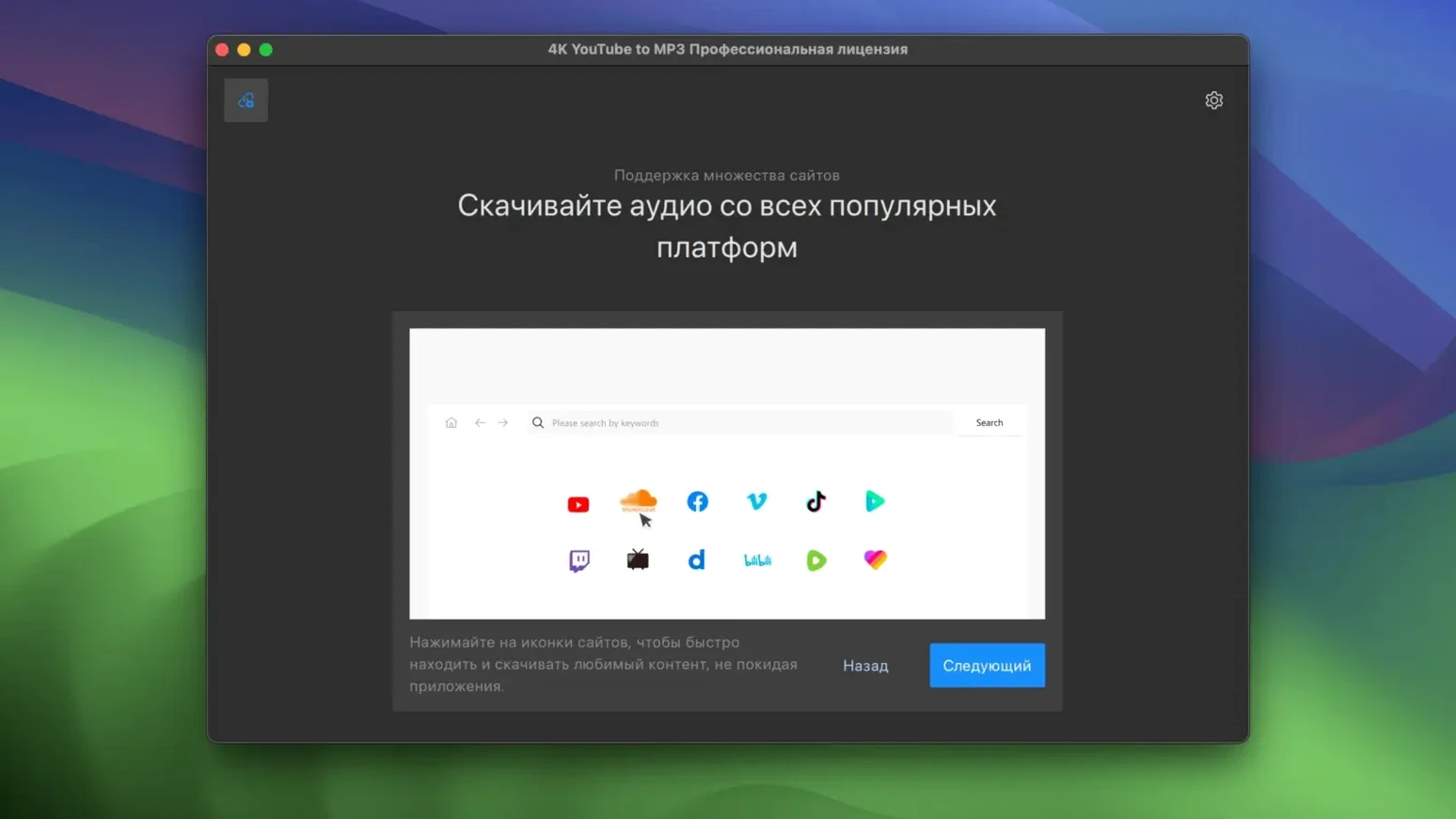
You found a long mix on YouTube and want it on your phone for the commute. 4K YouTube to MP3 is the Mac app that gets you there. It pulls audio from online video and audio sources and saves it as MP3, M4A, or OGG. The interface is plain English, and it handles single videos and whole playlists.
Where do I paste the link?
Copy the URL from your browser, open the app, and paste it into the big field at the top. The app reads the page and offers the audio tracks it can extract.
Which format should I choose?
MP3 is the safe default for most players. M4A gives smaller files on Apple devices, and OGG suits open-source software. Pick what your music player likes best.
Can I save an entire playlist?
Yes. Paste a playlist link and the app will list the tracks. You can select a few or all of them before converting.
No extra installation required
No. The app is a standalone downloader and converter from 4K Download. It runs on macOS 12 or later, and the same tool is also available for Windows and Linux.
Works with Safari, Chrome, and other browsers
4K YouTube to MP3 works alongside the tools you already use. Copy a link from Safari, Chrome, or any browser, and paste it into the app. There is no browser extension to manage and no extra login to keep track of. Your downloads land in a folder you choose, so they show up in Finder and in whatever music app you use to play them.
The app is a separate downloader from 4K Download. That means it does one thing and does it without pulling in other modules. If you also use the video downloader from the same developer, the two tools sit side by side and do not interfere with one another. Each keeps its own settings and output folders.
macOS integration stays basic, which suits a utility like this. The app does not need system-level permissions, and it does not ask for access to your Photos or Contacts. It reads a link, converts audio, and writes files. That is the whole deal.
Download a podcast and a live session in one go
Say you found a podcast episode on SoundCloud and a live session on VEVO. You want both on your laptop for the weekend. Here is how a typical session goes.
- Copy the SoundCloud link from your browser.
- Open 4K YouTube to MP3. Paste the link into the field at the top. The app reads the page and shows what it can extract.
- Choose MP3, since your portable player does not read OGG. Hit the convert button.
- While that runs, copy the VEVO link and paste it in the same field. The app queues it after the first one finishes.
- When both are done, open the output folder. The files are named after the originals, so you can tell the podcast from the live track.
Playlists follow the same rhythm. Paste the playlist link, select the tracks you want, and let the app work through them one by one.
Pick MP3, M4A, or OGG before converting
- Format choice happens before you convert, not after. Pick MP3, M4A, or OGG and the app sticks with it for the whole session.
- The same link field accepts links from YouTube, VEVO, SoundCloud, and Facebook. You do not switch modes or open separate tabs for each source.
- Playlist handling lets you grab a single track from a long list. You are not forced to take the whole thing.
- Because the app is Intel 64-bit, it runs on older Macs as well as newer ones through translation. That keeps it useful for a classroom machine or a spare laptop.
Close your browser after pasting the link
Do I need to keep the browser open while converting? No. Once you copy the link and paste it into the app, the conversion happens on its own. You can close the browser and let the app do the work.
Can I convert a video I have already downloaded? The app works with links, not local files. It reads online pages and extracts audio from them. If you have a local video, you would use a different tool.
Will the app remember my format choice? Yes, within a session. If you pick M4A once, the next link you paste will still be set to M4A until you change it.
Is there a limit on how many tracks I can convert at once? No hard limit. A long playlist may take a while, but the app will go through it in order.
Does it work with the 4k youtube to mp3 latest version name I see elsewhere? The version listed here is 26.3.5, and the app name stays 4K YouTube to MP3 across platforms. The Mac version is what this page covers, and the same tool exists for Windows and Linux.
One last note for anyone who wants a 4k youtube to mp3 mac app that stays out of the way. This one does not nag, does not bundle extras, and does not complicate the simple job it is built for.
- Version 26.3.5 is the current release. No specific changes were listed in the official notes.
- macOS 12 or later
- Intel Mac
- Interface language: English
Questions I keep getting
What audio formats can I save with 4K YouTube to MP3?
The app saves audio as MP3, M4A, or OGG. MP3 is the most compatible choice for everyday listening.
Does 4K YouTube to MP3 support playlists?
Yes, it supports playlists. You can paste a playlist link and choose which tracks to convert.
How to install
- Mount the disk image and open it. macOS may ask for confirmation.
- Press Enter in Terminal to allow the app to run. This bypasses Gatekeeper for this download.
- Drag the app into your Applications folder. That keeps it with your other programs.
- Launch it and start pasting links. Everything is ready to go.
Similar apps


Sign in or join the club to leave a comment.
Nobody has commented yet.