
- Version
- 5.13.0
- Studio or maker
- Rogue Amoeba Software
- Languages
- English
- Activation
- K'ed by TNT team
- Runs on macOS
- macOS 14.4 or later
- Chip type
- Apple Silicon, Intel 64-bit
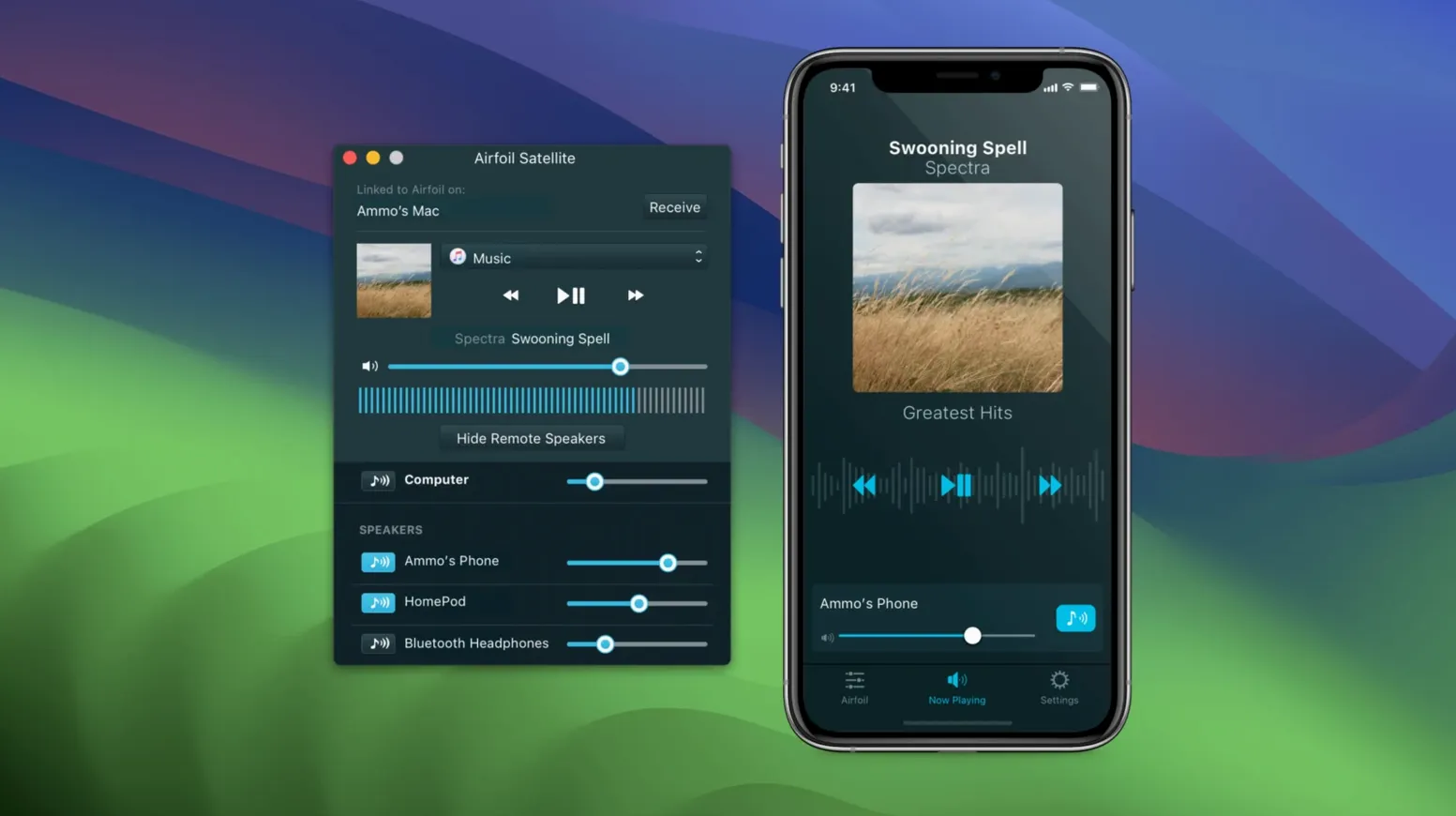
You are watching a video on your Mac, but the sound would be better coming from the living room speakers. Airfoil handles that. It sends audio from your computer to Apple TV, AirPort Express, Google Cast devices, Bluetooth speakers, iOS devices, and other Macs or PCs.
Need macOS 14.4 or later and an English interface
You will need macOS 14.4 or later. The interface is in English.
What the current release adds
The latest version, released September 25, 2026, restores audio streaming to Apple TV and HomePod devices. If you have used Airfoil before and those stopped working, this update should fix that.
What else is inside
Airfoil includes a built-in equalizer, so you can adjust the sound to fit the room. The companion app family, Airfoil Satellite, extends streaming and gives you remote control from other devices.
Send a podcast from your Mac to kitchen speakers
On a Wednesday evening you finish a lesson plan and want to put on a podcast while tidying the kitchen. You open Airfoil, and the main window shows a list of every audio source on your Mac: system audio, the browser, the podcast app, even iTunes if it is still around. Click the source you want, and a second list fills with every device Airfoil has found on your network — Apple TV, a HomePod in the hall, a Bluetooth speaker on the counter, an iPad running Airfoil Satellite.
You select the kitchen speaker and the HomePod, then press play. The podcast comes out of both, in sync, without you opening any other menu. When a student video needs to play during tomorrow's class, you can switch the output to the Apple TV in the classroom instead, and the app remembers that choice the next time you launch it.
The automatic start option is the part I use most. You set one preferred device in the preferences, and every time Airfoil opens, it begins streaming to that device immediately. No clicking around when you are already late for a meeting.
First things to do after installing
Spend five minutes on these steps and the app will behave the way you want from day one.
- Check your network — Airfoil works best when all devices are on the same Wi-Fi network. If an Apple TV or HomePod does not appear, make sure they are on the same subnet. Restarting the router can clear up stubborn discoveries.
- Set a default receiver — Open the preferences and pick one device for automatic streaming. Now every time you launch Airfoil, audio goes straight to that speaker without extra steps.
- Adjust the equalizer early — The built-in EQ is simple to use. Raise the low end if your Bluetooth speaker sounds thin, or cut the highs if the kitchen echo is too bright. You set it once and forget it.
- Install Airfoil Satellite on an iOS device — This lets you start or stop streaming from your phone without walking back to the Mac. Useful when you are already on the sofa and the track ends.
Apple Lossless keeps original audio quality
Airfoil has a few details that do not announce themselves but make daily use smoother.
The app transmits audio encoded in Apple Lossless. That means the sound arriving at your speakers is the same quality as the original file — no compression artifacts, no thinning of the signal. You notice it most with music, but even a spoken-word podcast sounds clearer.
You can send audio to several devices at the same time, as I mentioned, but what is easy to overlook is that each receiver can be different. An Apple TV in the living room, a Bluetooth speaker in the kitchen, and an Android device with Google Cast all can play the same track together. Airfoil handles the timing so they stay in sync as much as the hardware allows.
The companion app Airfoil Satellite does more than extend range. It also acts as a remote control from a phone or tablet, letting you change sources and adjust volume without touching the Mac. That is handy when the computer is across the room or connected to a projector.
If you have an older Mac with an Intel chip, Airfoil runs on it without issue — it is a 64-bit app that supports both Apple silicon and Intel 64-bit machines.
Restored streaming to Apple TV and HomePod
Version 5.13.0, released September 25, 2026, restored streaming to Apple TV and HomePod devices. If you had updated your Apple TV software and noticed Airfoil could no longer find it, that is the problem this release solves. The fix is invisible when it works — you just see the device in the list again.
For users who never lost that connection, the update does not change the behavior. You still get the same interface, the same equalizer, the same satellite support. The only difference is that the app now handles a newer version of the AirPlay protocol that Apple introduced in recent firmware. Airfoil streams audio from any app to AirPlay devices, and a 5.13.0 airfoil crack adds Apple TV and HomePod support.
The rest of the app remains as it was: audio capture from any application, multi-device streaming, and the ability to start automatically when you boot your Mac. No new menus, no redesigned panels — just a restored connection to the devices many people rely on daily.
- Restores audio streaming to Apple TV and HomePod devices.
- macOS 14.4 or later
- Apple silicon or Intel 64-bit
- 64-bit app
- Interface language: English
How to install
- Mount the disk image and run Open Gatekeeper friendly. This prepares the installer for the next step.
- Press Enter in the Terminal window to bypass Gatekeeper. This lets the app run without extra security prompts.
- Drag the app to the Applications folder. That keeps it with your other programs.
- Open the app when installation is complete. It is ready to use right away.
Similar apps





Sign in or join the club to leave a comment.
Nobody has commented yet.