
- Version
- 26.0.3
- Studio or maker
- ACD Systems
- Languages
- English
- Activation
- K'ed by TNT team
- Runs on macOS
- macOS 14 or later
- Chip type
- Apple Silicon, Intel 64-bit
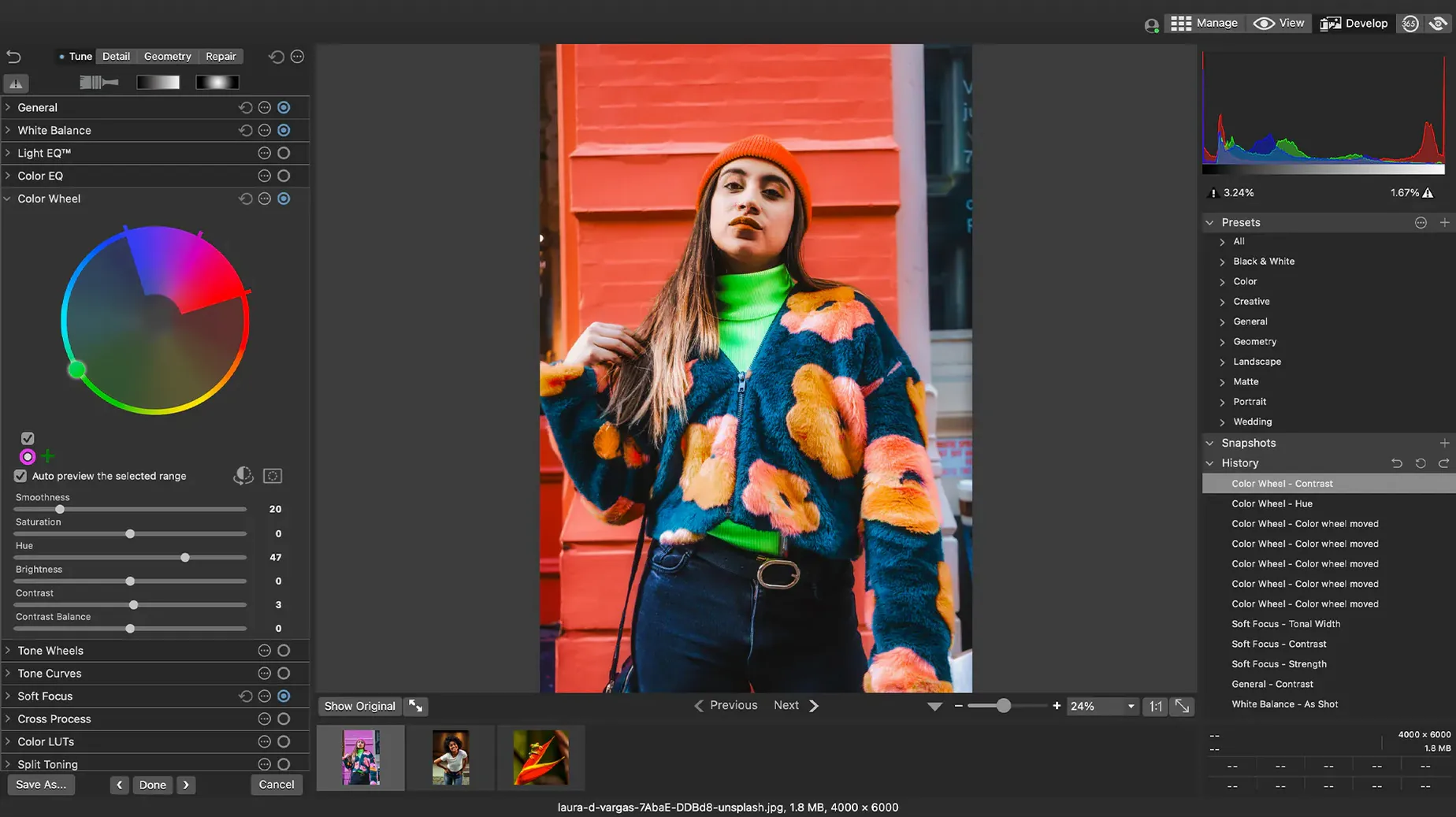
When you manage a growing library of photos—whether from school events, personal projects, or client work—keeping track of files and making quick edits can feel like a second job. ACDSee Photo Studio for macOS aims to cut through that clutter by combining organization and editing in one place.
Organizing without the overhead
The app handles RAW files from over 450 camera models, so you can import and sort without converting first. You can rate images, sort by date, or use drag-and-drop search to find what you need. The duplicate file finder helps clear out accidental copies, and the recent update fixed an iCloud integration issue, making it more reliable if you keep photos in the cloud. For anyone running a school photo archive or a personal collection, these tools save time that would otherwise go to manual sorting.
Editing that stays flexible
Non-destructive adjustments mean you can experiment with exposure, color, or cropping without altering the original file. If you teach photography or run a club, this is useful for showing students how edits change an image—undo is always a click away. The version 26.0.3 update also resolved a crash when adding keywords and categories, which keeps the tagging workflow smooth during busy grading weeks.
Where beginners often get tripped up
The most common mistake I see in the after-school club is treating ACDSee Photo Studio like a one-click fix. People import everything, then try to apply the same batch preset to an entire shoot without checking individual exposures. That works fine for consistent studio lighting, but for outdoor events or mixed indoor scenes, it can wash out highlights or crush shadows. The better approach is to use the batch presets on groups of similar photos, then touch up the outliers manually.
Another frequent slip is ignoring the keyword and category system until the library is already a thousand files deep. Setting up a few categories—like "Event," "Portrait," "Landscape"—early on keeps the drag-and-drop search useful. If you wait, you end up scrolling through thumbnails instead of letting the app do the filtering. The latest update fixed a bug where clicking away from a new keyword didn't stop editing, so the system is less fiddly now than in earlier versions.
Beginners also tend to forget that rating stars are non-destructive. I've watched students rate a batch of RAW files, then worry they'd changed the originals. The ratings live in the app's database, not in the file itself, so you can reassign or clear them without touching the photo. The 26.0.3 patch also corrected how RAW file ratings are read in some camera-specific scenarios, which makes the star system more trustworthy across different imports.
From 300 school trip RAWs to final selects in one session
Picture a Tuesday afternoon. I've just come back from a school trip with 300 RAW files on a memory card. I open ACDSee Photo Studio, mount the disk image, and run Open Gatekeeper friendly—same process every time. I press Enter in the Terminal window to bypass Gatekeeper, drag the app to Applications, and open it. The setup takes about a minute, and it's the same on both the club's Intel iMac and my own Apple Silicon machine.
Once inside, I import the day's photos. I sort by date first to see the timeline clearly, then assign a 3-star rating to the keepers and a 4- or 5-star to the best ones. I add a category called "Field Trip" and drop in a few keywords like "botany" or "teamwork" so the students can find their own shots later. The duplicate file finder catches two accidental bursts I shot back-to-back, and I delete the copies without leaving the app.
Now the editing part. I open a RAW file and adjust the exposure and clarity—the lighting was flat that morning. Because the adjustments are non-destructive, I can undo and try again without worrying about the original. I save a custom batch preset for the whole set: a small exposure boost, a touch of sharpening, and noise reduction for the darker indoor shots. The preset applies across the selected images in one go. Finally, I export the finished files as JPEGs for the school newsletter. The whole session, from import to export, takes under an hour.
How a club coordinator uses it
A friend who runs an after-school photography program in a different city works with a mix of student cameras—some new mirrorless models, some older DSLRs. She imports RAW files from all of them into ACDSee Photo Studio, and the support for over 450 camera models means she rarely gets an unsupported file. She uses the EXIF and IPTC editor to batch-add copyright info and student names to every image before the school's annual exhibition. The keyword system lets her sort by student or by project theme, which saves her from digging through folders during parent-teacher nights. She told me the duplicate finder alone saved her hours last term when students accidentally copied files between memory cards.
- Fixed a crash when adding a new keyword or category in certain scenarios
- Fixed an issue where clicking away from a new keyword or category did not stop editing
- Fixed inaccurate reading of RAW file ratings in certain scenarios
- Fixed an issue with iCloud integration
- macOS 14 or later
- Intel or Apple Silicon processor
- Interface language: English
Questions I keep getting
Which macOS version does ACDSee Photo Studio require?
It requires macOS 14 or later and works on both Intel and Apple Silicon Macs.
What RAW camera models are supported?
ACDSee Photo Studio supports RAW files from more than 450 camera models, covering most modern DSLRs and mirrorless cameras.
How to install
- Mount the disk image and run the Gatekeeper-friendly installation tool.
- Press Enter in the Terminal window to bypass Gatekeeper.
- Drag the app to your Applications folder.
- Open the app once the installation finishes.
Similar apps






Sign in or join the club to leave a comment.
Nobody has commented yet.