- Version
- 1.5 REV 1 [Wineskin] Fix
- Studio or maker
- Ubisoft
- Languages
- Russian, English, German, Arabic, Spanish, Italian, Chinese (Traditional), Korean, Dutch, Polish, Portuguese, French, Czech, Japanese
- Activation
- Not required
- Chip type
- Apple Silicon
- Tried out on
- macOS Tahoe, Mac mini 2024 M4
- First released
- 13.11.2014
- Voice languages
- Russian, English, French
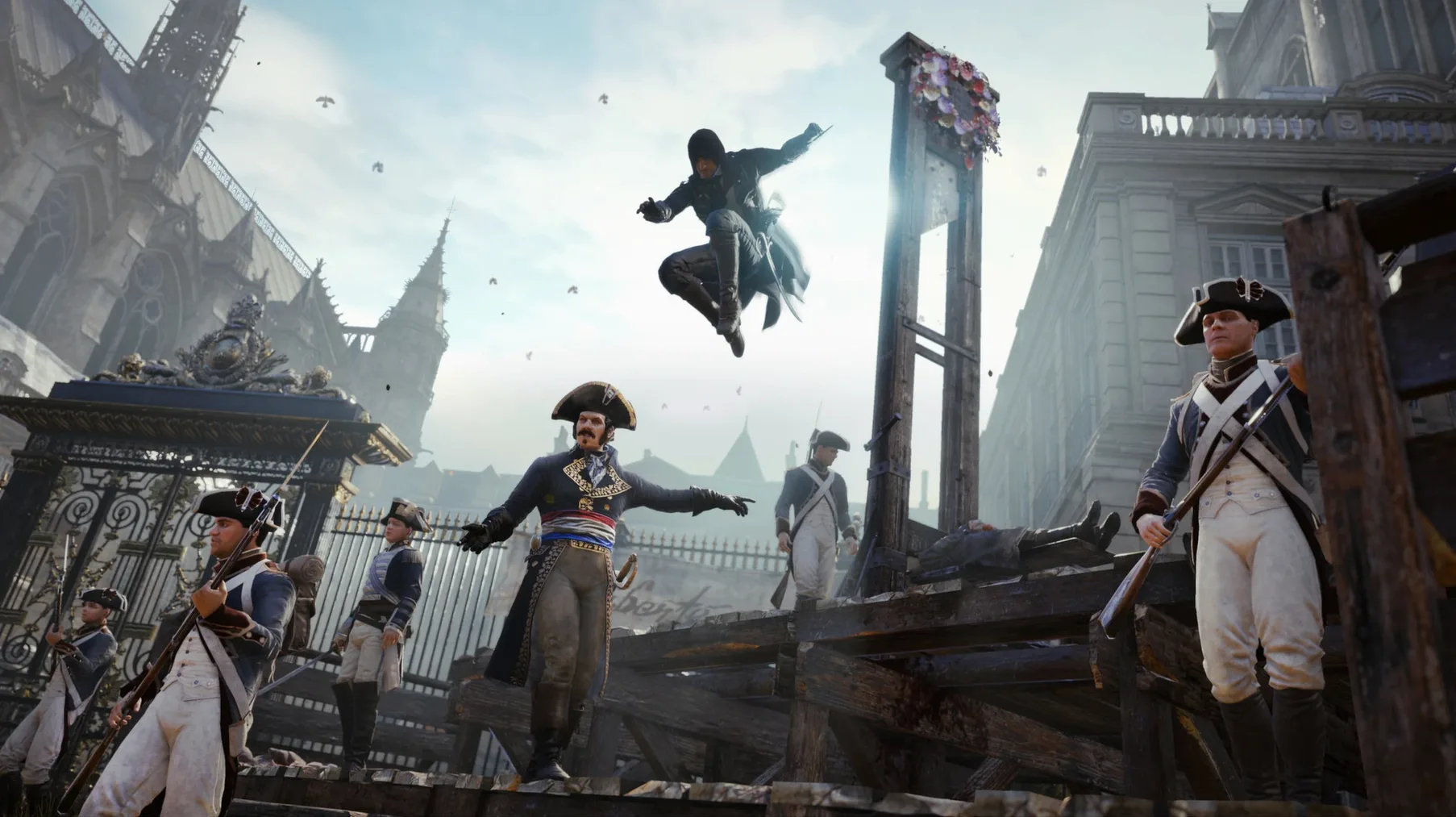
Anyone who enjoys a richly detailed historical setting and open-world parkour will feel at home in Assassin's Creed Unity. You control Arno, a young man swept into the chaos of the French Revolution, and the game gives you plenty to do every minute you're in its version of Paris.
- Climb and vault across rooftops, cathedrals, and city streets. The parkour system lets you flow smoothly from one surface to the next, making traversal a constant, satisfying puzzle of routes and shortcuts.
- Engage in combat with swords, muskets, or the hidden blade. Each encounter feels deliberate — you pick your targets and time your strikes, rather than just mashing buttons.
- Complete story missions that send you through revolutionary crowds, into grand palaces, and beneath the city into hidden tunnels. The narrative moves you through key historical moments.
- Customize Arno's appearance, skills, and equipment. You can swap gear and unlock abilities that match how you like to play, whether that means stealth, direct combat, or a mix of both.
- Play cooperatively with others. You can team up for specific missions that require coordination, adding a social layer to the solo campaign.
With its detailed reconstruction of revolutionary Paris and a combat system that rewards patience, Assassin's Creed Unity offers a solid, straightforward action-adventure experience for Mac players who appreciate history and careful gameplay.
No internet required to start the single-player campaign
People often ask whether Assassin's Creed Unity needs an internet connection to start. It doesn't. The version here is set up to work without activation, so you can play through the entire single-player campaign offline. Co-op missions do require a network connection and at least one other person running the game, but the solo content is fully self-contained.
Another frequent question is about language. If the game starts up in Russian and you prefer English or another language, that is an easy fix. You open the app package, find saves.ini with TextEdit, and change the line for Language to English, German, French, or one of the other supported options. Audio and subtitles can be adjusted inside the game settings afterward, so you are not stuck with a single voice track.
Some ask about the Wineskin wrapper in the version name. Wineskin is a tool that lets Windows games run on macOS without needing a separate Windows install. The 1.5 REV 1 Fix build has been configured for Apple Silicon, which means it should launch properly on newer Macs. If you get an error on first launch, the Fix file from the mounted image usually resolves it. No extra software or configuration is required beyond that.
Turn on subtitles before your first climb
Before you start climbing every rooftop in Paris, there are a few settings that make the experience more comfortable. Open the options menu as soon as you can move Arno, and change these:
- Subtitles on. The voice acting is in English, French, or Russian, but the subtitles help when crowd noise or combat sounds bury dialogue. You can set them to your preferred language separately from the audio.
- Control sensitivity. The default camera speed can feel a bit slow when you are trying to look around quickly during a chase. Dial it up a notch or two in the controls menu until it feels responsive without being jerky.
- Display mode. If the game window does not fill your screen properly, check the video settings. Fullscreen mode usually clears that up, and you can adjust resolution to match your display.
These are small changes, but they save you from pausing mid-mission to hunt through menus later.
A scenario for the co-op player
You teach at a school, like I do, and you have one or two colleagues who also enjoy historical games. Friday afternoons, after the last bell, you all sit in the staff room with your MacBooks open. You decide to try a co-op mission from Assassin's Creed Unity together.
You pick a mission that requires splitting up — one person causes a distraction on a crowded street while the other two slip through a side entrance into a restricted building. The communication is simple: who goes where, when to start climbing, when to strike. The missions are designed for coordination rather than speed, so nobody feels rushed. You fail the first attempt because someone triggered an alarm too early. You laugh, restart, and this time the timing works. The satisfaction of pulling it off together is the best part of the session.
Co-op in Unity does not require a long commitment. A single mission takes maybe twenty minutes, which fits neatly into a break or after-school slot. It is a good way to experience the game with someone else without needing to schedule hours at a time.
- Architecture: Apple Silicon
Questions I keep getting
Can I change the language in Assassin's Creed Unity on Mac?
Yes. Open the app package contents and edit the saves.ini file in TextEdit. Replace Language=russian with another value like Language=english, then save. You can also adjust audio and subtitles in the game settings.
Does Assassin's Creed Unity support multiplayer on Mac?
Yes, the game supports both single-player and cooperative play. You can team up with other players for specific missions.
What Mac hardware is required to run Assassin's Creed Unity?
The game is listed as compatible with Apple Silicon Macs. It has been tested on macOS Tahoe on a Mac mini 2024 M4.
How to install
- Mount the downloaded disk image to access its contents.
- Drag the app into the Applications folder alias inside the image. This places it where your Mac expects it.
- After copying finishes, launch the app from Launchpad. If an error appears, run the Fix file from the original disk image.
- To change the interface language, open the app package contents, find the saves.ini file, and edit it in TextEdit. Replace Language=russian with a supported value like Language=english, then save. You can also adjust audio and subtitles in the game settings later.
Similar games





Sign in or join the club to leave a comment.
Nobody has commented yet.