- Version
- 1.4.0.0
- Studio or maker
- Matt Makes Games
- Languages
- Russian, English, German, Spanish, Italian, Chinese (Simplified), Portuguese, French, Japanese
- Activation
- Not required
- Chip type
- Intel 64-bit
- Tried out on
- macOS Sonoma, MacBook Air (M1. 2020)
- First released
- 25.01.2018
- Voice languages
- Music only
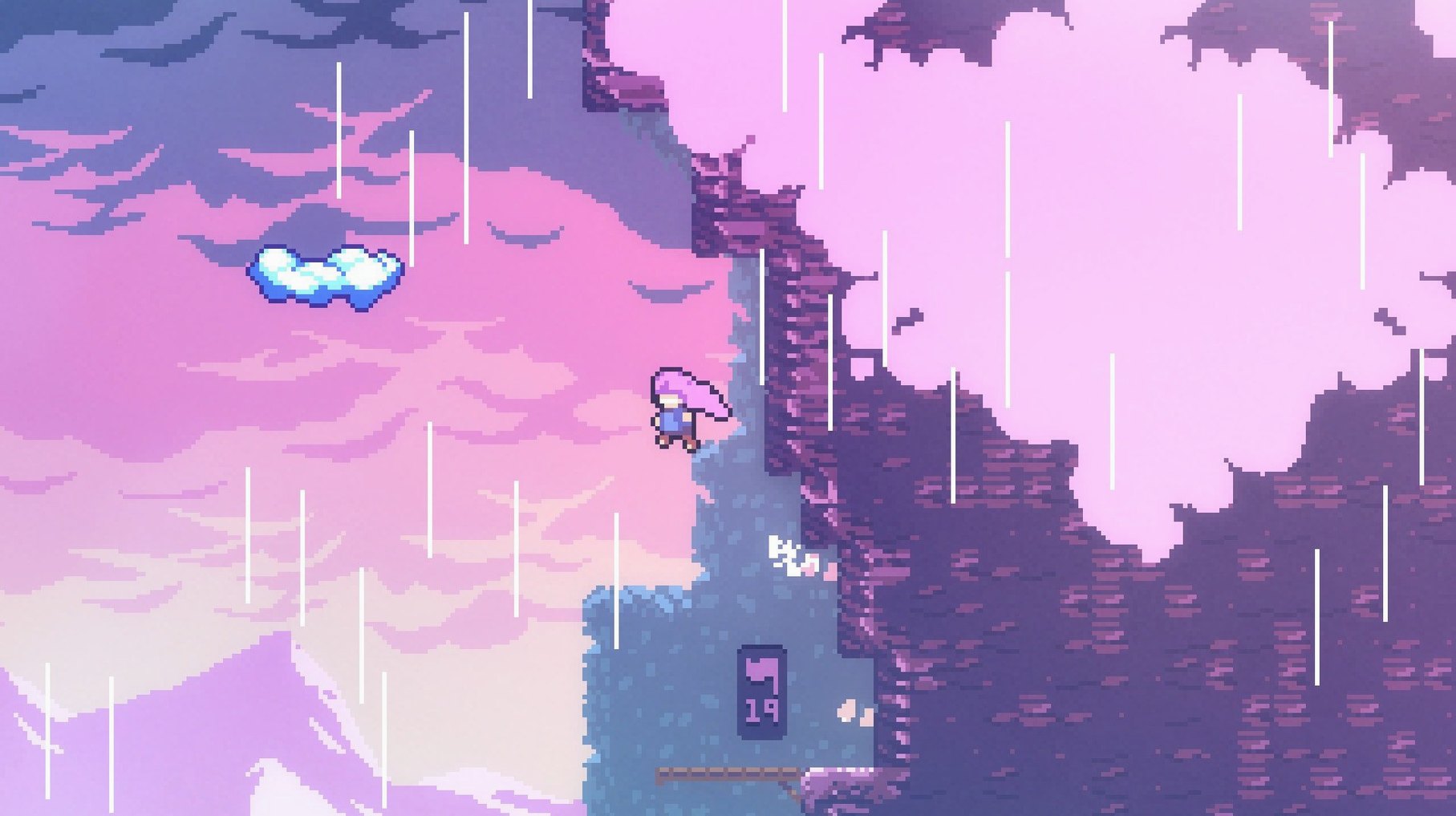
Celeste packs 700 screens of hand-crafted platforming into a single-player climb. Madeline heads up Celeste Mountain, and the mountain pushes back — her own doubts take shape as a shadowy double. The game teaches through repeated failure: each fall is a lesson, not a setback.
Eight chapters with unique mechanics and hidden areas
- Eight chapters of climbing, each with its own mechanic and mood.
- Hidden areas tucked behind secret walls and tricky jumps.
- Two hours of original music that shifts with the story.
- A story about anxiety and self-doubt, told without cutscenes getting in the way.
- Interface in English, German, Spanish, Italian, Simplified Chinese, Portuguese, French, Japanese, and Russian.
Modes beyond the main climb
Once the summit is reached, the game opens up. There are B-side and C-side versions of chapters for players who want a sharper challenge, plus a speedrun mode with its own leaderboard. The assist options let you adjust game speed or grant extra dashes, so the climb stays approachable for anyone, regardless of skill.
How Celeste compares with similar platformers on Mac
If you have played other single-player platform games on macOS, you might wonder how Celeste fits. Compared with Hollow Knight, Celeste is more focused. Hollow Knight leans on exploration, backtracking, and a large interconnected map. Celeste gives you a clear upward path, one screen at a time, with checkpoints that never feel far. The controls are simpler — you can jump, dash, and grab walls — but the challenge comes from precision, not from remembering where the hidden door was.
Against Super Meat Boy, Celeste trades raw speed for a slower, more deliberate climb. Super Meat Boy throws you into fast, short levels and expects instant reactions. Celeste gives you a moment to breathe between screens, and its story threads through the action rather than sitting apart. Both games punish mistakes, but Celeste's assist options mean you never hit a wall you cannot get past.
Next to Ori and the Blind Forest, Celeste is more about tight corridor challenges than wide-open movement. Ori flows from one ability to the next in a world that rewards free traversal. Celeste locks each chapter to a single idea — wind, darkness, moving blocks — and asks you to master it before moving on. The mountain feels smaller and more intimate than Ori's forest, which suits the personal story Celeste is telling.
Runs on Intel and Apple Silicon Macs via Rosetta
Celeste version 1.4.0.0 runs on Intel Macs. The developers tested it on macOS Sonoma using a MacBook Air with an M1 chip from 2020, so it works through Apple's Rosetta translation layer on Apple Silicon machines. No activation is required — you mount the disk image, copy the game to Applications, and launch it.
The game installs as a standard macOS application. During setup, the instructions note that a US keyboard layout should be active when starting the game. This is a small detail that can save a moment of confusion if your layout is set to something else. The game's interface is available in English, German, Spanish, Italian, Simplified Chinese, Portuguese, French, Japanese, and Russian, so you can play in the language that feels most natural.
Music is the only audio track — there are no voice lines. The two hours of soundtrack load alongside each chapter and change mood as the story progresses. On an Intel Mac you can expect the game to run as designed, and on Apple Silicon the Rosetta translation handles the x86 code without extra steps from you.
A workflow: starting a new file and climbing the first chapter
Here is how a typical first session with Celeste goes, from launching the game to finishing the opening area.
- Mount the disk image after the download finishes. The .dmg file opens a window with the game icon and an Applications folder alias.
- Drag the Celeste icon to the Applications alias. Copying takes a few seconds — the game is not large.
- Set your keyboard layout to US English before launching. This avoids any unexpected mapping when you start moving.
- Open Celeste from the Applications folder. The title screen appears with the mountain in the background. No login, no account setup, no launcher window.
- Select "New Game" from the main menu. A brief introductory scene shows Madeline at the base of the mountain before the first screen loads.
- Move with the arrow keys or the left stick. Jump with the assigned button, grab walls by holding toward them, and dash with a second button. The first screens teach you these three actions one at a time.
- Die often — the game expects it. After each fall you respawn at the start of the current screen, not at a distant checkpoint. The loading is near-instant, so you try the same jump again without a wait.
- Reach the first save point, marked by a small crystal. The game writes your progress automatically. You can close Celeste and return later to pick up from the last crystal you touched.
- Clear the first chapter. The mountain's face changes as you climb, and the shadowy version of Madeline appears for the first time. A short scene plays before the chapter ends.
This first chapter takes roughly thirty to forty minutes for a new player, depending on how many screens need repeating. The game does not offer a tutorial pop-up — it teaches through the level design itself. By the time you reach the first summit marker, you know exactly how Madeline moves and what happens when you misjudge a gap.
- macOS: version not specified by the developer
- Architecture: Intel (works on Apple Silicon via Rosetta)
Questions I keep getting
Does Celeste run on Apple Silicon Macs?
The game is Intel-native, but it was tested on macOS Sonoma on a MacBook Air with M1 from 2020, so it runs fine through Rosetta.
What languages does Celeste support?
The game supports Russian, English, German, Spanish, Italian, Simplified Chinese, Portuguese, French, and Japanese.
How to install
- Mount the downloaded disk image — double-click the .dmg file in Finder.
- Drag the game to the Applications folder alias — this keeps the game organized and easy to launch.
- Launch the game after copying finishes — wait for the copy to complete to avoid glitches.
- Use a US keyboard layout when starting the game — some keys may behave unexpectedly otherwise.
Similar games





Sign in or join the club to leave a comment.
Nobody has commented yet.