- Version
- 1.26.0 fix
- Studio or maker
- Motion Twin
- Languages
- Russian, English, German, Spanish, Italian, Chinese (Simplified), Korean, Portuguese, Turkish, French, Japanese
- Activation
- DRM-free
- Chip type
- Intel 64-bit
- Tried out on
- macOS Sonoma, MacBook Air (M1. 2020)
- First released
- 7.08.2018
- Voice languages
- Music only
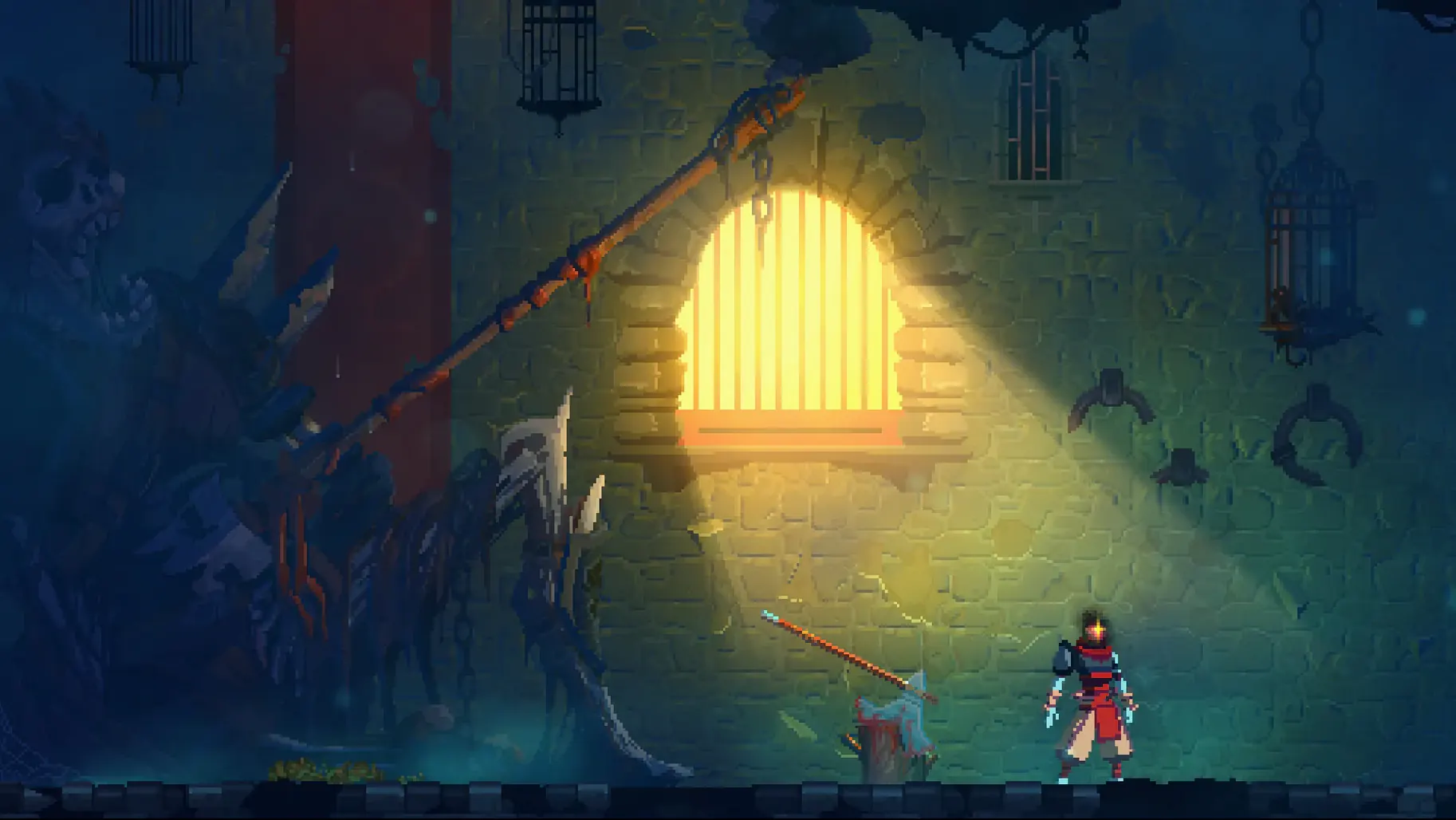
Friday afternoon, club room. A student has finished early and wants something that doesn't feel like homework but still demands a little brainpower. Dead Cells fits that spot: quick runs, tight combat, and a world that changes each time you restart. Motion Twin, a French workers cooperative, built this rogue-lite action-platformer with a Castlevania feel and Souls-like weight. Each death sends you back, but permanent upgrades keep progress from resetting entirely. The current build uses x86 64-bit architecture, so it runs on Intel Macs. On an Apple Silicon machine, you will need Rosetta translation. Controls work with keyboard and mouse or a gamepad. The game is music-only for audio, so no voice acting to worry about in a classroom. Interface languages include English, German, Spanish, Italian, and several others.
Die, lose your weapons, and keep going
The early runs in Dead Cells can feel punishing. You die, you lose your current weapons, and the level layout shifts. That is the design, not a difficulty spike. A few habits help those first sessions feel productive rather than frustrating.
- Focus on learning enemy timing, not on winning. Each swing, roll, and parry has a rhythm. Watch what the enemies do before they attack. That knowledge carries over after every death.
- Spend cells (the blue currency dropped by enemies) early. The Legendary Forge and the Hunter's Grenade are tempting, but the first permanent upgrades that unlock new weapons in the starting area give you more variety from run one. Variety means you find a play style faster.
- Try every weapon you pick up at least once. A weapon that looks weak can have a useful special move or a fast combo that suits how you move. The game throws many tools at you; dismissing them too quickly narrows your options.
- Explore every path. The map branches, and different biomes drop different blueprints. Taking a route you have not tried usually means new gear to unlock back at the Collector.
Built-in features that soften each fresh start
Dead Cells does not have a save system. Each run is a fresh start. But a few built-in features make that less harsh than it sounds.
- The Hunter's Grenade lets you target a specific enemy and extract its blueprint. If you see a rare enemy type you want a weapon from, throw the grenade at it. The blueprint is guaranteed if you complete the extraction.
- Custom Mode, accessible from the main menu, lets you adjust the game rules without disabling achievements. You can lock certain weapons from appearing, change enemy health, or tweak the difficulty. It is not cheating; it is tailoring the run to what you enjoy.
- The Training Room, also on the main menu, gives you a safe space to practice against any enemy you have encountered. No pressure, no timer, no death penalty. Useful for learning boss patterns before you face them for real.
- Weapon and skill blueprints show a small icon next to their name in the inventory. If you have not unlocked something yet, the icon tells you it is still a blueprint. That saves time wondering whether you already own it.
Short, repeatable runs for commuters and busy players
The game rewards players who enjoy short, repeatable sessions. That makes it a natural fit for several kinds of Mac users.
- Commuter players: You have twenty minutes on a train or between classes. A single run fits neatly into that window. Even if you die three minutes in, you have made some progress toward permanent unlocks.
- Completionists who like systems: The blueprint system means there is always another weapon, mutation, or outfit to find. Tracking down every item takes dozens of runs. If you enjoy building a collection methodically, Dead Cells gives you a clear goal each time.
- Players who dislike long tutorials: The game explains almost nothing. You learn by doing. That suits people who prefer to figure out mechanics through experimentation rather than reading text boxes.
- Mac gamers who want something that runs on older hardware: Since the build uses x86 architecture, it runs on Intel Macs without issue. On Apple Silicon, Rosetta handles the translation. No Metal 3 requirements, no modern GPU demands. It works on machines that cannot run newer 3D titles.
How a reluctant student got hooked during game club
Hannah, the maths teacher who runs the after-class game club, sets up a single Mac in the corner of the room. A student who usually avoids action games because they find them too fast watches another student play a run. The watcher notices the student pause before engaging each enemy, studying the attack pattern. After the run ends, the watcher asks to try. Hannah points them to the Training Room. Fifteen minutes later, the student completes their first full biome. No pressure, no audience, just the game teaching them at their own pace. The next week, that same student brings in a sketch of the Hand of the King they drew during lunch. The game did not just entertain; it gave them a system they could learn in small pieces, and that made the difference.
- macOS: not specified by the source
- Architecture: Intel (x86 64-bit)
- Other: none listed
Questions I keep getting
Does Dead Cells run on Apple Silicon Macs?
The build uses x86 64-bit architecture, so you will need Rosetta 2 translation to run it on an M1 or M2 Mac.
What languages does the interface support?
The interface is available in English, German, Spanish, Italian, Russian, French, Japanese, Korean, Portuguese, Turkish, and Simplified Chinese.
Is there voice acting in Dead Cells?
No, the audio language is music-only. There is no voice acting.
How to install
- Unpack the archive and run the standard installer. This prepares the game files for your system.
- Choose the installation location when setup finishes. Pick a folder you can find later, such as Games or Applications.
- Launch the game using the deadcells file in the game folder. The executable is inside the directory you chose.
Similar games





Sign in or join the club to leave a comment.
Nobody has commented yet.