- Version
- 1.0.2
- Studio or maker
- NovaSoft Interactive Ltd.
- Languages
- Russian, English, German, Spanish, Italian, Chinese (Traditional), Portuguese, French, Japanese
- Activation
- Not required
- Chip type
- Apple Silicon, Intel 64-bit
- Tried out on
- macOS Tahoe, Mac mini 2024 M4
- First released
- 6.03.2026
- Voice languages
- English
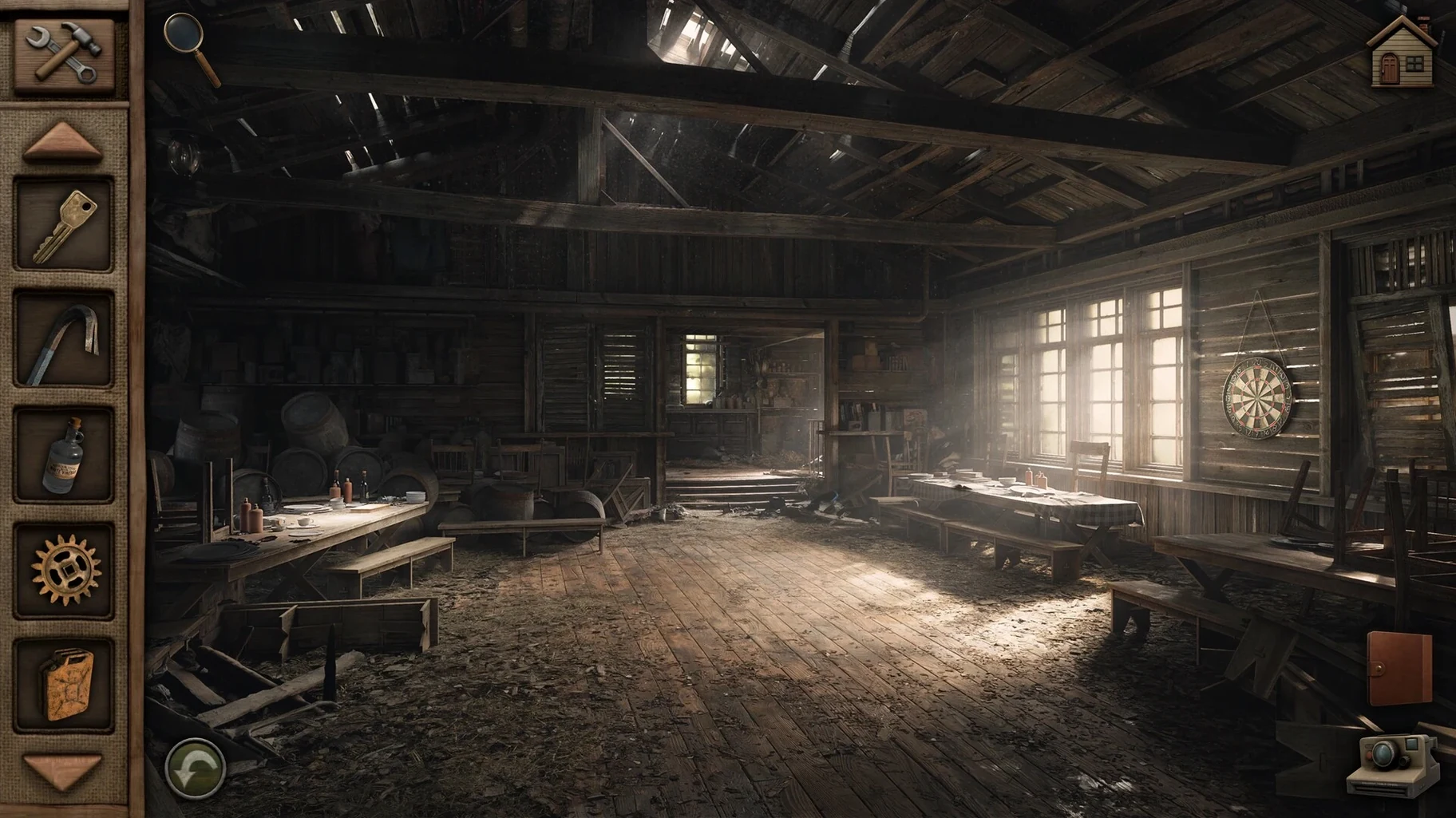
Ethan Hill’s flashlight cuts through the dark, and you’re the one aiming it. Aurora Hills: Chapter 2 drops you into a small West Virginia town in 1981, where people have been vanishing without a trace. Your job is to click through every corner of the map—the diner, the woods, the abandoned gas station—and piece together what happened.
The puzzles here aren’t abstract; they feel like something a local would figure out. You might need to combine a torn note with a payphone number, or convince a wary shopkeeper to talk by finding the right object in your inventory. A two-level hint system nudges you if you get stuck: one level gives a subtle clue, the other shows the next step outright. That’s useful for a classroom game club where students move at different speeds.
The interface speaks nine languages, and the color-blind mode keeps the visual puzzles fair for everyone. Voice is in English only, but subtitles cover the other languages. It runs native on both Apple Silicon and Intel Macs, which means no extra Rosetta fuss on newer machines. Mount the disk image, drag the app to Applications, and you’re in.
Working through a puzzle from start to finish
Let me walk through one kind of puzzle you might encounter, so you know what to expect. You find a locked desk drawer in the ranger station. The drawer has a three‑digit combination lock, and nearby you see a calendar with some dates circled, a receipt from the local hardware store, and a photograph with handwriting on the back.
- The calendar has March 14 crossed out in red ink. That is your first clue: the number 14 matters.
- Look for other numbers. The circled dates on the calendar are March 3 and March 18. The receipt total is $3.18. That gives you 3 and 18.
- Use the hint system if you need it. One level of the hint points out that the receipt total and the circled dates share digits. The second level tells you outright that the combination is 3‑14‑18.
- Enter the combination. Click each dial to set 3, then 14, then 18. The drawer opens, revealing a key that unlocks the storage shed where the next piece of the story waits.
The two‑level hint system means you never have to look up a walkthrough online. Students in the game club can try the first hint, think about it, and only ask for the second if they are truly stuck.
Text wrapping fix for German and French inventory menus
The current version is 1.0.2, released March 6, 2026. A few things are better now compared to earlier builds:
- Text in the inventory menu now wraps correctly in German and French, so item descriptions no longer get cut off.
- The color‑blind mode now also adjusts the puzzle symbols themselves, not just the interface buttons. That helps if you rely on shape rather than color to differentiate clues.
- The hint system no longer resets if you save and reload mid‑puzzle. Previously you could lose your second‑level hint progress. That is fixed in 1.0.2.
These are small adjustments, but they make the game feel finished rather than rushed. I appreciate that NovaSoft Interactive kept polishing after release.
How one student with dyslexia plays the story
I run the after‑class game club at a secondary school in Hamburg. One student has dyslexia and struggles with reading large blocks of text in adventure games. Aurora Hills: Chapter 2 works well for him because most story information comes through short item descriptions and environmental clicks, not long dialogue trees. He set the interface to German and turned on the hint system at the first level. When he got stuck on the payphone puzzle—needing to find a specific coin in the diner—the hint pointed him to the jukebox area without giving away the exact object. He found the coin himself and was genuinely proud. For a club leader, that moment is the whole point.
- macOS ? (check the developer’s notes)
- Apple Silicon or Intel processor
How to install
- Mount the downloaded disk image. This opens a virtual drive on your desktop.
- Drag the app to the Applications folder alias inside that drive. The alias points to your actual Applications folder.
- After the copy finishes, open the app from Launchpad. It’s ready to run.
Similar games



Sign in or join the club to leave a comment.
Nobody has commented yet.