- Version
- 1.0.35
- Studio or maker
- Ubisoft
- Languages
- Russian, English, German, Arabic, Spanish, Italian, Chinese (Traditional), Chinese (Simplified), Korean, Polish, Portuguese, French, Japanese
- Activation
- Not required
- Chip type
- Apple Silicon
- Tried out on
- macOS Tahoe, Mac mini 2024 M4
- First released
- 20.03.2025
- Voice languages
- English, German, Spanish, Italian, Portuguese, French, Japanese
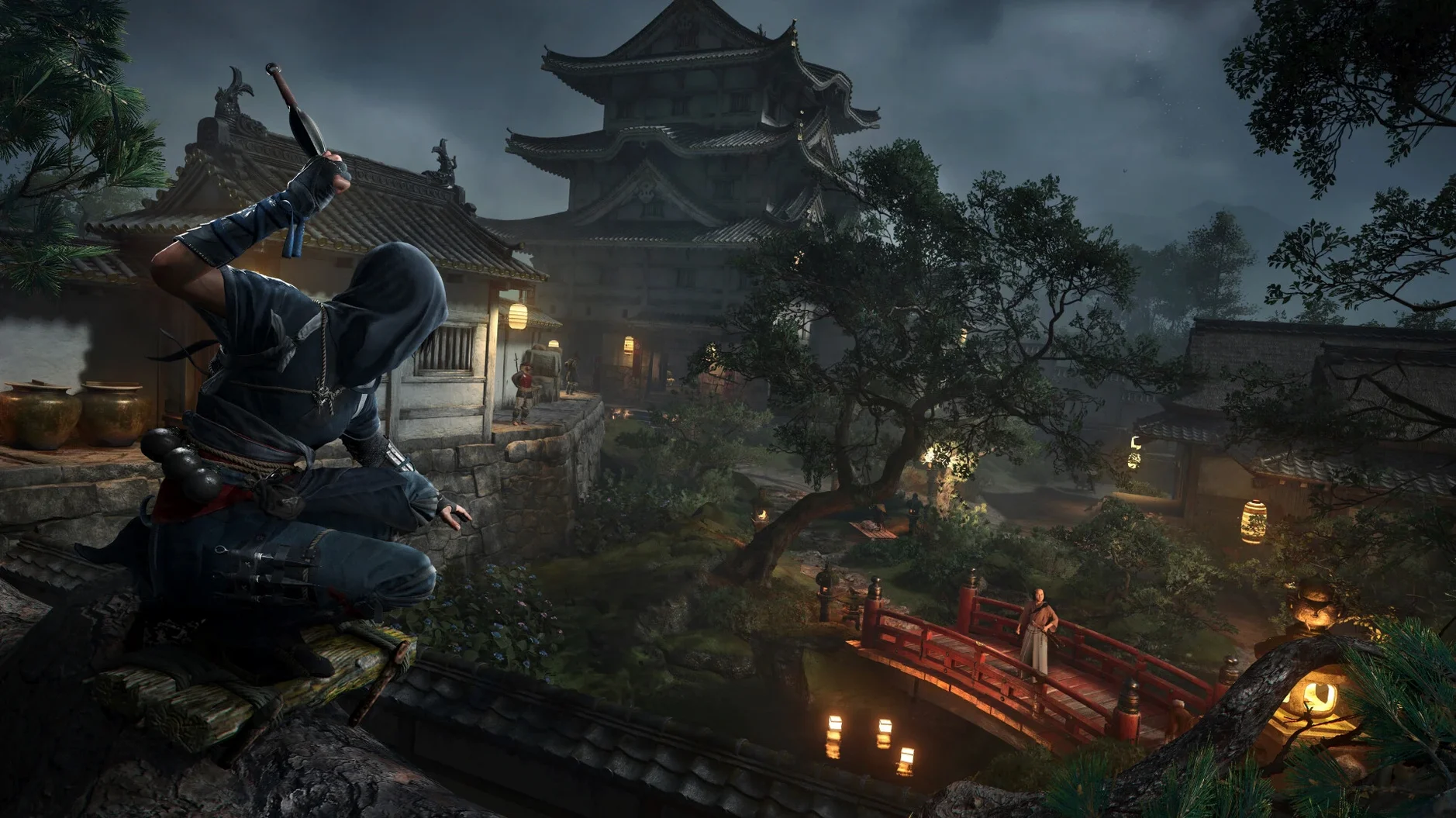
Assassin’s Creed Shadows brings the long-running series to feudal Japan, a setting many players have wanted for years. This action-adventure title runs on Apple Silicon Macs and uses Metal 3 to take advantage of the hardware, including HDR and ray tracing on M3 and M4 models. If you have a Mac with an M1 chip or later, you can step into this world.
Explore feudal Japan through two distinct protagonists
- Players who enjoy stealth and combat through two distinct protagonists: Naoe, a shinobi assassin, and a samurai ally.
- Exploring a reactive world with castle towns, ports, shrines, and war-torn provinces that change based on your actions.
- Using a network of scouts to track down your next target, adding a strategic layer to missions.
- Building and customizing your hideout, where you can craft new equipment and interact with key characters.
- Recruiting allies with unique abilities to aid you in your journey.
Requires macOS Sequoia, 16 GB RAM, and 130 GB of storage
- Requires macOS Sequoia 15.0 or later and an Apple M1 chip or later.
- You’ll need 16 GB of RAM and 130 GB of available storage.
- A Ubisoft account is required to launch the game.
- Voice languages include English, German, Spanish, Italian, Portuguese, French, and Japanese, with additional interface languages available.
Targets 720p at 30 frames on Apple Silicon Macs
This is a large game built for Apple Silicon. The minimum requirements ask for 16 GB of RAM and 130 GB of free storage, so you will need to clear space before installing. The game is aimed at 720p and 30 fps on the low graphics setting, providing a reference point for its performance on older M1 chips. On M3 and M4 Macs, the system can handle HDR and hardware-accelerated real-time ray tracing, which means lighting and reflections look more natural on those newer chips. The Mac version uses Metal 3, Apple’s graphics framework, so the game talks directly to the GPU without extra translation layers. You will need macOS Sequoia 15.0 or later — no support for older operating systems.
Clear 130 GB of space and create a Ubisoft account
The biggest hurdle is storage. At 130 GB, you may need to uninstall other games or move files to an external drive. Check your available space before starting the download. A common problem is that starting the game necessitates an Ubisoft account. Have your login ready before you try to start it for the first time. If the game does not open after installation, make sure you have macOS Sequoia 15.0 or later installed and that you are running it on an M1 or later chip. Some players also miss the step of dragging the app to the Applications folder — that alias is important for the system to find the game files. If you get a message about missing dependencies, a restart of the Mac often resolves it. For players using an M1 Mac on the low preset, expect 720p and 30 fps as a target; if performance dips, check that no other applications are running in the background.
Best for Mac users with Apple Silicon who love open-world feudal Japan
This version suits Mac users who already own an Apple Silicon machine and want a modern open-world action game without switching to a console or Windows. Players who enjoy feudal Japan settings will find the most value here, since the environments and character stories lean heavily into that era. If you like switching between stealth and combat — Naoe for sneaking and the samurai for direct fights — the dual-protagonist system gives you that flexibility. The hideout customization and ally recruitment add a base-building layer that appeals to players who enjoy planning and resource management between missions. For those with M3 or M4 Macs, the HDR and ray tracing features make the world look richer, so you get more visual benefit from newer hardware. If you are on an M1 Mac and comfortable with the 720p baseline, this will still be a playable experience, just without those extra graphical effects.
- macOS 15 Sequoia or later
- Apple Silicon (M1 or later)
- 16 GB RAM
- 130 GB available storage
- Ubisoft account required to launch
Questions I keep getting
Can I play Assassin's Creed Shadows on an Intel Mac?
No, the game requires an Apple M1 chip or later, so Intel Macs are not supported.
What is the hideout used for in the game?
The hideout lets you craft new equipment and interact with key characters, serving as your base of operations.
How to install
- Open the downloaded disk image file.
- Drag the app to the Applications folder alias to copy it.
- After copying finishes, launch the app from Launchpad.
- Register a Ubisoft account to start the game.
Similar games


Sign in or join the club to leave a comment.
Nobody has commented yet.