- Version
- 1.03 [Wineskin] Fix
- Studio or maker
- QLOC, FromSoftware
- Languages
- Russian, English, German, Spanish, Italian, Chinese (Traditional), Chinese (Simplified), Korean, Polish, Portuguese, French, Japanese
- Activation
- Not required
- Chip type
- Apple Silicon
- Tried out on
- macOS Sequoia, MacBook Pro (M3 Pro 2023)
- First released
- 24.05.2018
- Voice languages
- English
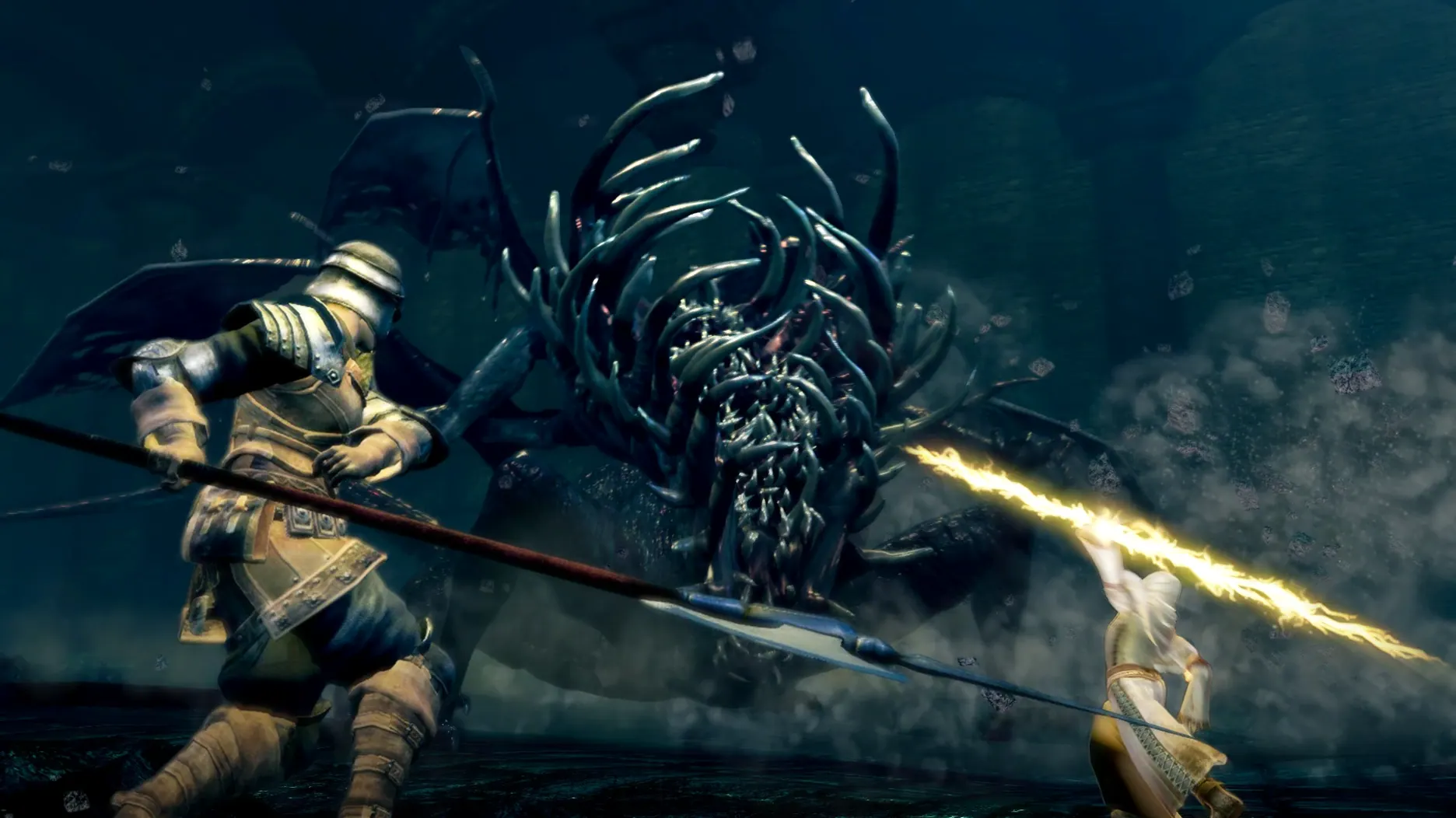
If you've already taught your game club students how to manage a torrent download, you know the first thing to check is whether the game actually runs on your Mac. Dark Souls: Remastered for macOS, now at version 1.03, is a solid port for Apple Silicon machines. The update is a single fix, which is a good sign — it means the core experience is stable enough that only one adjustment was needed. The rest of the game is what you remember: the punishing difficulty, the labyrinthine kingdom of Lordran, and the task of relighting the sacred flame. The remaster includes the full base game plus the Artorias of the Abyss expansion, which sends you back in time to Oolacile. It's all there, in English, German, and ten other languages.
Version 1.03 fixes one thing
Version 1.03 is a maintenance update. There is one change: a fix. No new content, no rebalancing of bosses, no tweaks to the notoriously high difficulty. If you've played the game before on a PC or console, this version runs identically on an Apple Silicon Mac. The game launches, saves load properly, and the art direction holds up. For a teacher's game library, that reliability matters — you don't want students troubleshooting mid-session.
Lordran's difficulty and secrets remain
The difficulty is still the difficulty. The world is still Lordran, full of shortcuts and secrets. The expansion adds a side story that is separate from the main quest, so players can choose to explore Oolacile after they finish the base game or jump in earlier. The interface languages remain the same as the original release. Nothing else changed, which for a remaster that already worked well is exactly what you want.
Deliberate pacing sets it apart from other Mac RPGs
If you run a school game club, you have probably looked at a few other action RPGs that work on macOS. Dark Souls: Remastered sits in a distinct corner because of its deliberate pacing and high difficulty. Compared to a game like The Elder Scrolls V: Skyrim, which also runs on Apple Silicon, Dark Souls is much more focused on precise combat and learning enemy patterns. Skyrim lets you pause, save anywhere, and adjust difficulty mid-game. Dark Souls does not. For students who enjoy a challenge and don't mind repeating sections, it is a better fit than a more forgiving open world game.
Another common comparison is with the Sekiro: Shadows Die Twice port for Mac. Sekiro is faster, with a greater emphasis on parrying and vertical movement. Dark Souls Remastered is slower, more methodical, and offers more variety in character builds and equipment. Sekiro has one main weapon and no multiplayer. Dark Souls has swords, clubs, bows, magic, and a cooperative multiplayer mode that lets students help each other through tough areas. For a club setting, the ability to summon a friend makes it more social.
Blasphemous, a 2D action platformer that also runs on Mac, shares the punishing difficulty and dark fantasy setting. But the view is side-scrolling instead of third-person 3D, and the world is smaller. Dark Souls: Remastered gives you a larger, connected space to explore and more freedom in how you approach it. For players who want a sprawling 3D world with online features, Blasphemous will feel too limited.
Single-player does not need an internet connection
A few questions come up regularly when someone is about to try Dark Souls: Remastered on their Mac for the first time.
One is whether the game needs an internet connection for the single-player part. It does not. You can play the entire main game and the Artorias of the Abyss expansion offline. The online multiplayer mode, which includes summoning other players and invading, does require a connection, but it is optional. If you are setting this up for a student who just wants to explore Lordran alone, they can do that without any network setup.
Another common question is about save files. The game saves automatically at bonfires, which are the rest points scattered through the world. There is no manual save option. If a student quits without reaching a bonfire, they will lose progress. That is part of the design, not a bug. It is worth explaining to new players so they know to look for bonfires before closing the game.
People also ask about controller support. Dark Souls: Remastered on macOS works with most standard game controllers. The game was designed for a controller, and the interface shows button prompts accordingly. Keyboard and mouse are possible, but the experience is noticeably better with a controller. For a school club, having a few USB or Bluetooth controllers ready makes sense.
Spend a calm hour learning controls at the first bonfire
When you first open Dark Souls: Remastered after installing, give yourself a calm hour. The game does not explain much. Start by reading the messages on the floor near the first bonfire. They teach basic controls. Try out each action a few times: light attack, heavy attack, block, dodge. The first enemies you meet are there to teach you timing, not to kill you. Let them hit you a few times on purpose so you learn when to roll.
Spend your first souls carefully. Souls are both your experience points and your currency. If you die, you drop them where you fell. You get one chance to retrieve them. If you die again on the way, they are gone. Early on, spend souls on leveling up your health and endurance before anything else. That gives you room to make mistakes while you learn enemy patterns.
Explore thoroughly. Lordran is designed so that every dead end hides a useful item or a shortcut back to a bonfire. If you find a locked door or a gate you cannot open, remember where it is. You will likely find a key later that opens it and reveals a faster route. Checking every corner early saves you frustration later.
Finally, do not be afraid to summon help. If you play online, you will see glowing symbols on the ground. Those are summon signs left by other players. Touching one brings them into your world to help fight a boss or clear an area. Teaching students that cooperation is part of the game, not a sign of giving up, makes the experience more enjoyable for everyone.
- macOS version not specified
- Apple Silicon architecture
How to install
- Mount the downloaded disk image, then drag the game folder to your Applications folder alias. This copies the app to the right place.
- Wait for the copy to finish, then open the app from Launchpad. No extra configuration is needed.
- If the game shows an error on first launch, run the Fix file inside the image. It applies the one small correction that version 1.03 addresses.
Similar games



Sign in or join the club to leave a comment.
Nobody has commented yet.