
- Version
- 1.8.6
- Studio or maker
- DIGIFOX
- Languages
- Russian, English, German, Spanish, Italian, Chinese (Simplified), Polish, Slovak, French
- Activation
- Not required
- Chip type
- Apple Silicon, Intel 64-bit
- Tried out on
- macOS Sonoma, MacBook Air (M1. 2020)
- First released
- 27.07.2023
- Voice languages
- English
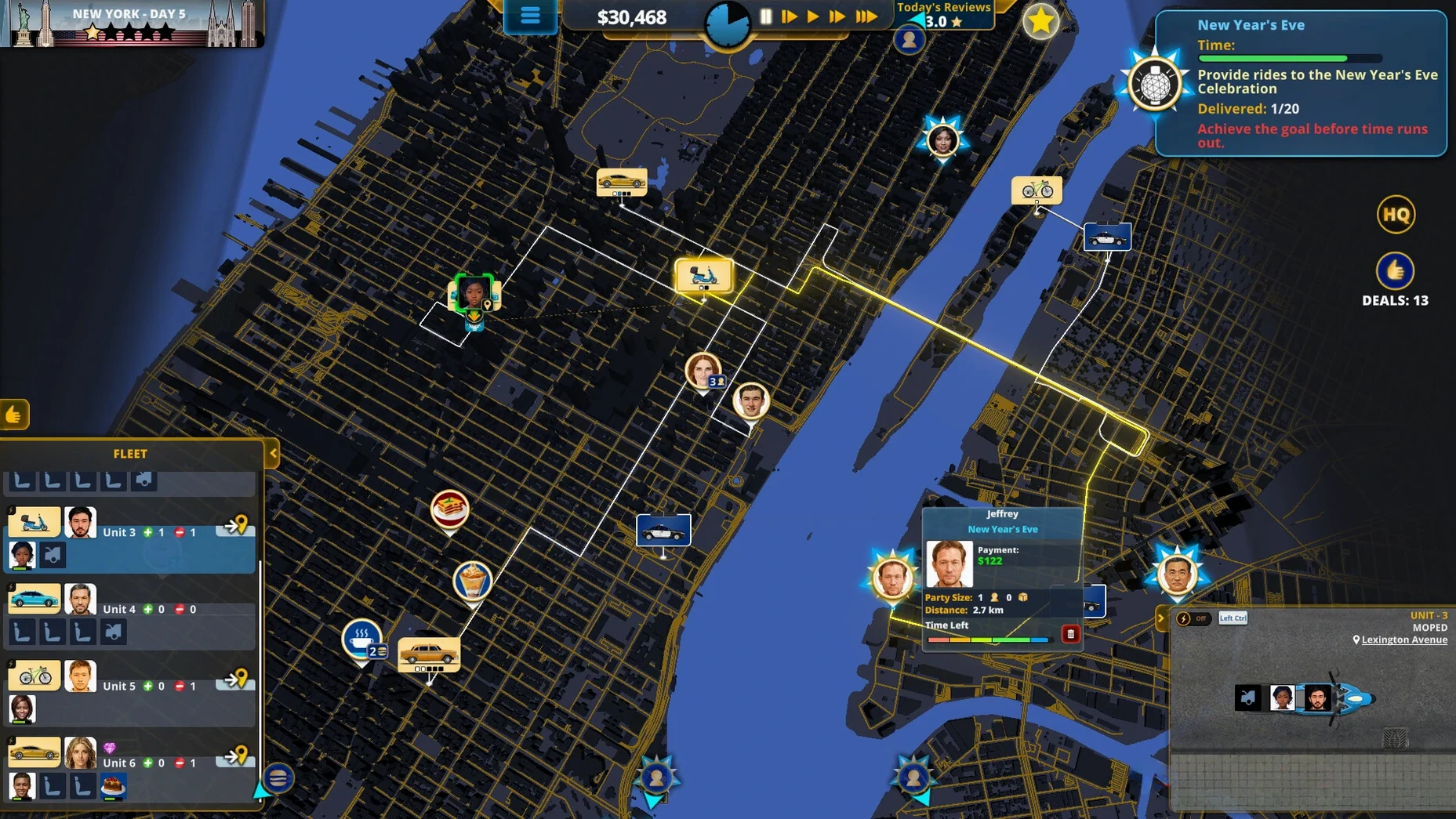
Running a delivery company sounds straightforward until you juggle packages, passengers, and food orders while customers tap their watches. Delivery INC for macOS puts you in that pressure cooker, and the first question most teachers ask me is whether their Mac can handle it. The good news: this game runs on both Intel and Apple Silicon Macs, so your iMac M1 or an older Intel model will do.
Works on both Intel and Apple Silicon Macs
The game supports macOS without demanding a specific version, and it works on both architectures. That means you can play whether your school issued you a new M-series iMac or you still have a trusty Intel MacBook at home. Just mount the disk image, drag the app to Applications, and launch it from Launchpad.
Manage drivers with unique traits and vehicles
You manage drivers, each with traits that affect how efficiently they work. Every vehicle has its own advantages and disadvantages, so you choose between a nimble scooter or a roomy van. Deliveries include passengers, packages, and food, and you must finish before customer patience runs out. Company reviews shape your reputation, and random elements create different outcomes each playthrough. The game speaks nine languages, including English, German, and Spanish, which makes it a neat addition to an after-school club.
Delivery INC is fast, and sometimes that speed trips you up. Here are a few common snags I have seen and the settings worth changing first so you can get on with building your transport empire.
Fix a black screen by unmounting the disk image
The game window shows a black screen on launch. This usually happens when the disk image is still mounted while you try to start the game. Unmount the image, then launch Delivery INC from the Applications folder or Launchpad. If the black screen persists, restart your Mac and try again.
Drivers seem to idle for no reason. Each driver has a set of traits, and some are slower or less motivated than others. Check the driver profile before assigning a route. A driver with poor efficiency paired with a bulky vehicle will cost you time. Swap drivers or switch to a smaller vehicle for quick food orders.
Customers cancel deliveries before you arrive. Customer patience runs out fast, especially on longer routes. Plan the shortest path between stops rather than grouping all deliveries by type. Also, use a vehicle that matches the delivery — a scooter for food, a van for packages, and a car with enough seats for passengers.
Reputation drops and you cannot recover it. Company reviews matter. When you get a negative review early, focus on completing two or three easy deliveries in a row to build positive feedback. Avoid taking on multiple long-distance passenger runs until your rating stabilizes.
Switch to your language in settings first
Before you start a serious session, adjust a couple of things in the game settings. The language menu is the first stop. Delivery INC supports English, German, Spanish, Italian, French, Polish, Slovak, Russian, and Simplified Chinese. Set it to the language you or your students are most comfortable with. For an after-school club, switching between languages can be a fun exercise in logistics vocabulary.
Another setting to check early is the audio. English voice acting is included, and you can turn down the background music if you find it distracting during planning. Leave the sound effects on — they give you cues for when a delivery timer is running low.
If you play on a MacBook, look for any display scaling options in the system preferences before launching the game. Delivery INC runs well on the default resolution, but a slightly lower scaling can help if you have many driver assignments open at once.
- macOS: unspecified
- Architecture: Intel and Apple Silicon
How to install
- Mount the downloaded disk image.
- Drag the app to the Applications folder alias.
- Launch the app from Launchpad after copying finishes.
Similar games






Sign in or join the club to leave a comment.
Nobody has commented yet.