
- Version
- 1.0.6.6 rev30497
- Studio or maker
- Fictiorama Studios, BadLand Games Publishing S.L.
- Languages
- Russian, English, German, Spanish, Chinese (Simplified), Korean
- Activation
- DRM-free
- Chip type
- Intel 64-bit
- Tried out on
- macOS Sequoia, MacBook Air (M1. 2020)
- First released
- 24.10.2018
- Voice languages
- Music only
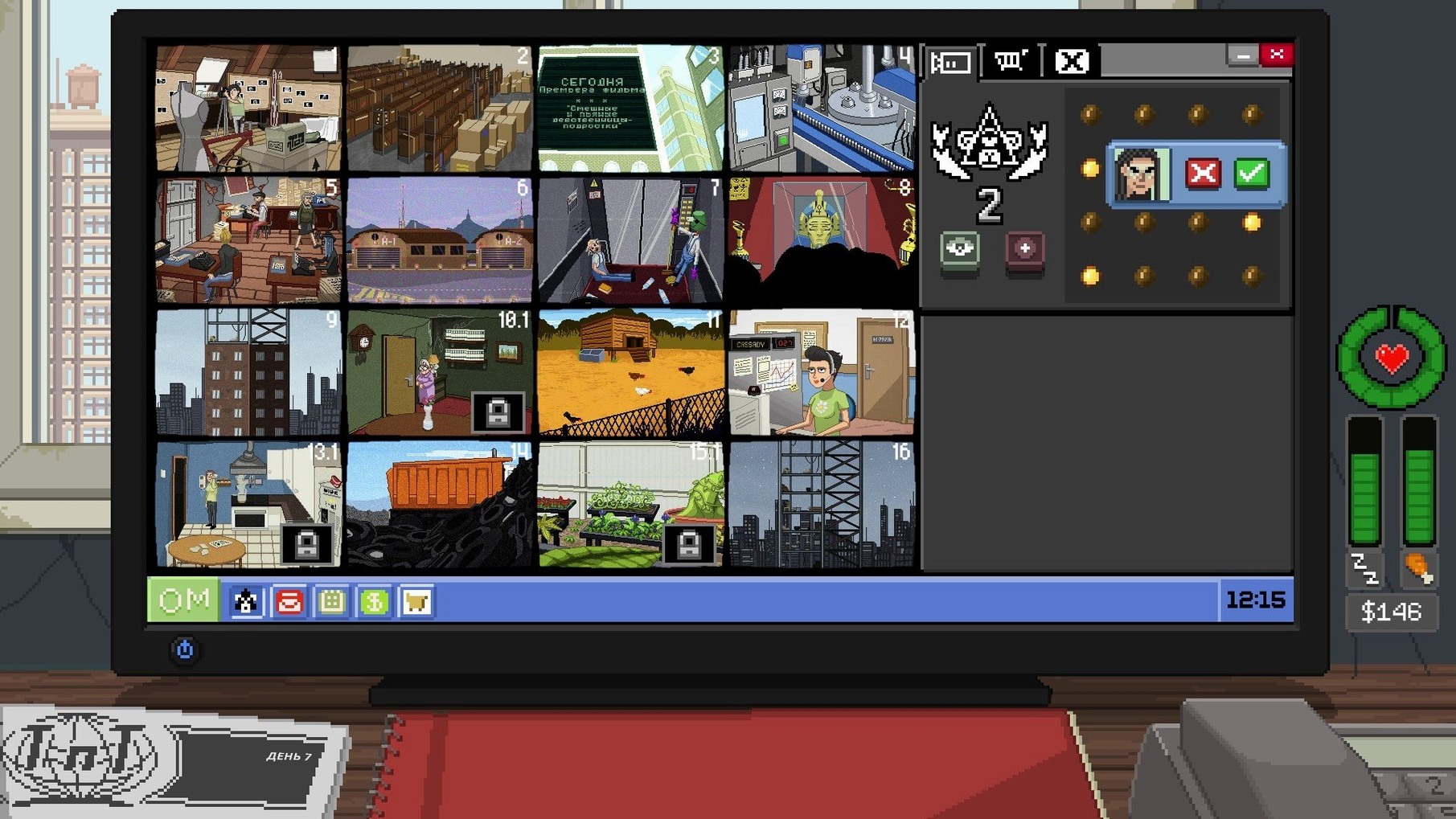
Do Not Feed the Monkeys is a digital voyeur simulation game where you watch strangers through hidden cameras and decide how much to interact with them.
Before you download, here is what matters for Mac users:
- The current build is x86 (64-bit), so it runs on Intel Macs; on Apple Silicon it works through Rosetta 2, as tested on macOS Sequoia with an M1 MacBook Air (2020).
- You join a secret Primate Observation Club and monitor people’s lives, choosing whether to interfere or just observe.
- The game carries an 18+ rating for mature themes and privacy invasion, so it is not for younger players.
- Interface languages include Russian, English, German, Spanish, Simplified Chinese, and Korean.
- Audio is music only, so dialogue and text carry the story.
If you enjoy morally grey simulations where your choices have consequences, this one fits. The Mac version installs like most games: mount the disk image, run the installer, and pick your location.
Keep notes and a browser open alongside the game
Do Not Feed the Monkeys works well alongside other open applications because it runs in a window by default and does not demand the full screen unless you choose to. You can keep a notes app, a browser tab with a walkthrough, or a messaging window open on the side. The game responds to command-tab switching without stuttering, so moving between the surveillance feed and, say, a spreadsheet for keeping track of each subject's schedule is straightforward.
On macOS, the game respects the system's audio routing, so your usual output device — headphones, speakers, or a Bluetooth headset — works without extra configuration. The music-only soundtrack is subtle enough to leave on while you do other things, but you can lower the volume from the system menu if you prefer silence.
Because the installer places the game in the Applications folder, it appears in the Launchpad and the dock like any other program. You can add it to a dedicated gaming desktop or a separate workspace if you use macOS virtual desktops, which keeps your work screens clean.
A Wednesday evening surveillance session from game club to camera grid
Wednesday evening, after the game club has wrapped up. You open a browser, check the day's headlines, then launch Do Not Feed the Monkeys. The screen fills with a grid of security-camera feeds — apartments, offices, a laundromat — each showing someone going about their evening. You recognize a few faces from yesterday: a man pacing in his kitchen, a woman folding laundry, a teenager glued to a laptop.
You click on the kitchen feed. A notification flashes: the man is about to leave his keys behind. You have a choice — let him forget or click an object in the room to warn him. Interfering changes how he behaves, and the Primate Observation Club takes note. You decide to let him go; maybe the consequences will make the next shift more interesting.
Twenty minutes later, you have checked all six feeds, made two small interventions, and jotted down a few patterns in a text file. The game does not force you to watch every second; it rewards patience and attention. You close the laptop when the last feed goes dark, knowing the simulation continues even when you are away.
Watch each camera for a full cycle before taking action
- Start by watching each camera for at least one full cycle — a few minutes — before you do anything. The game gives you hints, but you learn more by noticing routines.
- If you are unsure whether to interfere, leave the subject alone for now. You can always come back later, and the club will not penalise you for caution.
- Keep a small notebook or a text file open. Jot down names, times, and any recurring events. Patterns emerge over days, and the game does not keep a visible log for you.
- Switch between feeds regularly. Each subject has a daily rhythm, and missing a key moment might close off a storyline before you knew it existed.
- Try playing with the system language set to English first; the interface and tutorial text are clear, and it helps you learn the buttons before you switch to another language for atmosphere.
- macOS: any recent version (tested on Sequoia)
- Architecture: Intel (x86 64-bit)
Questions I keep getting
Can I interact with the people I observe?
Yes, the game allows interacting with the observed characters, not just watching them. Your choices affect how the story plays out.
How to install
- Mount the downloaded disk image to access the installer.
- Run the standard installer and follow the prompts.
- Choose where to install the game when asked.
- Install into the Applications folder if possible for easier access.
Similar games






Sign in or join the club to leave a comment.
Nobody has commented yet.