
- Version
- 1.14 fix
- Studio or maker
- Red Thread Games
- Languages
- Russian, English, German, Spanish, Italian, Chinese (Simplified), Norwegian, Polish, Portuguese, French, Japanese
- Activation
- Not required
- Chip type
- Apple Silicon, Intel 64-bit
- Tried out on
- macOS Tahoe, Mac mini 2024 M4
- First released
- 20.08.2024
- Voice languages
- English
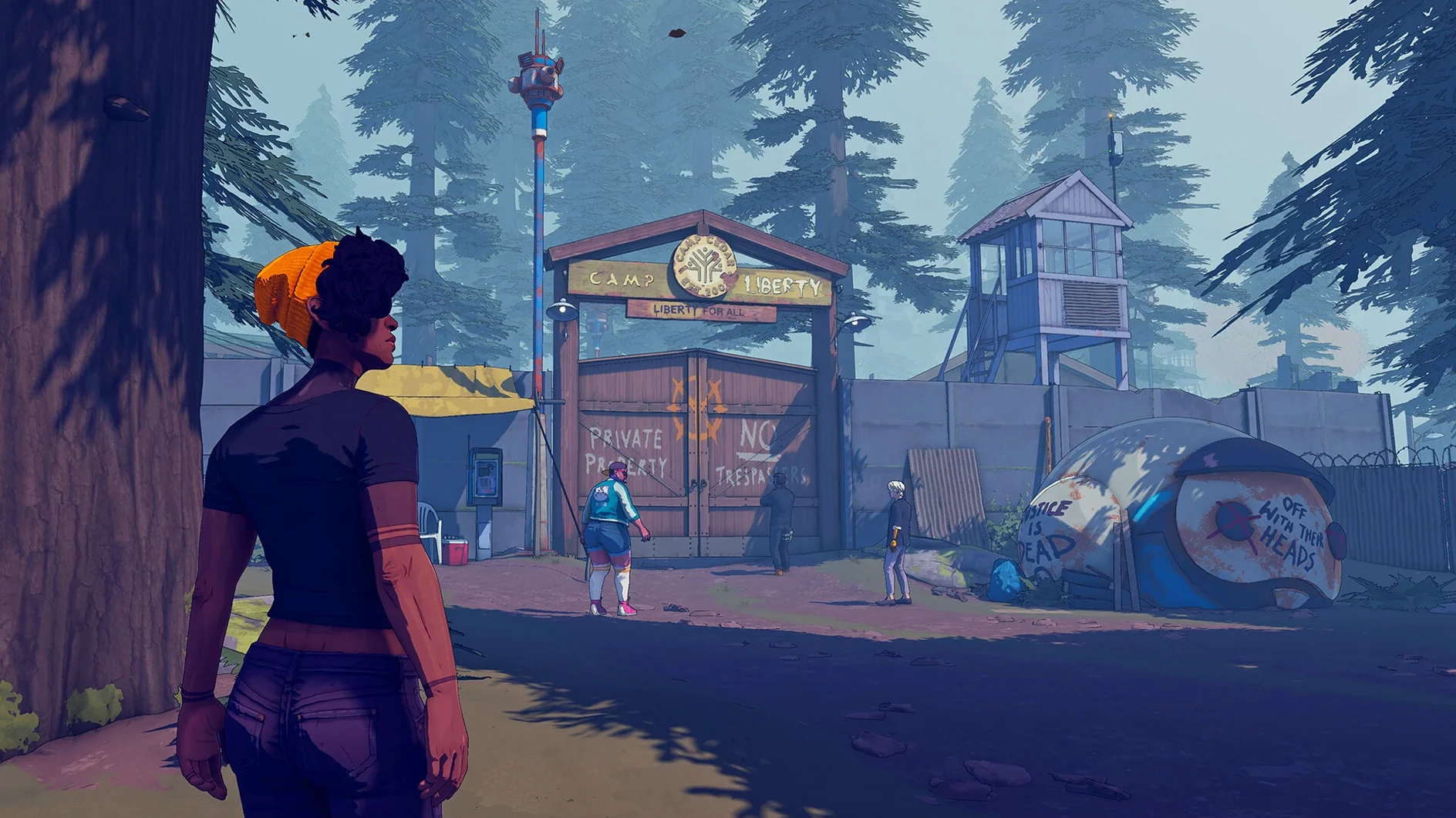
Teachers, librarians, and anyone who runs a game club will find Dustborn a thoughtful pick. It is a story-driven adventure where words carry weight.
Check if your Mac can run it
Dustborn runs on macOS Tahoe and works on both Intel and Apple Silicon Macs. It was tested on a 2024 Mac mini with an M4 chip, so current hardware handles it well.
See what the game offers
You play Pax, hired to move important cargo from Pacifica to Nova Scotia across an alternate-history America. The journey mixes branching dialogue with a crew whose relationships you shape. Dialogue uses Sounds to influence people, and the graphic-novel style presents 2D illustrations in 3D. English voice acting carries the story.
Decide if it fits your group
It is a single-player experience, so it suits individual play rather than group sessions. The mature themes and story focus make it best for older teens.
Dialogue sequences now flow more consistently on Mac
The 1.14 fix update brings quality-of-life improvements that affect everyday gameplay. Dialogue sequences flow more consistently, and the game responds better to choices made earlier in the story. For a Mac player, the optimisations mean the graphic-novel visuals render without the occasional stutter that could break immersion during emotional scenes. Bug fixes target moments where conversations could stall or where crew members behaved oddly after a branching decision. If you played an earlier version, the difference shows most clearly in how smoothly the bus journeys transition into dialogue scenes.
Questions I hear from new players
Can I change the interface language? Yes. Dustborn supports eleven interface languages including Russian, German, Spanish, and Japanese. The voice acting is in English only. You set the language before starting a new game.
Does it work on an older Mac? The requirement is macOS Tahoe or later. It runs on both Intel and Apple Silicon, so a 2020 Intel MacBook Air will handle it, though a newer chip gives you a smoother experience with the 2D-to-3D art style.
How long does a playthrough take? That depends on how much you talk to the crew and explore dialogue branches. A focused run might take fifteen hours, while a thorough one can stretch past twenty. The relationship system encourages replaying to see different outcomes.
How one student tested Sound choices by talking to crew members
One afternoon, a student in my after-class club picked Dustborn because the bus-and-road-trip premise reminded her of a novel she liked. She spent the first session just talking to crew members between destinations, testing how different Sound choices changed their reactions. The next week she described how one character's attitude shifted after she picked a supportive dialogue option during a tense argument. She was not just playing a game; she was thinking about how language shapes relationships. For an older teen interested in writing or storytelling, Dustborn works as a quiet, personal experience that sparks conversation outside the club.
- Quality-of-life improvements for smoother play.
- Optimisations that help performance on Mac.
- Bug fixes and new features from the 1.14 update.
- macOS Tahoe or later
- Works on Intel and Apple Silicon Macs
Questions I keep getting
Does Dustborn run on Intel Macs?
Yes, the game supports both Intel and Apple Silicon Macs, so older Intel models can run it as long as they meet the macOS Tahoe requirement.
What are the system requirements for Dustborn on Mac?
The game requires macOS Tahoe and works on both architectures. It was tested on a 2024 Mac mini with an M4 chip.
What languages does Dustborn support?
The game includes interface text in English, German, Spanish, Italian, French, Japanese, and several other languages, with English voice acting.
How to install
- Mount the downloaded disk image by double-clicking it.
- Drag the app into the Applications folder alias to copy it.
- Launch the app from Launchpad after the copy finishes.
Similar games




Sign in or join the club to leave a comment.
Nobody has commented yet.