- Version
- 1.1.4
- Studio or maker
- KOJIMA PRODUCTIONS
- Languages
- Russian, English, German, Arabic, Hungarian, Greek, Spanish, Italian, Chinese (Traditional), Chinese (Simplified), Korean, Dutch, Polish, Portuguese, Turkish, French, Czech, Japanese
- Activation
- Not required
- Chip type
- Apple Silicon
- Tried out on
- macOS Sonoma, MacBook Air (M1. 2020)
- First released
- 30.03.2022
- Voice languages
- Russian, English, German, Greek, Spanish, Italian, Polish, Portuguese, French, Japanese
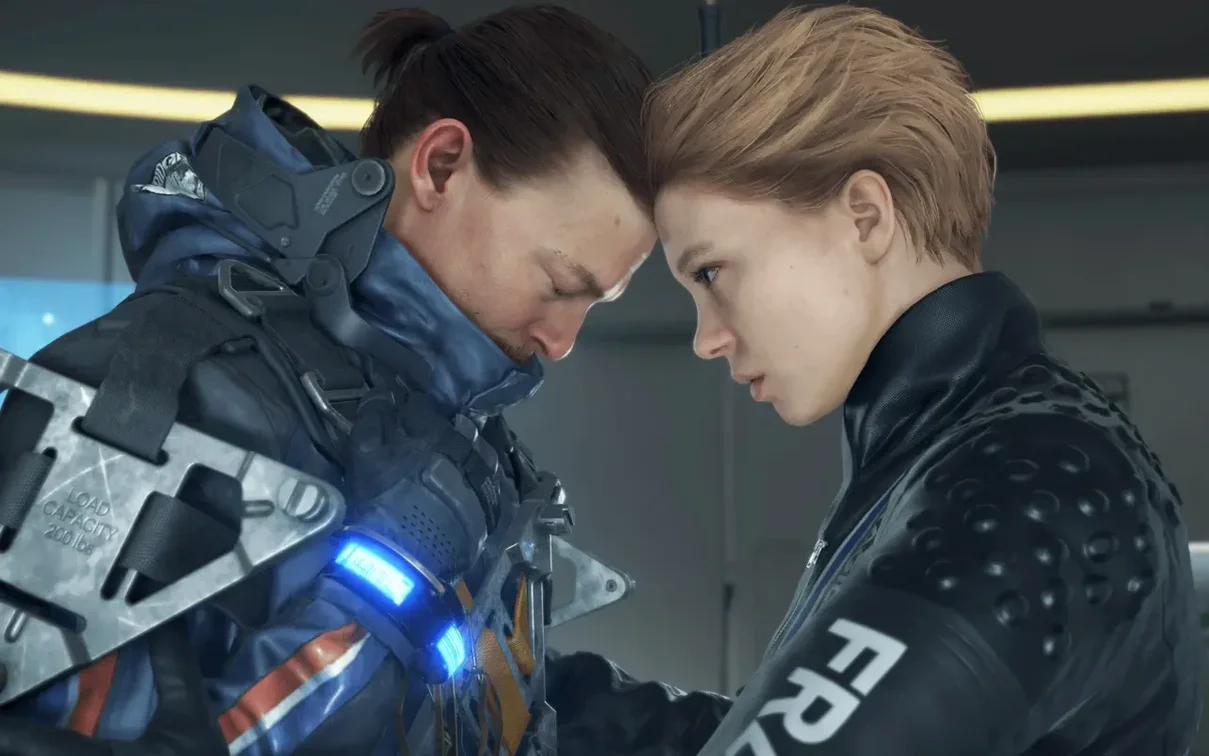
Version 1.1.4 of Death Stranding Director's Cut brings a minor bug fix, smoothing out a few edges for Mac players. This is Kojima Productions' director's cut of the post-apocalyptic story where courier Sam Bridges works to reconnect survivors across a shattered America, with a twist: the Death Stranding event opened a pathway between the living and the dead.
Designed for Apple Silicon and macOS 13.3 or later
- Players with an Apple Silicon Mac running macOS 13.3 or later.
- Anyone who values MetalFX Upscaling for smoother visuals on the M1 iMac or M-series hardware.
- Those who want a story-rich, slow-burn action game with Russian or English voice acting and interface options in German, French, Spanish, Japanese, and more.
Only Apple Silicon—Intel Macs won't run it
- It runs only on Apple Silicon; Intel Macs are not supported.
- The game is large and demands a decent GPU, so expect to adjust graphics settings on lower-end M1 models.
- Controller support works well, but keyboard and mouse controls can feel less natural for the traversal and balancing mechanics.
Native visuals with MetalFX Upscaling on M-series hardware
Because Death Stranding Director's Cut runs natively on Apple Silicon and uses Metal 3 with MetalFX Upscaling, you can expect modern Mac graphics features at work. The game is built for the M1 chip and later, so any Mac with an M-series processor meets the architecture requirement. The macOS minimum is 13.3 (Ventura), and the Russian download page was tested on macOS Sonoma with a MacBook Air M1 from 2020 — a good sign for owners of base-model Apple Silicon machines.
The version listed is 1.1.4, which is a minor update with a bug fix. The game does not require activation, so after you copy it into your Applications folder, you are ready to go. The interface and voice languages are broad: English and Russian are both fully supported, and you can pick from German, French, Spanish, Japanese, Traditional Chinese, Simplified Chinese, Korean, and others. Voice acting covers Russian, English, German, Greek, Spanish, Italian, Polish, Portuguese, French, and Japanese.
Fixes for common setup snags from the game club
A few things trip people up when setting up Death Stranding Director's Cut on Mac. Here is what I have seen in the game club and heard from other teacher-players.
Graphics settings need adjusting
On lower-end M1 models like the MacBook Air, the game may default to settings that push the hardware too far. If you see stuttering or sluggish menus, lower the resolution scaling or turn down shadow quality. MetalFX Upscaling helps keep the image clear while reducing the workload on the GPU. Take time to find the balance that works for your specific Mac — each M-series model handles it a little differently.
Controller connection quirks
Some players report that wireless controllers disconnect after the Mac goes to sleep. If your controller stops responding, disconnect it in Bluetooth settings and pair it again. Wired USB connections tend to be more stable during long sessions. Keyboard and mouse work, but the game was designed with a controller in mind, so expect a learning curve if you stick with keyboard controls.
Large download and disk space
The game is big. If you have limited free space on your startup drive, check that you have enough room before you start the download. Using an external drive formatted as APFS works, but keep it connected during play.
Director's cut extras for Kojima fans on Mac
This version of Death Stranding is a natural fit for certain kinds of Mac users.
Fans of Kojima Productions will appreciate the director's cut extras — the new missions, weapons, and expanded story content that were not in the original release. If you followed the game on other platforms and want to replay it on a Mac, this is the version to get.
Players on Apple Silicon Macs with dedicated GPUs (like the M1 Pro, M1 Max, M2 Pro, or M3 series) will see the best results because the MetalFX Upscaling and Metal 3 features can stretch their legs. The MacBook Air M1 runs it, but the experience is smoother on hardware with more GPU cores.
Anyone teaching or discussing game design and storytelling may find this useful. The game's delivery mechanics, environmental puzzles, and asynchronous multiplayer elements are unusual enough to spark classroom conversation. The director's cut adds behind-the-scenes content that helps explain design choices. If you run a game club like I do, students who enjoy narrative-heavy games will have plenty to talk about after a few hours with Sam Bridges.
- Minor bug fix.
- macOS 13.3 or later
- Apple Silicon (M1 or newer)
How to install
- Mount the downloaded disk image.
- Drag the app into the Applications folder alias.
- Launch the app from Launchpad after copying finishes.
Similar games


Sign in or join the club to leave a comment.
Nobody has commented yet.