- Version
- 3.3.0
- Studio or maker
- Cyan Worlds Inc
- Languages
- Russian, English, German, Spanish, Italian, Chinese (Simplified), Korean, Polish, Portuguese, French, Japanese
- Activation
- DRM-free
- Chip type
- Apple Silicon, Intel 64-bit
- Tried out on
- macOS Tahoe, Mac mini 2024 M4
- First released
- 26.08.2021
- Voice languages
- English
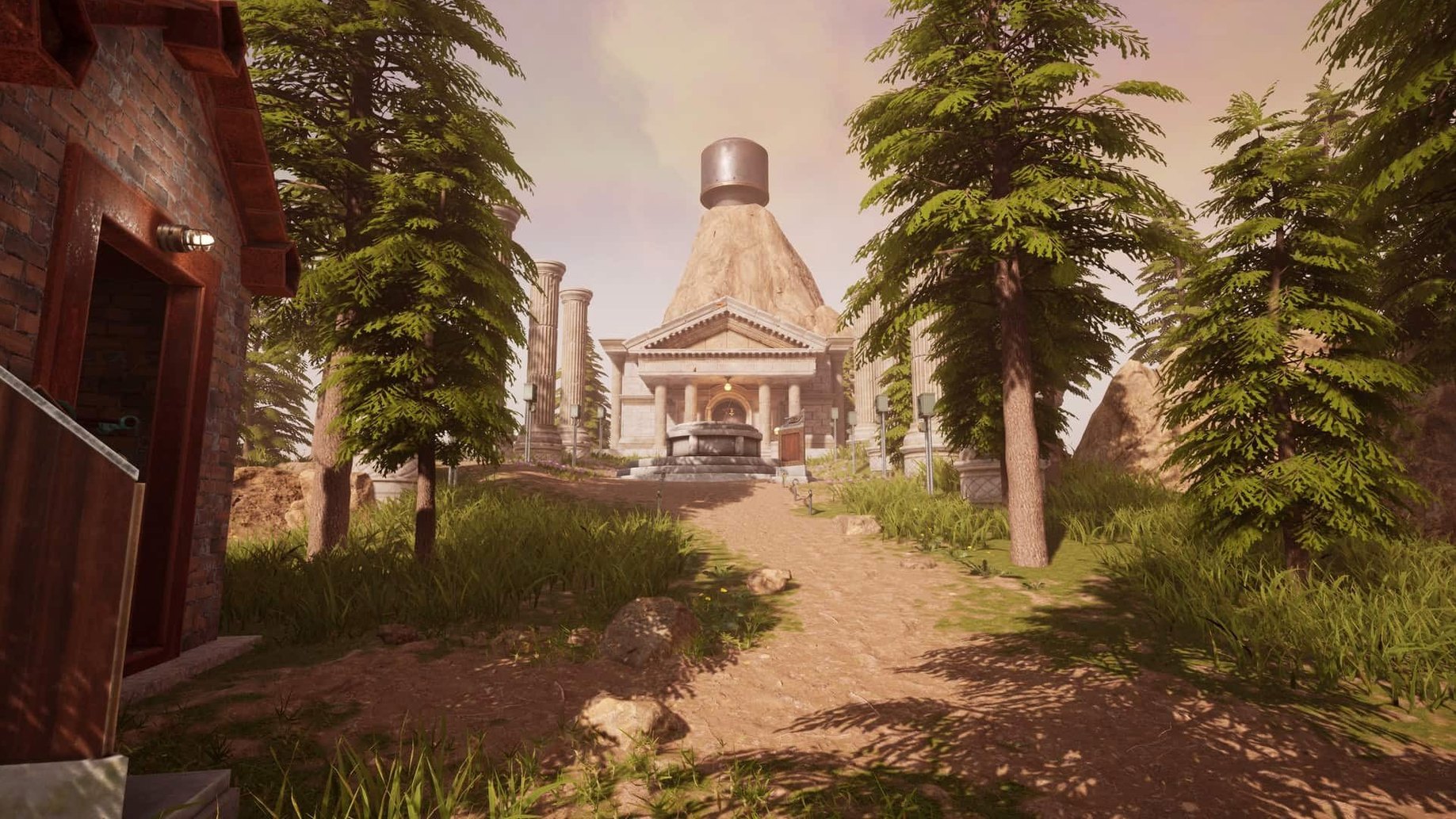
Before you set up Myst on your Mac, a few questions tend to come up. Here are the answers in plain terms.
Myst 3.3.0 for Mac: what you should know
VR and flat-screen play — The game runs on both a regular monitor and VR headsets. In VR you get smooth or snap turning, plus vertical height quantization for a steadier view.
Language options — The interface, dialogue, and subtitles are localized. Supported languages include English, German, French, Spanish, Italian, Portuguese, Russian, Polish, Korean, Simplified Chinese, and Japanese. The spoken voice is always English.
Note-taking — In-game screenshots help you track clues and symbols as you solve puzzles.
Installation tip — The download page suggests placing the game in your Applications folder. It works on both Apple Silicon and Intel Macs running macOS 14.5 or later.
Open graphics options for supersampling and ray tracing
Before you start exploring, it is worth opening the graphics options. Myst supports supersampling and ray tracing — ray tracing works particularly well on Macs with M3 or M4 chips. If you play on a laptop, you might want to leave ray tracing off to keep the system cooler, but on a desktop Mac you can usually enable it without issue.
In VR, the game offers free movement or teleport locomotion. I tend to recommend teleport for anyone new to VR, as it reduces motion discomfort. You can also choose smooth or snap turning, and enable fast stair climbing to move through the ages more quickly. Vertical height quantization is another VR setting that snaps your view to defined heights, which helps if you find the world feeling uneven.
Runs natively on Apple Silicon and Intel Macs from 2018
Myst is a 64-bit application built for both ARM and x86 processors, so it runs natively on Apple Silicon and Intel Macs alike. The minimum macOS is 14.5. Supported hardware includes MacBook Pro models from 2018 onward, MacBook Air models from 2018 onward, iMac models from 2019 onward, iMac Pro from 2017, Mac Pro from 2019, and Mac mini from 2018. On the Mac mini 2024 M4 used for testing, the game ran under macOS Tahoe without issues.
Because Myst is built on Unreal Engine, it can be demanding on older Intel machines. If your Mac has integrated graphics, consider lowering the supersampling setting and disabling ray tracing for a smoother experience. VR players will need one of the supported headsets — Valve Index, HTC Vive, Oculus Rift, Rift S, or Quest through Oculus Link — and a Mac with enough graphics power to drive both the headset and the game.
DRM-free activation works without always-on internet
Myst installs as a standard macOS application. Placing it in the Applications folder keeps it alongside your other games and makes it easy to find. The game uses DRM-free activation, so you can run it without needing an always-on internet connection or a launcher in the background.
Because Myst supports in-game screenshots for note-taking, you can capture the screen and then use macOS Quick Look or Preview to review your images later. This is especially useful for puzzle games where you need to compare symbols across different ages. The screenshots are saved in your usual screenshots folder, so they integrate with the rest of your Mac workflow.
For VR users, Myst works with SteamVR on Mac when using compatible headsets. The game does not rely on any third-party account for flat-screen play, which keeps things simple. If you are searching for myst mac or myst for mac, this version is the one to look for. And if you hear someone mention a myst torrent or myst game mac, this is the same 3.3.0 build — just make sure you get it from a source that includes the full localization and VR support.
- Built for both VR and flat-screen play.
- Localized dialogue and subtitles included.
- Additional puzzle randomization added.
- macOS 14.5 or later
- 64-bit processor
- Apple Silicon or Intel (x86) support
- VR hardware support as listed in the game description
How to install
- Run the downloaded package and finish the standard installer.
- Pick an installation location when asked.
- Choose the Applications folder if you can — keeps the game easy to find.
Similar games


Sign in or join the club to leave a comment.
Nobody has commented yet.