- Version
- 6.2.1
- Studio or maker
- BorderLeap
- Languages
- Russian, English, German, Arabic, Hungarian, Vietnamese, Greek, Danish, Hebrew, Indonesian, Spanish, Italian, Catalan, Chinese (Traditional), Chinese (Simplified), Korean, Malay, Dutch, Norwegian, Polish, Portuguese, Romanian, Slovak, Thai, Turkish, Ukrainian, Finnish, French, Hindi, Croatian, Czech, Swedish, Japanese
- Activation
- Not required
- Chip type
- Apple Silicon, Intel 64-bit
- Tried out on
- macOS Sequoia, MacBook Air (M1. 2020)
- First released
- 19.09.2019
- Voice languages
- Music only
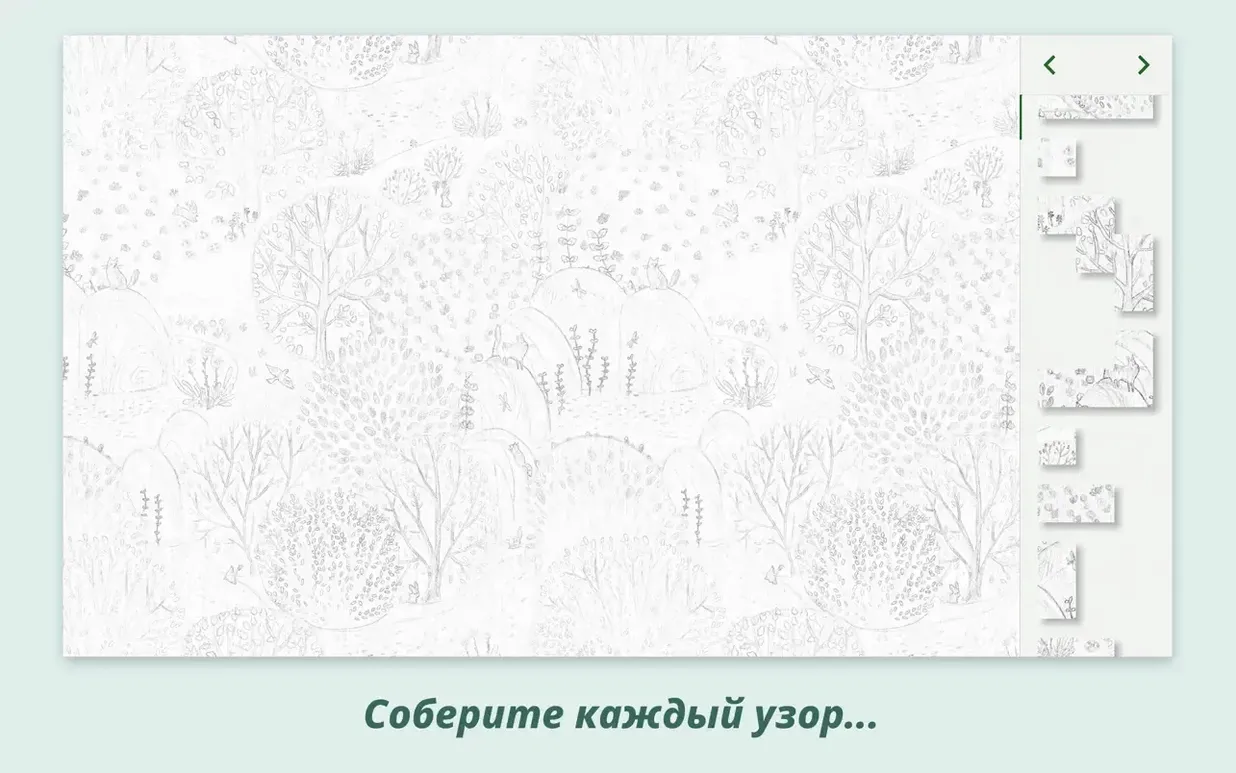
After a long day of teaching, I often sit down with Patterned to unwind. The game starts each puzzle as a sketch of a repeating pattern, then scrambles the pieces. My task is simple: drag tiles to rebuild the pattern across the screen. The soundtrack is calming, and there is no timer or pressure. I can finish a puzzle at my own pace, save progress, and resume later on different devices.
- Each puzzle begins as a sketch, so you see the intended pattern before you start.
- Drag scrambled tiles to reconstruct the repeating design across the screen.
- The calming soundtrack makes it suitable for both adults and children.
- Progress syncs across devices, so you can continue a puzzle on another Mac.
- Works on Intel and Apple Silicon Macs running macOS 10.15 or later.
- Interface supports 33 languages, including English, German, Spanish, French, and Japanese.
First days with Patterned
When you start playing, I suggest trying a few different puzzles to get a feel for how the pieces behave. The patterns vary in complexity, so beginning with simpler ones helps you understand the visual clues without frustration. After you complete one, the sense of order returning to the screen is quite satisfying.
I find it helpful to place a few pieces early, then step back and look at the overall pattern. The repeating design reveals itself gradually, and taking short breaks between sessions can give you a fresh perspective. Children in my game club often do the same thing without being told — they naturally look for repeating colors and shapes.
Keep Patterned open in another Space while you work
Patterned works well alongside other applications. I often keep it open in one Space while reading or browsing in another. The game does not demand full attention, so you can switch to it during a short break or while listening to a podcast. The soundtrack plays on its own, but macOS volume controls let you lower it easily if you want to hear something else.
Because the game saves progress automatically, you can close it and return later without losing your place. This works well with macOS Mission Control or Stage Manager if you run multiple apps at once. I also appreciate that it runs on both ARM and Intel Macs, which matters when I move between my M1 laptop and an older classroom desktop. The game syncs progress through your Apple ID, so switching devices is straightforward.
Patterned lets you generate custom repeating backgrounds directly from your artwork or photos. It is a rare puzzle game that feels genuinely restful while still engaging your eye for detail.
It is a quiet, satisfying game for anyone who enjoys visual puzzles without time pressure.
- macOS 10.15 or later
- Intel or Apple Silicon processor
How to install
- Open the downloaded disk image on your Mac.
- Drag the Patterned app to the Applications folder alias inside the disk image.
- After copying finishes, open Patterned from Launchpad to start playing.
Similar games






Sign in or join the club to leave a comment.
Nobody has commented yet.