
- Version
- 4.5.2 Native
- Studio or maker
- Paradox Development Studio
- Languages
- Russian, English, German, Spanish, Chinese (Simplified), Polish, Portuguese, French
- Activation
- DRM-free
- Chip type
- Intel 64-bit
- Tried out on
- macOS Golden Gate, Mac mini 2024 M4
- First released
- 09.05.2016
- Voice languages
- Music only
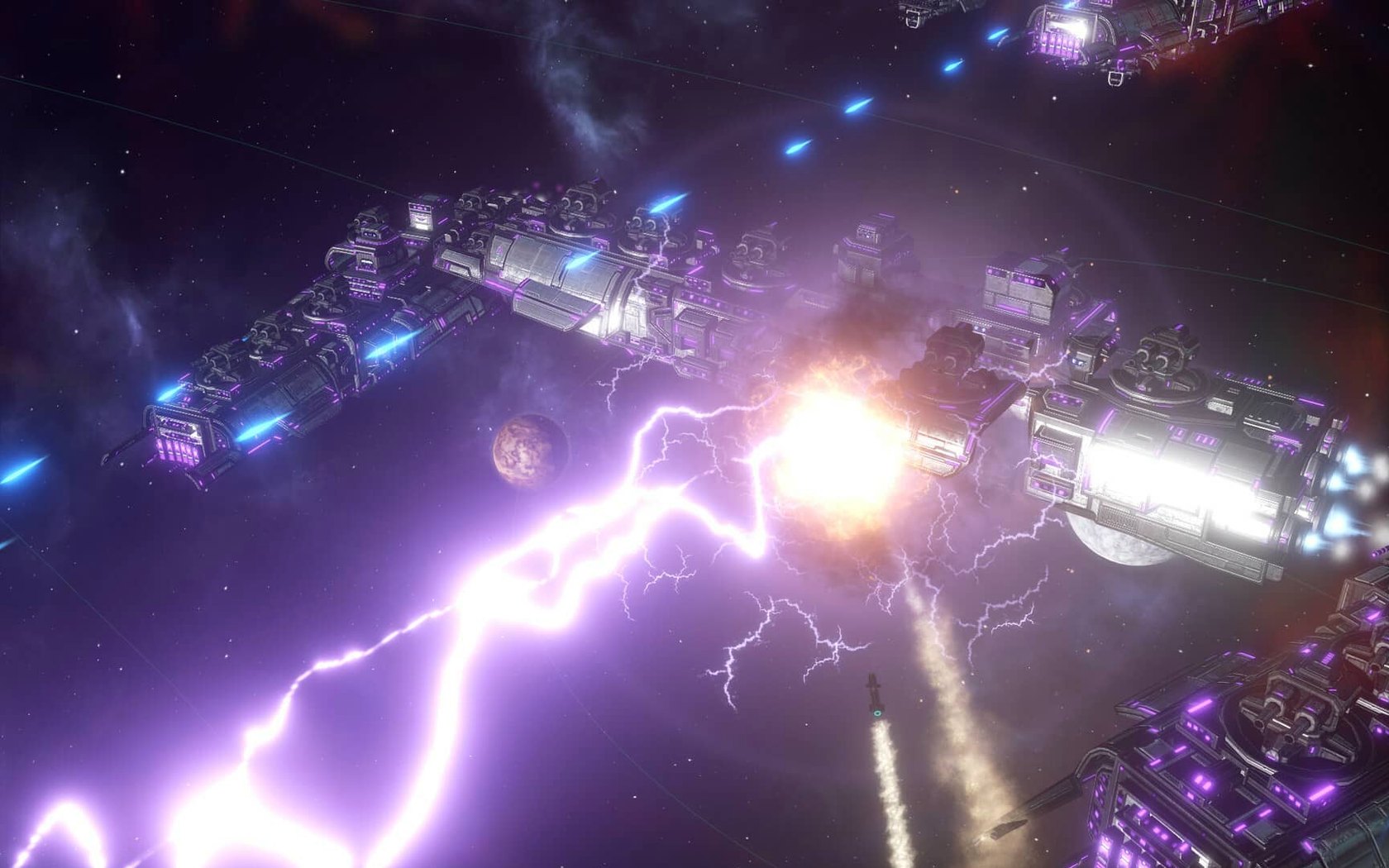
Fleet automation now follows your selected actions and options more closely — that's the kind of change that makes a 4X grand strategy game feel responsive. Stellaris, from Paradox Development Studio, sets you loose on a galaxy full of stars, planets, and alien races. Not every world is habitable, so expansion takes thought.
What the game offers
- Real-time 4X strategy
- Explore, expand, exploit, and exterminate — all while the clock runs. Pause when you need to think.
- Galactic map
- Many space objects to survey, colonize, or fight over. Settlements grow harder to manage as population rises.
- Alien races
- You can fight them, trade with them, or try diplomacy. The choice is yours.
- Version 4.5.1 fixes
- This hotfix resolves a Synaptic Lathe ownership issue, improves fleet automation, and fixes multiplayer out-of-sync problems caused by custom AI empires. Several crash cases are patched as well.
How Stellaris compares with other Mac strategy games
If you've played other grand strategy titles from Paradox, you'll notice familiar DNA in Stellaris. The same developer made Crusader Kings and Europa Universalis, and those games share a love for complex systems. Crusader Kings focuses on dynasties and medieval politics, while Europa Universalis lets you guide a nation through centuries of history. Stellaris trades the historical map for a procedurally generated galaxy, which makes each playthrough different from the last.
Another comparable game is Galactic Civilizations, which also offers 4X space strategy. That series uses turn-based movement, so you can take your time planning every action. Stellaris runs in real-time, meaning fleets move and battles happen while you watch. You can pause at any moment to issue orders, but the galaxy never stops. That difference matters: Stellaris players need to think on their feet more often, especially during wars.
Then there's Endless Space 2, another turn-based space 4X title. It emphasizes faction storylines and distinct victory conditions. Stellaris leans harder into open-ended empire building, with fewer scripted events and more room for your own choices to shape the galaxy. Both games have their appeal, but Stellaris rewards patience and long-term planning over quick tactical wins.
Your fleets won't retreat on their own if you step away
The version 4.5.1 hotfix includes a handful of subtle improvements. One fix disables auto-disengagement from battle after 15 days of inactivity. In practice, that means your fleets won't retreat on their own if you step away from a fight, giving you more control over combat outcomes.
Another change removes the Harvesting Agreements Automation sub-menu setting. That might sound like a loss of control, but it simplifies the interface for players who found that option confusing or redundant. Paradox often trims menus that don't add much value.
The multiplayer fix for custom AI empires is a quiet win for group sessions. If you build custom opponents in single-player, those same empire designs no longer cause out-of-sync errors when you play with friends. Small details like that keep the multiplayer experience stable without requiring much effort from players.
Grand strategy fans get natural fits for managing budgets and diplomacy
Grand strategy enthusiasts are the obvious audience. If you enjoy managing budgets, diplomatic relations, and internal politics alongside exploration and combat, Stellaris fits naturally. The game lets you delegate regions to autonomous governors with artificial intelligence, which means you can focus on high-level decisions while the AI handles colony management.
Single-player fans will find plenty to explore. Each game generates a new galaxy, so no two playthroughs are identical. You can research technologies, send colonizers to take samples from new worlds, and build bases and industrial facilities on successful colonies. The real-time pace works well for solo sessions where you can pause freely.
Multiplayer strategy players also benefit, especially after version 4.5.1. The crash fixes for startup, galaxy generation, alliances, wars, first contact, federation law votes, and subject release events make group games more reliable. You can coordinate with friends without worrying about frequent drops.
Stellaris runs on Intel-native builds and works on older Macs
Stellaris version 4.5.1 is built for 64-bit x86 processors. It requires macOS and runs on Intel architecture. The game was tested on macOS Tahoe using a Mac mini 2024 M4, but the build is Intel-native, so it works on older Intel Macs as well. M-series users can run it through Rosetta without issues.
The interface supports eight languages: Russian, English, German, Spanish, Simplified Chinese, Polish, Portuguese, and French. The voice language is music only, so no spoken dialogue to worry about. Installation follows a straightforward process — mount the downloaded disk image, run the standard installer, and choose your location. Using the Applications folder is recommended. To switch the interface to Russian, launch the game once, close it after the menu loads, then edit settings.txt in Documents/Paradox Interactive/Stellaris to change l_english to l_russian.
Disk space and memory expectations are standard for a 2016-era grand strategy game. The game is marked DRM-free, which means no extra launchers or online checks to interfere with your sessions.
- Hotfix release.
- Fixes a Synaptic Lathe ownership issue.
- Improves fleet automation behavior.
- Fixes multiplayer out-of-sync issues and multiple crash cases.
- macOS (version not specified by developer)
- Intel processor
- 64-bit processor required
How to install
- Mount the downloaded disk image.
- Run the standard installation process.
- Choose the install location when prompted.
- Use the Applications folder if available.
- To switch the interface to Russian, launch the game once and close it after the menu loads.
- Open Documents, then Paradox Interactive, then Stellaris.
- In settings.txt, change l_english to l_russian and save the file.
Similar games





Sign in or join the club to leave a comment.
Nobody has commented yet.