- Version
- 1.2.10
- Studio or maker
- Free Lives
- Languages
- Russian, English, German, Arabic, Spanish, Italian, Chinese (Traditional), Chinese (Simplified), Korean, Polish, Portuguese, Thai, Turkish, French, Swedish, Japanese
- Activation
- DRM-free
- Chip type
- Apple Silicon, Intel 64-bit
- Tried out on
- macOS Sonoma, MacBook Air (M1. 2020)
- First released
- 28.03.2023
- Voice languages
- Music only
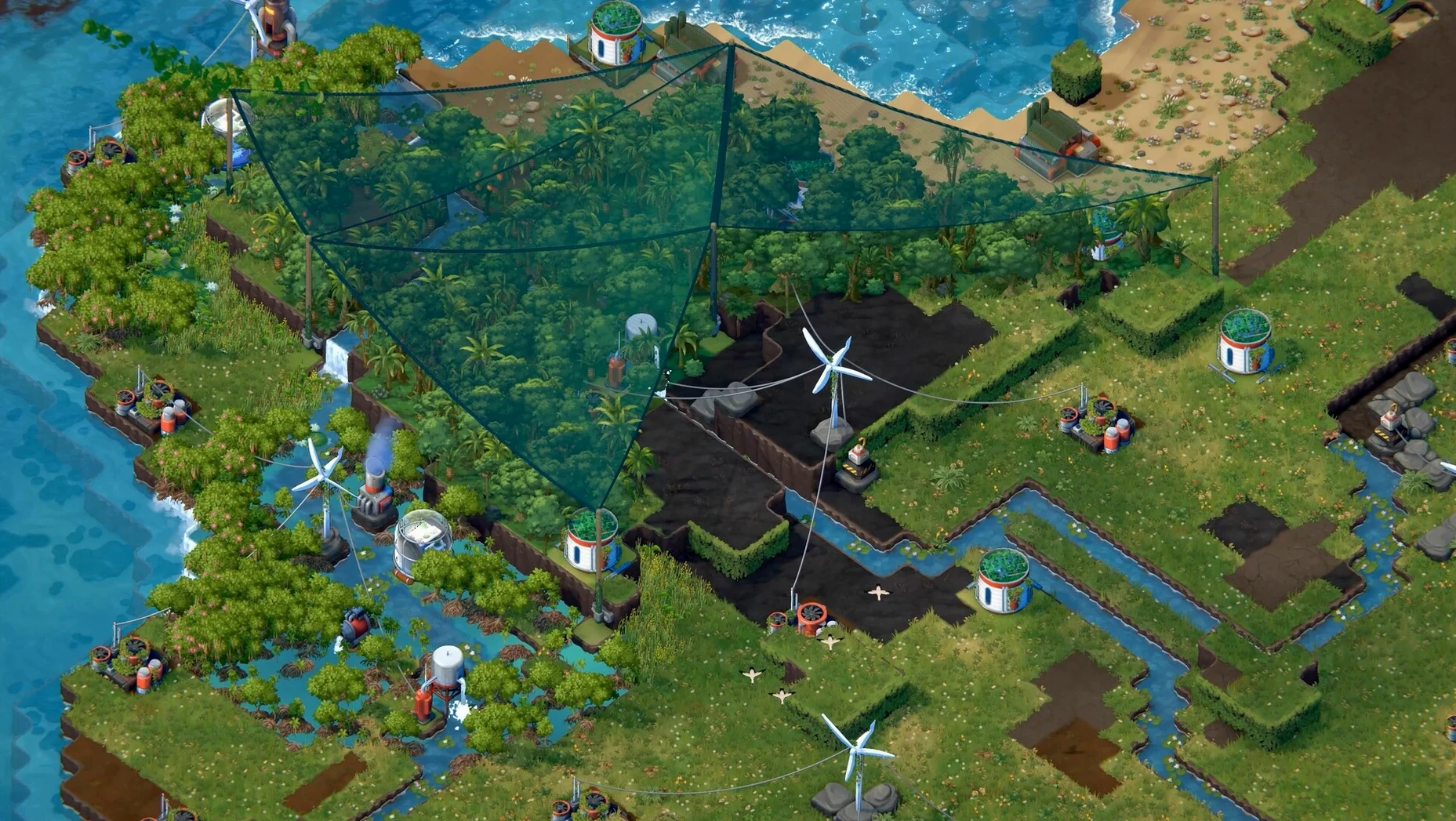
The current build of Terra Nil is labeled 1.2.10. This environmental strategy game takes the city builder formula and flips it: instead of constructing a city, you restore a barren landscape. Each region moves through defined phases — cleaning soil, creating plains, marshes, beaches, tropical forests, and wildflower areas — until you destroy and recycle everything you built during the session, leaving a self-sustaining ecosystem behind.
Running Terra Nil on a Mac
The game supports both ARM (Apple Silicon) and 64-bit x86 architectures. The interface is available in a broad set of languages including Russian, English, German, Arabic, Spanish, Italian, Traditional Chinese, Simplified Chinese, Korean, Polish, Portuguese, Thai, Turkish, French, Swedish, and Japanese. Since it is a reverse city builder, controls are point-and-click with mouse or trackpad, and there is no need for a powerful graphics card.
Why the phases matter
The game does not let you skip ahead. Each region requires you to complete one phase before the next unlocks. This structure makes the restoration feel methodical, which suits classroom or club settings where players can discuss ecology and planning between phases. The Mac version handles this well, with no noticeable lag during transitions on an M1 chip.
Auto-saves at each phase let you step away
Terra Nil includes a few quiet touches that make a difference once you notice them. The game saves your progress automatically at the start of each phase, so you can step away and return without worrying about manual saves. If you prefer to restart a region from scratch, the menu offers a clean reset that erases your work and regenerates the terrain — useful when you want to try a different restoration strategy.
The evaluation mode, available after finishing a run, lets you pan around the restored ecosystem at your own pace. There are no timers or goals in this view; it is simply a way to look at what you have built. In a classroom setting, this can be a quiet moment for students to observe the results before discussing what worked.
Set your language before starting a region
Before starting a region, open the options menu and look at the language selection. The game supports many languages, so if English is not your first language or the language of your students, switching it early avoids confusion during the tutorial phases. The audio is music only, so there are no voice-over settings to adjust, but you can lower the music volume if you prefer a quieter session.
The game does not offer difficulty sliders, but the procedurally generated regions mean that no two runs are identical. If a region feels too tricky, you can restart and get a different layout. This is a good way to teach adaptability without changing any settings.
- Build labeled 1.2.10.
- Architecture: ARM and 64-bit x86
- macOS: tested on Sonoma
Questions I keep getting
Does Terra Nil run on Intel Macs?
Yes, the game supports both ARM and 64-bit x86 architectures.
What macOS version is required?
The game has been tested on macOS Sonoma, but no minimum macOS version is listed in the requirements.
How to install
- Run the standard installation process.
- Choose the installation location when prompted. The recommended folder is Applications.
Similar games





Sign in or join the club to leave a comment.
Nobody has commented yet.