- Version
- 23.7.1 (65774) [Wineskin]
- Studio or maker
- DO MY BEST
- Languages
- Russian, English, German, Spanish, Italian, Chinese (Simplified), Korean, Portuguese, French, Japanese
- Activation
- Not required
- Chip type
- Apple Silicon
- Tried out on
- macOS Tahoe, Mac mini 2024 M4
- First released
- 22.06.2023
- Voice languages
- Music only
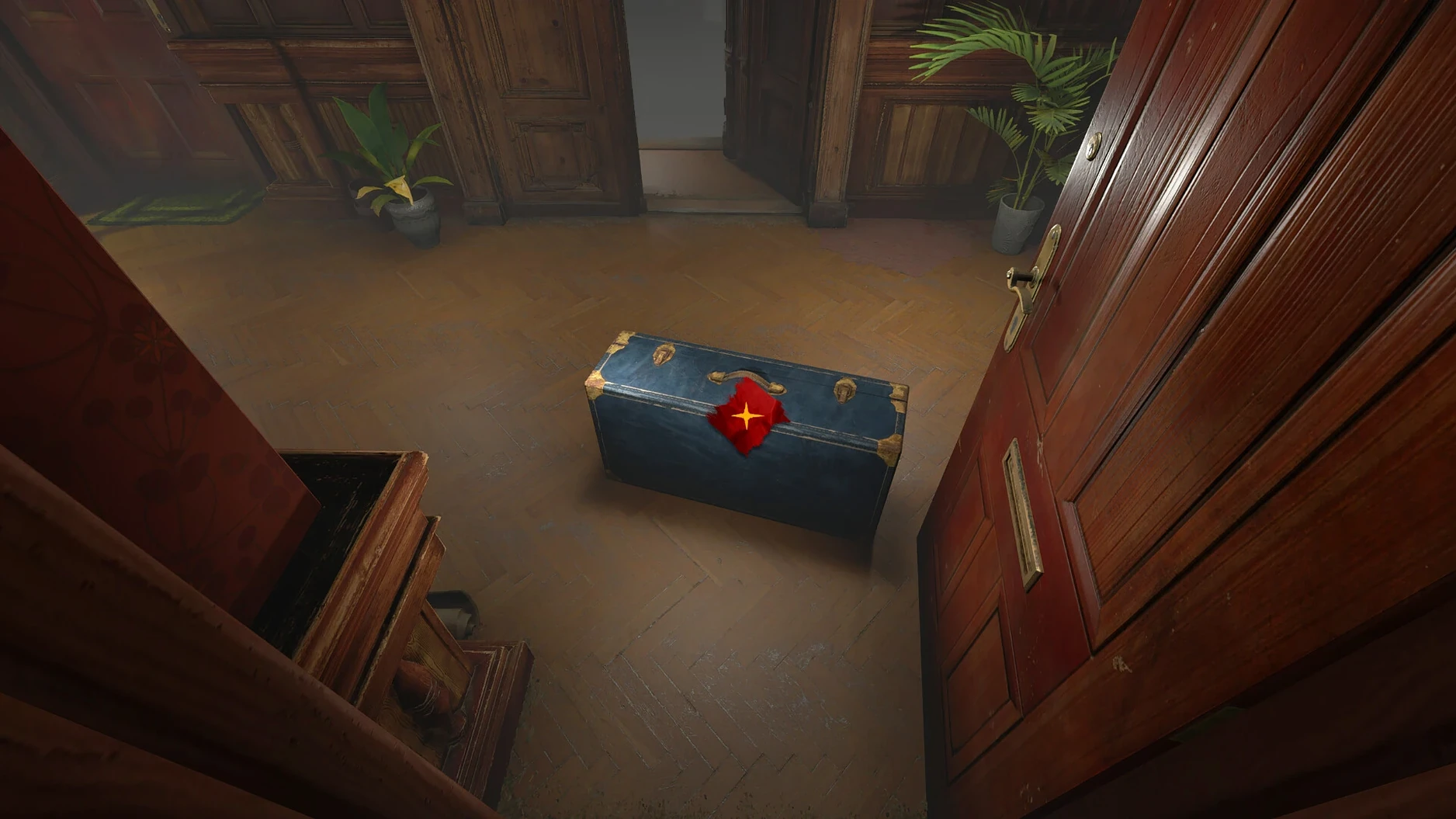
The Bookwalker: Thief of Tales version 23.7.1 (65774) is a Wineskin build optimized for Apple Silicon Macs. You play as Etienne Quist, a writer-thief who lost his ability to write after a crime. Each mission sends you into a different book world — a medieval prison, snowy mountains, a spaceship — to steal legendary artifacts. Puzzles split between the real world and the book world require you to persuade, deceive, or defeat the characters blocking your way.
Running on Mac: requirements and performance
The game is marked as an ARM build, so it runs on M-series chips. No external wrappers or emulation layers are needed for Apple Silicon Macs. The interface supports ten languages including English, German, and Spanish. Controls are straightforward: mouse clicks for movement and interaction, with keyboard shortcuts for inventory and dialogue options.
Etienne's dark narrative between fiction and reality
It is a single-player narrative adventure, not a fast-action title. You move between fiction and reality, each with its own rules and tasks. The story is dark and deliberate — Etienne's conviction and his lost creativity drive the plot. If you enjoy puzzle-heavy stories with a literary twist, this one fits well. The game does not require a constant internet connection, which makes it practical for classroom or travel use.
Fixing the launch error that stops the game from starting
A few things tend to trip people up on the first run. Here are the ones I hear about most often.
The game shows an error at launch. This is the most frequent hiccup. If the game refuses to start, go back to the downloaded disk image and run the Fix file included inside it. That file adjusts a few Wineskin settings that the initial copy does not always transfer correctly. After applying it, launch the game from the Applications folder again. It usually works on the second attempt.
The mouse cursor vanishes or behaves oddly. The game uses a custom cursor in book-world sections. If it disappears entirely, try switching focus to another window and back using Command-Tab. That refreshes the input layer. If that does not help, restart the game. The cursor should reappear on the main menu.
Dialogues or menus appear in the wrong language. The game ships with ten language options. If the text comes up in a language you did not expect, check the settings menu from the title screen. The language option is near the bottom of the settings list. You can change it at any time without restarting.
The game stutters when moving between book and real worlds. This transition triggers a short loading sequence. On Apple Silicon Macs it is brief, but if it feels slow, close other applications before you start the game. The Wineskin wrapper shares memory with the rest of the system, so background tasks can slow down the swap.
Stealing an artifact: from book selection to escape
To give you a sense of how the game flows, here is a typical mission walkthrough from the moment you arrive at a new book to the moment you escape with the prize.
- Select the book from your desk. In the real-world hub, you choose which book to enter next. Each book is a locked container with a name and a brief hint about its world. Click on it to begin.
- Read the opening pages. The game shows a short written passage that sets the tone and rules of that book world. Pay attention — the text often mentions an object or a character you will need later. You cannot revisit this passage once you close it.
- Explore the book world. You land inside the story. Look around, talk to the inhabitants, and examine the environment. Your goal is to locate the legendary artifact. In a medieval prison book, for instance, the artifact might be hidden in a warden's locked chest.
- Solve the real-world puzzle. Finding the artifact is rarely enough. You often need an item or a piece of information from your own reality to unlock it. Switch back to the real world — your apartment or a street — and search for clues. This might mean reading a letter on your desk or talking to someone outside.
- Use ink power to manipulate the book. Back inside the book, use your mystical ink power to alter objects. You can rewrite a sign, unlock a door, or change a character's dialogue. The ink power is limited, so think before you use it.
- Secure the artifact and leave. Once you have the item, the book world reacts. Characters may turn hostile or the environment may shift. Move back to the real world through the nearest exit point. The artifact stays with you.
Each mission follows this rhythm, but the worlds are different enough that the puzzles never feel recycled.
No extra installs needed: just mount and drag
Do I need to install anything extra like Wine or Rosetta? No. The build is marked as ARM and uses a Wineskin wrapper that is pre-configured inside the game files. You just mount the disk image and drag the app into your Applications folder. No separate software needed.
Will it work on an Intel Mac? The build is tested on Apple Silicon and labeled for ARM. It may run on Intel Macs through the system's translation layer, but I have not verified that. If you are on an Intel machine, you may want to check for a separate Intel build elsewhere.
How long does a typical playthrough take? That depends on how quickly you solve the puzzles. Most players take somewhere between eight and twelve hours for the main story. There are no side quests, but you can revisit finished books to explore unlocked areas.
Is the game suitable for teenagers? The story deals with a convicted criminal and includes mature themes like imprisonment and manipulation. The violence is minimal and mostly implied. I would suggest it for ages fourteen and up, depending on the individual student's comfort with dark narratives.
Can I save my progress at any time? The game uses an autosave system that triggers at key moments — when you enter or leave a book, and after major dialogue choices. There is no manual save option. If you quit mid-puzzle, you restart from the last checkpoint, which is usually the entrance of the current book.
- OS: macOS 11 or later
- Architecture: Apple Silicon (M1 or newer)
- Storage: about 4 GB free space
Questions I keep getting
Does the game run on Intel-based Macs?
No, the current build is marked as an Apple Silicon (ARM) build, so it only runs on M-series Macs.
How to install
- Mount the downloaded disk image, then drag the app into the Applications folder alias. This copies the game to your system.
- After copying finishes, open the app from Launchpad. It should start without issues on Apple Silicon Macs.
- If the game shows an error at launch, run the Fix file from the disk image. That resolves common permission or library issues.
Similar games





Sign in or join the club to leave a comment.
Nobody has commented yet.