
- Version
- 1.0 fix
- Studio or maker
- PRM Games
- Languages
- English, German, Spanish, Italian, Chinese (Simplified), Korean, Portuguese, Turkish, French, Japanese
- Activation
- Not required
- Chip type
- Apple Silicon, Intel 64-bit
- Tried out on
- macOS Tahoe, Mac mini 2024 M4
- First released
- 5.02.2026
- Voice languages
- English
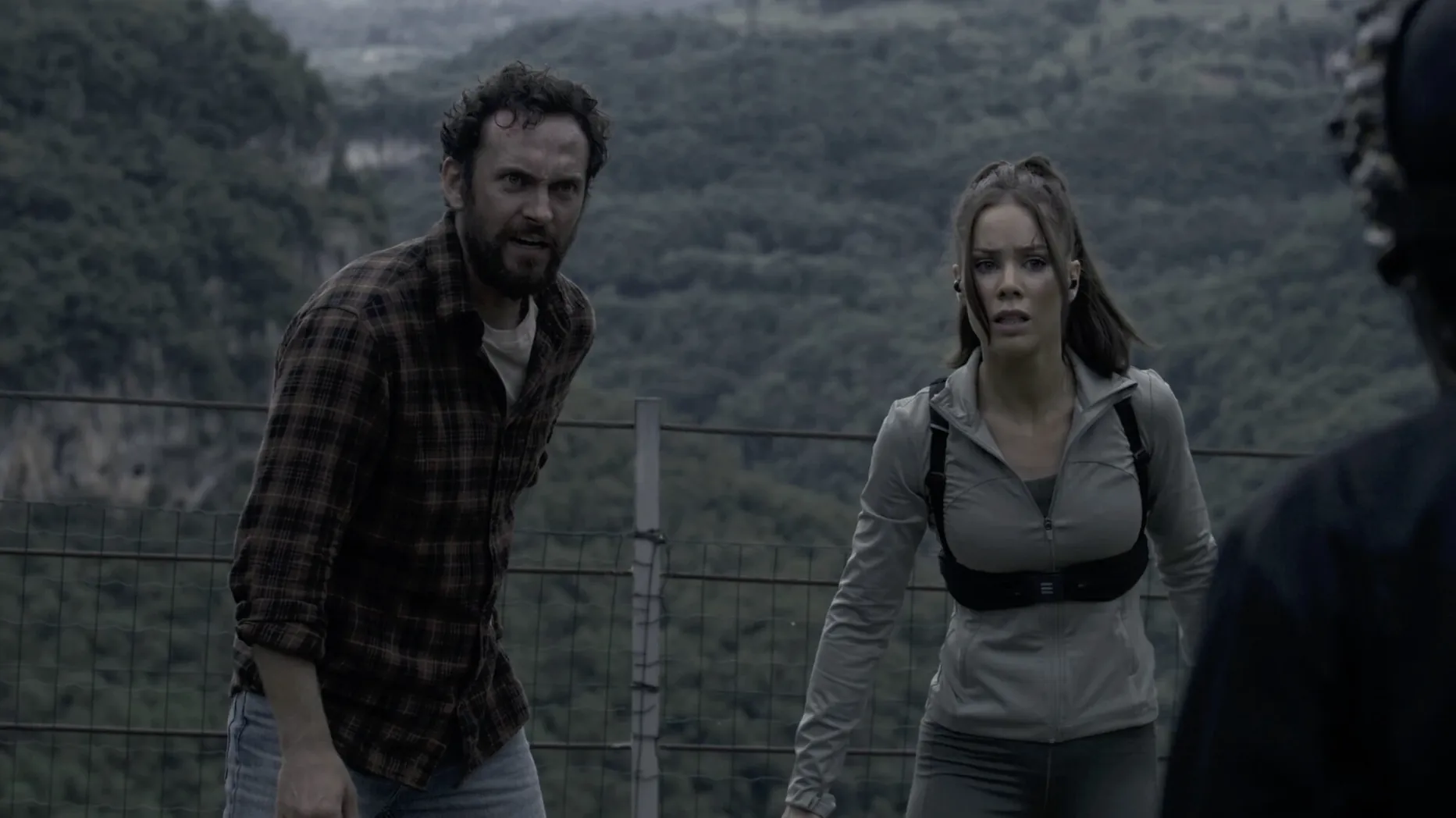
The Run works on both Intel Macs and Apple Silicon models, so whether you're on an older MacBook Pro or an M3 iMac, it should load fine. The game is a full-motion video horror-thriller, meaning you watch live-action footage and make choices that push the story forward.
Who will like The Run
- Fans of FMV games who enjoy campy horror and branching narratives.
- Players who want a short, replayable experience — 20 unique deaths and 5 endings encourage trying different paths.
- Anyone curious about a choice-based story set in a fitness influencer world, where a morning run goes very wrong.
If gameplay over scenes is your preference
If you prefer gameplay over watching scenes, or if realistic live-action horror isn't your thing, this may not hold your attention. The game is driven entirely by video clips and menu-style decisions, so there's no exploration or action sequences beyond making choices.
Switch language before your first run
Before you start your first run, open the settings menu from the main screen. The language options are listed at the top — if English isn't your preferred interface language, switch it right away. The voice audio stays in English regardless, so subtitles will appear in whatever language you choose. I recommend setting subtitles on even if you understand English well, because some dialogue is spoken quickly or mixed with ambient sound from the trail.
The display settings let you toggle between fullscreen and windowed mode. On a larger external monitor, fullscreen is fine, but on a laptop screen I sometimes keep it windowed to check the game club chat or a walkthrough on the side. There is no graphics quality slider — the video footage is pre-rendered, so performance is the same regardless of your hardware.
One setting that isn't obvious: the game does not auto-save after every choice, so if you close it mid-scene, you may lose progress. I suggest finishing a scene before quitting, or remembering where you left off so you can skip ahead if the game lets you.
Run it in a window alongside other apps
The Run is a lightweight application. It runs as a standard macOS app, so you can have it in a window alongside other programs. I often keep the game running in a small window while having a notes app open to track which choices lead to which endings — useful for the classroom club when we compare paths later.
macOS features like Command-Tab to switch apps and the dock work normally. The game does not require internet access, so Airplane Mode or offline use is fine. If you use macOS virtual desktops, you can assign The Run to its own desktop and keep your browser or email on another. That helps when you want to replay a section without closing other work.
For teachers or group settings, the game's lack of online activation means you can install it on multiple school Macs from the same disk image, as long as each copy is used by one person at a time. The club members sometimes share their choice sequences on a shared document, and the game plays well with screen-recording tools like OBS if you want to capture a playthrough for later discussion.
Treating timed choices like a quiz is a common mistake
The most common mistake is treating the choices like a quick multiple-choice quiz. The decisions are timed, and if you hesitate too long, the game may default to a path you did not intend. I have seen students freeze during a tense scene and then complain that they got a death they did not want. My advice: read the options as soon as they appear, and pick before the pressure builds — you can always replay the scene.
Another mistake is expecting a single "correct" playthrough. The game is built for replay, so dying early is not failure. Some beginners restart from the beginning after a death, thinking they made a wrong choice, when the game actually expects you to continue from the latest checkpoint and try a different branch. Embrace the deaths as content — each one is a new video clip you would otherwise miss.
A smaller but frequent issue: people overlook the language and subtitle settings before starting, then get stuck with a language they do not understand. Since the interface text is simple (mostly choice buttons), it is easy to assume you can change it later. You can, but only from the main menu, not during gameplay. So set it before you begin the story.
- macOS version not specified by the developer
- Intel or Apple Silicon (both architectures supported)
Questions I keep getting
What languages does The Run support?
The interface is available in English, German, Spanish, Italian, Simplified Chinese, Korean, Portuguese, Turkish, French, and Japanese.
How to install
- Open the downloaded disk image.
- Drag the app to the Applications folder alias.
- After copying finishes, open the app from Launchpad.
Similar games





Sign in or join the club to leave a comment.
Nobody has commented yet.