- Version
- 2.0.2
- Studio or maker
- The End of the Sun Team
- Languages
- Russian, English, German, Spanish, Italian, Chinese (Simplified), Polish, Ukrainian, French, Czech
- Activation
- Not required
- Chip type
- Apple Silicon, Intel 64-bit
- Tried out on
- macOS Sequoia, MacBook Air (M1. 2020)
- First released
- 29.01.2025
- Voice languages
- English, Polish
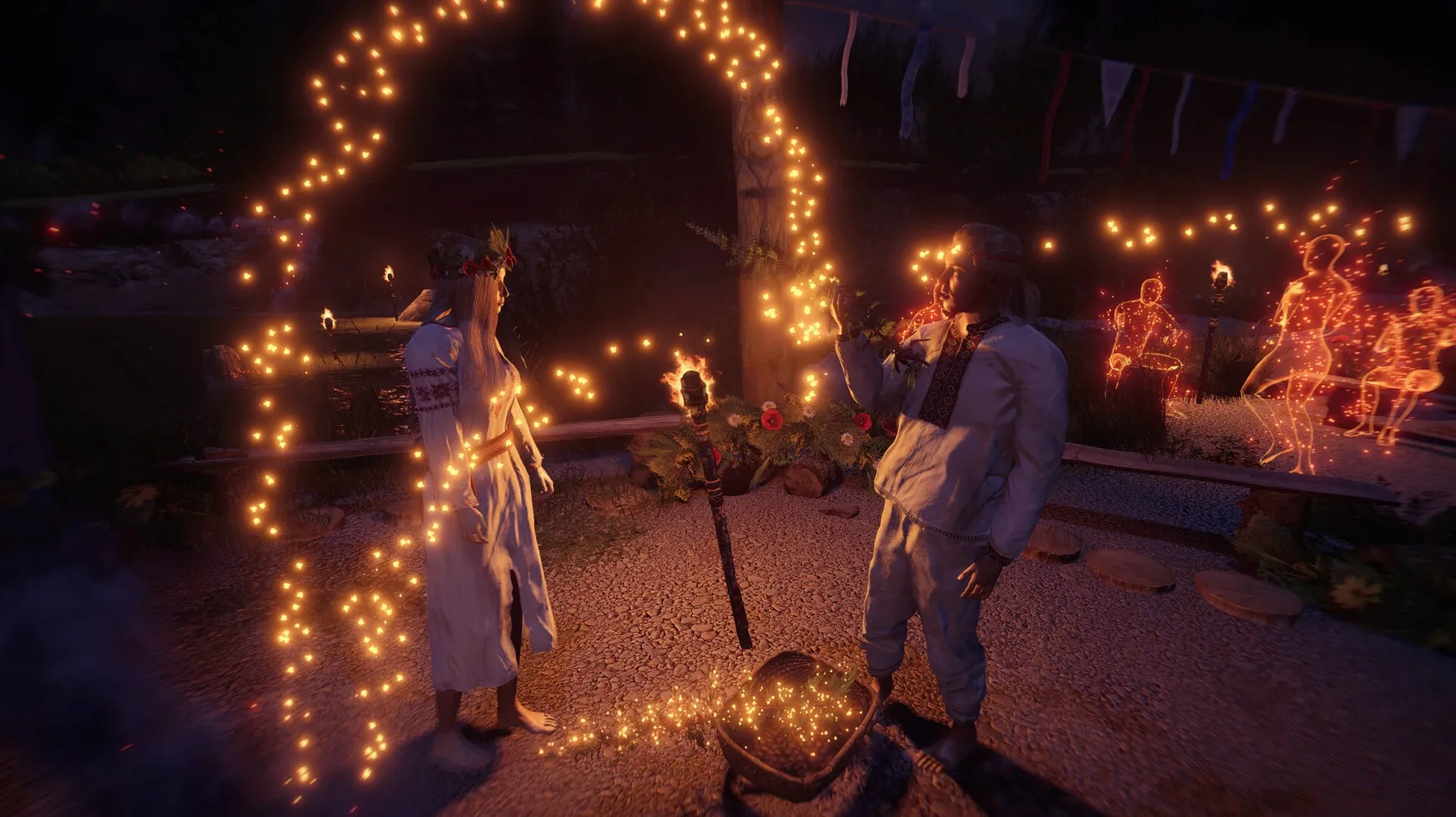
Teachers and club leaders looking for a thoughtful, atmospheric game to recommend will find a lot to like in The End of the Sun 2.0.2. You play as an Ash Priest investigating a mystery that unfolds across major Slavic holidays, with the environment shifting through seasons, weather, and time of day. The puzzles are nonstandard, asking you to explore the area around a village and piece together events that span long periods.
Running it on a Mac
- Works on both Intel and Apple Silicon Macs.
- Controls are standard first-person: mouse to look, WASD to move. No special remapping needed for the club's iMacs.
- Interface languages include English, German, Spanish, French, Italian, Polish, Ukrainian, Russian, Simplified Chinese, and Czech — good for multilingual classrooms.
Old Intel Macs may need a resolution drop, but the story is calm
If your Macs are older Intel models, you may need to lower the resolution, but the game's visual style stays clear. The story is slow-paced, making it a calm choice for a game club afternoon.
Rushing past fire clues and ignoring time travel costs key threads
New players often rush through the first area, expecting a straightforward path. The game rewards patience: if you skip examining fire-related clues closely, you will miss key story threads. Another mistake is ignoring the time-travel mechanic early on. Some players assume it unlocks later, but you can use it from the start to revisit locations at different hours or seasons. A third pattern is treating puzzles like standard inventory-based challenges. The puzzles here are not about collecting objects in the right order. They ask you to observe changes in the environment — a shadow that falls differently, a door that opens only at dusk — and act on what you see.
What to check before you click install
Slavic mythology is not required; the world teaches you
Not really. The game introduces its mythology through the environment and events. You learn as you explore. The photogrammetry from ethnographic museums gives objects and buildings a grounded, real-world feel that helps the setting make sense even if the holidays and rituals are new to you.
Short sessions work because time travel lets you pick up threads
The nonlinear storytelling works well for shorter play sessions. Because you can travel through time, you can pick up a thread, explore for twenty minutes, and leave the game knowing where to return. It is not the kind of game that demands two-hour blocks to feel productive.
Is the game scary or violent?
It is atmospheric and sometimes eerie, but not a horror game. The tension comes from the mystery and the silence of the landscape, not from jump scares or gore. That makes it suitable for older students in a club setting if you check the content first yourself.
Fire clue and time-travel fixes for players who missed them
The game window is too small or too large on launch
If the display does not match your screen, check the in-game settings before adjusting macOS display options. The game remembers resolution settings after you set them once.
Audio cuts out or stutters
This usually happens when the game is still copying from the disk image. Let the file transfer finish before you launch. If the problem persists, restart the game after the copy completes.
Controls feel sluggish on an older Intel Mac
Lowering the resolution helps more than reducing visual effects. The game's style holds up well at lower settings, and the mouse response becomes noticeably quicker.
The time-travel interface is not responding
Make sure you are standing in a location that allows time travel. Some areas restrict it until you have found the right fire-related clue. Check your journal or notes for the clue you last discovered.
- macOS: not specified by developer; tested on macOS Sequoia
- Architecture: Intel and Apple Silicon
How to install
- Mount the disk image you downloaded.
- Drag the game's app icon into the Applications folder shortcut.
- Open Launchpad and click the app once copying finishes.
Similar games

Sign in or join the club to leave a comment.
Nobody has commented yet.