- Version
- 2.1.1
- Studio or maker
- Gameloft
- Languages
- Russian, English, German, Arabic, Spanish, Italian, Chinese (Traditional), Chinese (Simplified), Korean, Dutch, Portuguese, Turkish, French, Japanese
- Activation
- Not required
- Chip type
- Apple Silicon, Intel 64-bit
- Tried out on
- macOS Sonoma, MacBook Air (M1. 2020)
- First released
- 2.04.2021
- Voice languages
- Music only
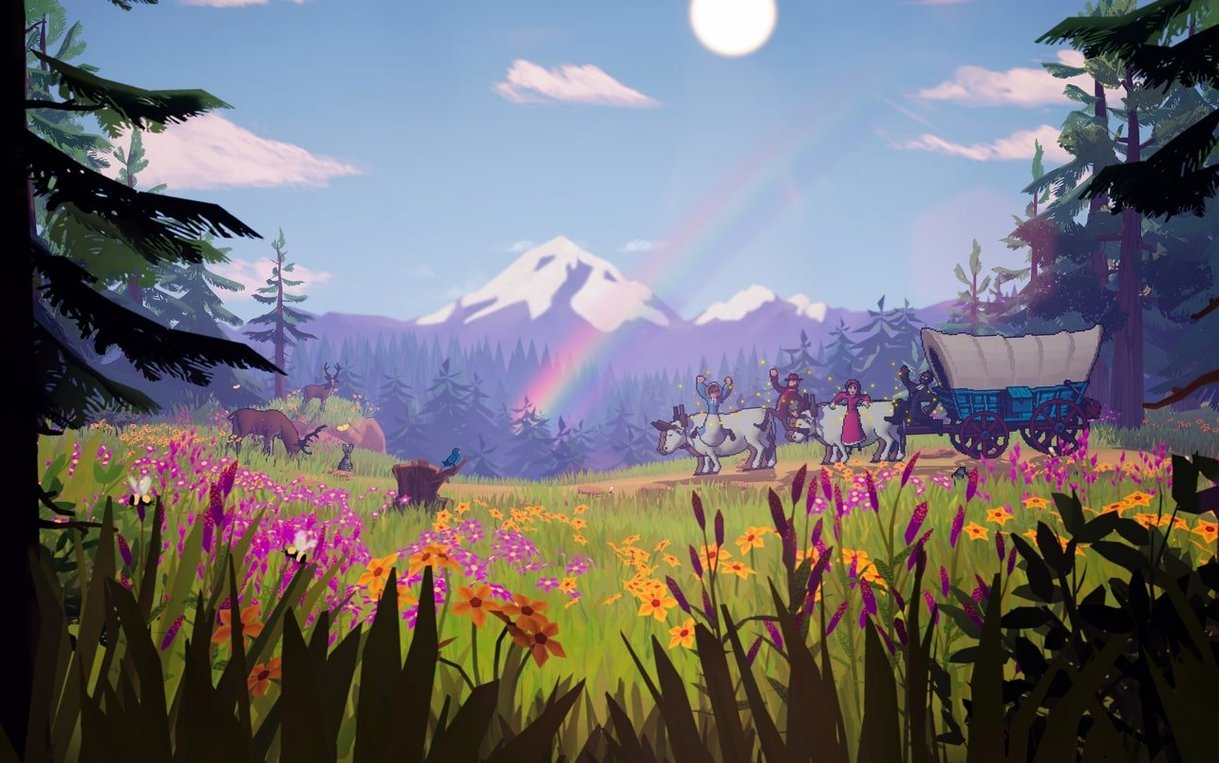
Planning a cross-country wagon journey in 1848 was full of unknowns: disease, river crossings, broken axles, and dwindling supplies. The Oregon Trail captures that uncertainty by putting you in charge of a traveling party, a wagon full of provisions, and a long list of decisions that determine who arrives in Oregon. It is an official successor to the original game, now built for modern Macs.
- Choose your party members and load the wagon with food, ammunition, spare parts, and medicine — every item affects your survival odds.
- Random events like storms, theft, or illness hit your party; health, mood, stamina, and hygiene all matter for later outcomes.
- A fishing minigame includes more than 80 fish types, giving you a way to supplement your food supply.
- The interactive journal introduces real people and places along the trail, adding historical context to the journey.
- The soundtrack blends alt-country music with 8-bit sound effects, matching the frontier setting.
- Works on both Apple Silicon and Intel Macs, and includes a range of interface languages from English to Korean.
If you enjoyed the original Oregon Trail or like resource-management games with historical flavor, this version brings the experience to your Mac without losing the classic feel.
You might wonder what happens when the game won't launch the first time. This is the most common question I hear from teachers and parents setting it up on a Mac. Sometimes macOS blocks the app because it came from an unidentified developer. The solution is quick: open Terminal, type xattr -cr /Applications/The\ Oregon\ Trail.app, press Return, then try launching again. That clears the extended attributes that macOS uses to flag unverified apps. If you prefer not to use Terminal, you can also right-click the app in the Applications folder, select Open from the menu, and click Open in the confirmation dialog — that tells macOS it's okay this one time.
Why does the game ask me to clear attributes again after an update
Each time you replace or update the app file, macOS re-checks it. You might need to run that Terminal command again. Keep the command handy in a text file so you don't have to retype it.
What about saved games and progress
Your save files live inside your user Library folder, separate from the app itself. If you reinstall the game or move it to a different Mac, those saves can be copied over. On macOS Ventura and later, look in ~/Library/Application Support/com.gameloft.theoregontrail. On older systems, the path may be similar but under a different container name. Back up that folder before deleting the app.
Will my Intel Mac run this as well as an Apple Silicon machine
The game is designed for both architectures, so it runs on Intel Macs from 2020 onward and on M1, M2, and M3 machines. You do not need Rosetta installed for the Apple Silicon version, but if you accidentally download an Intel-only build, Rosetta handles it without noticeable issues. The developer's system requirement is macOS 10.16 or later, which covers Big Sur onward.
- macOS 10.16 or later
- Works on Apple Silicon and Intel Macs
- Interface languages: Russian, English, German, Arabic, Spanish, Italian, Chinese (Traditional), Chinese (Simplified), Korean, Dutch, Portuguese, Turkish, French, Japanese
Questions I keep getting
Does The Oregon Trail for Mac support Apple Silicon?
Yes, the game runs on both Apple Silicon and Intel Macs, so it works on M1, M2, and later models as well as older Intel machines.
How to install
- Open the downloaded disk image file.
- Drag the game app into the Applications folder alias inside the disk image — this places it where your Mac expects it.
- After the copy finishes, launch the game from Launchpad or your Applications folder.
- If the app does not open, run the provided Terminal command to clear extended attributes and re-sign the app; this is needed sometimes when macOS blocks apps from outside the App Store.
Similar games





Sign in or join the club to leave a comment.
Nobody has commented yet.