
- Version
- 1.4.5.8
- Studio or maker
- Re-Logic
- Languages
- Russian, English, German, Spanish, Italian, Chinese (Simplified), Polish, Portuguese, French
- Activation
- DRM-free
- Chip type
- Apple Silicon, Intel 64-bit
- Tried out on
- macOS Tahoe, Mac mini 2024 M4
- First released
- 17.05.2011
- Voice languages
- Music only
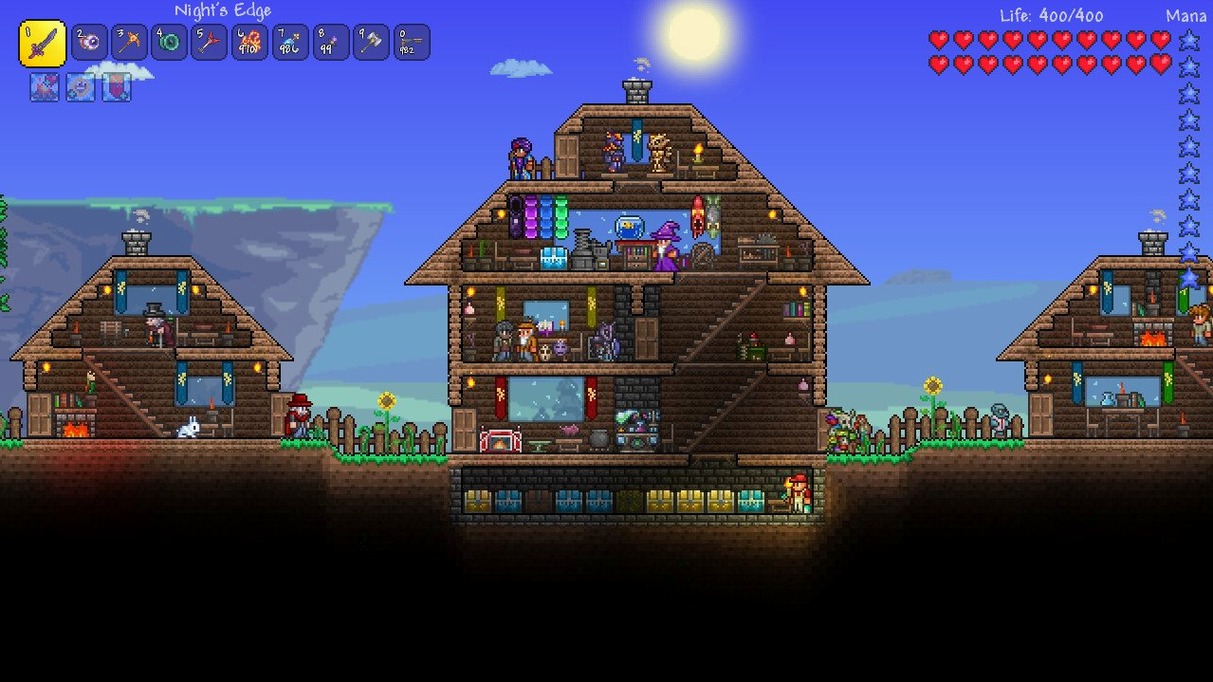
Over 1,500 items to craft, five new boulder types, and a crossover with Palworld and Dead Cells. Terraria version 1.4.5.8 on macOS keeps the same loop it always had: you start with a pickaxe and a short sword, and from there you decide what comes next.
Digging
You can dig through dirt, stone, and sand looking for gems, coins, and ore. The deeper you go, the tougher the creatures you meet, so you dig with a purpose.
Fighting
Different biomes have different enemies, and you craft weapons to handle them. The 1.4.5 update adds new boulders that behave in unexpected ways, so combat stays unpredictable.
Building and NPCs
Build houses, and non-player characters will move in. They sell items, offer quests, and make your base feel alive. The game runs on both ARM and Intel Macs, tested on a 2024 M4 Mac mini with macOS Tahoe.
A few things trip people up on a Mac
A few things trip people up when they first start Terraria on a Mac. The game itself is stable, but the setup and some in-game habits can cause confusion.
The game won't open after installation
This usually means the disk image wasn't mounted correctly, or the game files were placed in a folder the system can't run. After you open the downloaded disk image, follow the standard installation procedure and select the Applications folder during installation. If you drag the game folder anywhere else, macOS may block it from running.
Game saves disappear
Terraria saves your progress in a folder inside your user directory. If you're running the game from the Applications folder, you should be fine. But if you moved the game or are running it from an external drive, saves might not write correctly. Stick to the Applications folder for installation, and the game will handle the rest.
The screen is too small or too large
There's no official scaling setting built into the game. On a high-resolution display, the pixel art can look tiny. Some players have success adjusting their system display settings to a lower resolution before launching. It's not ideal, but it's a workaround for the blocky graphics being too small.
Digging straight down can drop you into a cave full of enemies
I see the same patterns every year at the game club. A few habits save you a lot of frustration.
Digging straight down. New players often start digging straight down, which can drop them into a cave full of enemies with no way back. Always dig a staircase pattern so you can climb back up.
Ignoring the day-night cycle. The first night is dangerous if you haven't built a shelter. Spend the first ten minutes gathering wood and stone to make a basic house, not swinging your pickaxe at the earth.
Holding onto everything. Your inventory fills fast. Drop common materials like excess dirt and sand early on. Keep rare ore, gems, and anything you can't identify by name.
Not reading item tooltips. Each piece of equipment has a stat block. A sword with higher damage is not always better than a sword with a useful special effect. Read the details before you toss your old weapon.
Tested on a Mac mini 2024 M4 with macOS Tahoe
The game is available on macOS and supports both ARM and 64-bit x86 architectures. It was tested on a Mac mini 2024 M4 with macOS Tahoe. The version is 1.4.5.8, and it uses DRM-free protection.
You do not need a powerful machine. The 2D pixel art means the game runs on most Macs from the last few years. The ARM version is native, so it won't go through emulation. If you have an Intel Mac, the x86 version works the same way.
The game comes with language support for Russian, English, German, Spanish, Italian, Simplified Chinese, Polish, Portuguese, and French. Voice work is musical only, so you don't need to worry about subtitles or dubbing.
A workflow: building your first base
Here is a simple process to get a safe base up in the first hour. It works on any biome.
- Scout the area. Walk around the surface until you find a flat clearing near a tree line and a water source. You need both wood and water access.
- Gather wood. Chop down ten to fifteen trees. That gives you enough timber for a small house and a bed.
- Dig a perimeter trench. Use your pickaxe to dig a one-block-deep trench around the clearing. Enemies cannot cross it unless you build a bridge.
- Build walls. Stack wood blocks to create a square with one door space. Leave the door space empty for now.
- Add a roof. Place wood blocks across the top of the walls. A roof stops flying enemies from dropping in.
- Place the door. Craft a wooden door and put it in the doorway. Close it behind you when you go inside.
- Furnish the interior. Craft a bed, a chest, and a crafting table. Store your extra materials in the chest.
- Wait for NPCs. After you sleep, non-player characters may start arriving. They will sell items and offer quests. Build extra rooms to attract more of them.
This method works because it uses the same resources you find everywhere. You can modify the layout once you have access to stone or iron, but wood gets you through the first night reliably.
- macOS (version not specified by developer)
- Architecture: ARM or 64-bit x86
How to install
1. Open the downloaded disk image and follow the standard installation procedure. 2. Select the Applications folder during installation.Similar games






Sign in or join the club to leave a comment.
Nobody has commented yet.