- Version
- 1.91
- Studio or maker
- Spiderling Studios
- Languages
- Russian, English, German, Chinese (Simplified), Korean, Portuguese, French, Japanese
- Activation
- Not required
- Chip type
- Apple Silicon, Intel 64-bit
- Tried out on
- macOS Golden Gate, Mac mini 2024 M4
- First released
- 18.02.2020
- Voice languages
- Music only
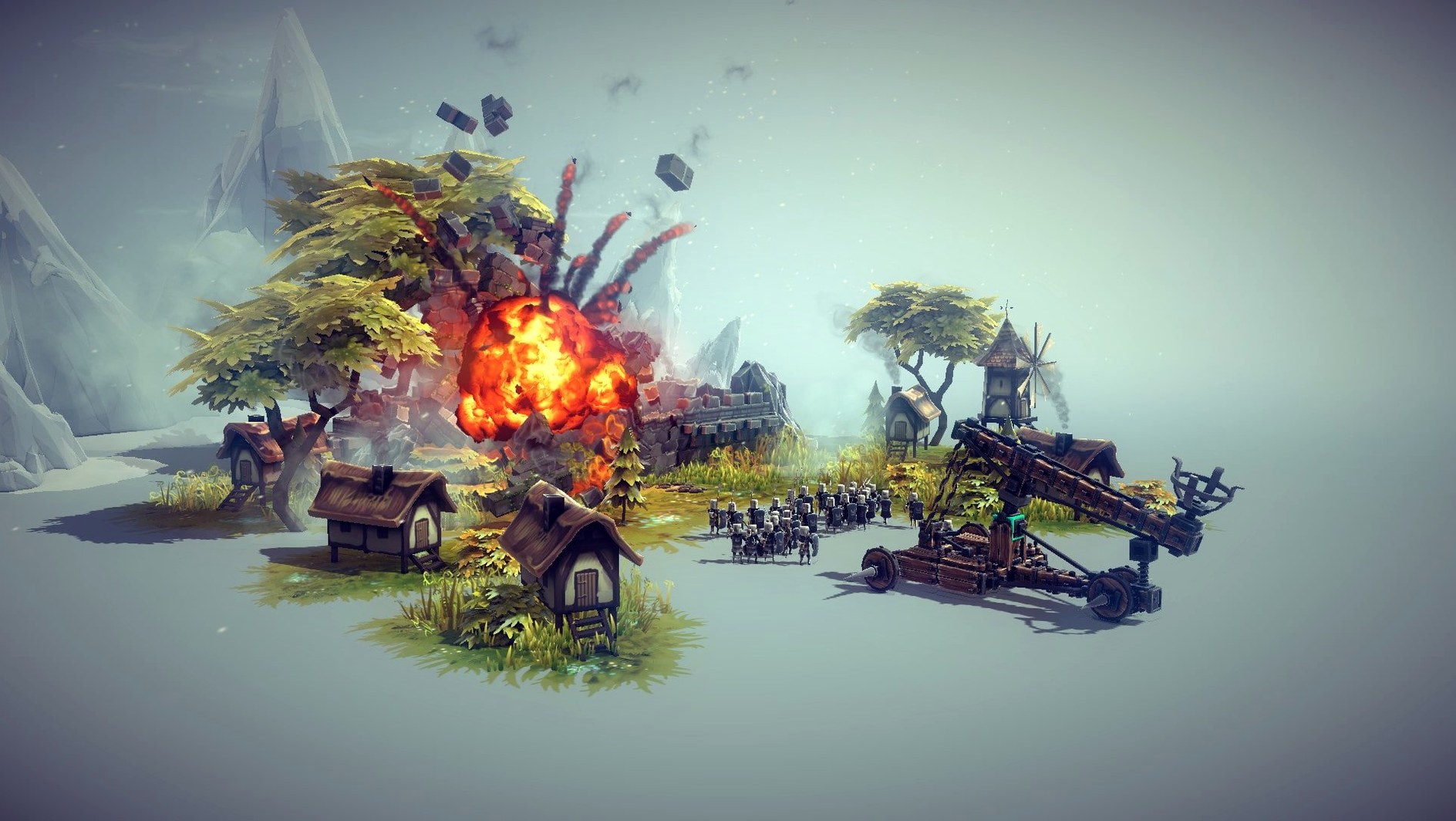
Besiege runs on both Intel and Apple Silicon Macs, so the current version works across the range of machines you might see in a school computer room or at home. The physics simulation is the heart of the game — every beam, wheel, and cannon behaves with weight and momentum, which means older Intel Macs handle smaller machines more comfortably than sprawling mega-builds.
Check your Mac before downloading
Because the game supports both architectures, you don’t need to worry about Rosetta or translation layers. If your Mac runs macOS that meets the game’s requirements, it should launch and play. That said, the more complex the machine you build, the more processing power the physics engine asks for.
Set up controls for building
You’ll spend most of your time placing blocks and adjusting angles. The mouse handles placement and rotation, while the keyboard shortcuts speed up the process once you learn them. Take a moment in the tutorial to map out what feels natural — it saves time when you’re mid-build and a siege weapon needs a quick tweak.
Browsing the Steam Workshop for hinge ideas
I start most sessions by browsing the Steam Workshop for a machine that sparks an idea. Downloading user-created content takes only a moment, and it gives me something to study — how another builder solved a hinge problem or balanced a trebuchet’s counterweight. After that, I open the level editor to sketch a quick testing ground: a wall with a few archer positions and a wooden gate. I set spawn points and decide where the objective markers go, keeping it simple so I can test a machine’s range without distractions.
Building comes next. I place a chassis first, then axles and wheels to make it mobile. I add a torsion rope and an arm for launching projectiles, testing movement after every few blocks. The physics engine updates live, so I can see if a wheel binds or an arm wobbles too much. Once the machine moves across the level, I switch to the campaign and drop it into a level with stone walls and enemy cannons. I fire a few shots, adjust the angle, and fire again. If something breaks, I return to the level editor to modify the objective, then try a different approach.
When friends are online, I use the multiplayer mode for team attacks on a fortress. We coordinate — one player builds a battering ram, the other sets up a catapult. The shared physics means every collision matters, and we often abandon a plan halfway when a wheel flies off.
Why you should start with the tutorial levels
- Start with the tutorial levels. They walk you through basic movement, aiming, and block types. Skipping them might feel faster, but you lose the chance to see how blocks behave under stress before you build something fragile.
- Keep your first machines small. A cart with a single catapult teaches you weight distribution. Once that works reliably, add armour or extra wheels. This avoids frustration when a complex build collapses on the launch pad.
- Use the level editor for isolated tests. Create a flat field with a target dummy and no enemies. It lets you fire repeatedly and adjust angles without the pressure of campaign timers or incoming arrows.
- Browse the Workshop early. Download a few highly rated machines and open them in the builder to see how they are structured. It gives you real examples of hinge placement, power transfer, and compact designs you might not think of on your own.
Very large machines with hundreds of moving parts can cause slowdown, but that’s true on any platform.
- Mac support for The Broken Beyond expansion was added.
- Zone 79 was added.
- A new Fuel Pump block was added.
- Block category buttons can now be dragged and reordered.
- Architecture: Intel and Apple Silicon
- macOS: compatible version required
Questions I keep getting
Can I play Besiege with friends on Mac?
Yes, multiplayer is included. You can team up with friends in Multiverse mode to build and battle together.
How to install
- Run the downloaded package and follow the standard installation process — this sets up the game files properly.
- Choose an install location when setup finishes, so you control where the game lives.
- Pick Applications as the recommended install folder to keep everything tidy.
Similar games






Sign in or join the club to leave a comment.
Nobody has commented yet.