
- Version
- 1.0 fixed
- Studio or maker
- Feral Interactive
- Languages
- Russian, English, German, Spanish, Italian, Chinese (Traditional), French, Japanese
- Activation
- Not required
- Chip type
- Intel 64-bit
- Tried out on
- macOS Sequoia, MacBook Air (M1. 2020)
- First released
- 16.09.2016
- Voice languages
- Russian, English, German, Spanish, Italian, French, Japanese
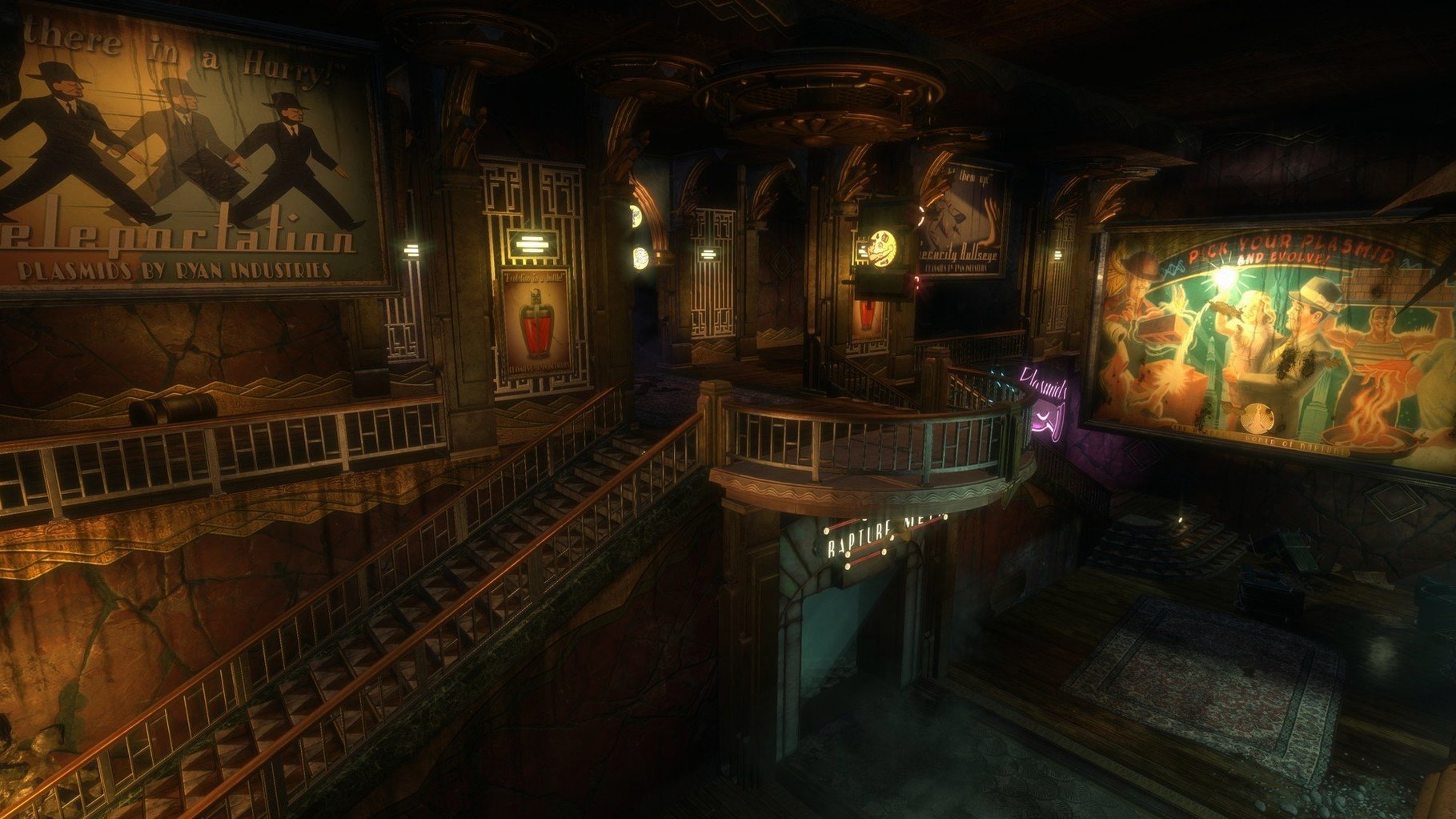
If you've played the original BioShock, you know the drill: descend into Rapture, fight splicers, and decide the fate of the Little Sisters. This remastered version for Mac keeps that core intact but polishes the presentation. The current 1.0 release is the initial one, so it's a clean starting point for Mac players.
What does the remaster change?
The visuals get a boost, but the gameplay stays true to the 2007 original. You still use plasmids to modify your DNA and take on Big Daddies in the underwater city.
Is there anything new aside from graphics?
Yes, you get developer commentary on the making of BioShock and a museum of orphaned concepts with exhibits about the game's development. These are nice extras for returning players.
macOS 10.12.5 or later and 27 GB of storage required
The game needs macOS 10.12.5 or later, an Intel Mac, 8 GB RAM, and 27 GB of storage. A 2.0 GHz Intel Core i5 or better, with a compatible GPU, is recommended.
Small conveniences that are easy to miss
Feral Interactive included a few touches that aren't obvious at first. The game offers voice languages separately from text languages, so you can keep English audio while reading menus in Russian, German, or Japanese, for example. The archive you download unpacks into one clean file, and the install step is simply dragging that file into the Applications folder — no activation step, no additional launcher. The challenge rooms are separate from the main story, which is helpful if you want a quick session without committing to a full chapter.
What to expect on your Mac
Based on the requirements, you'll need a Mac with an Intel Core i5 at 2.0 GHz or better and at least 8 GB of RAM. The graphics card requirement covers three families: 2 GB AMD R9 290M, 2 GB Nvidia 680mx, or 1.5 GB Intel Iris Pro 5200. The official support list includes MacBook Pros from late 2016 onward and Mac Pros from late 2013 onward. The storage requirement of 27 GB means you'll want to clear some space before downloading. The game was tested on macOS Sequoia using an M1 MacBook Air from 2020, which suggests compatibility extends beyond the Intel-only requirement listed.
Settings worth changing first
Before you start exploring Rapture, adjust the audio language to your preference — the game supports seven voice languages and eight text languages, so you can match them however you like. If you have an older Intel Mac with integrated Iris Pro graphics, consider lowering the resolution or turning off some visual effects in the in-game settings to keep things responsive. The game does not require an internet connection after download, so you can play offline without any activation prompts.
- Initial release of the remastered version.
- macOS 10.12.5 or later
- Intel processor
- 8 GB RAM
- 27 GB storage space
- 2.0 GHz Intel Core i5 or better
- 2 GB AMD R9 290M / 2 GB Nvidia 680mx / 1.5 GB Intel Iris Pro 5200 or better
Questions I keep getting
Does the remaster include the original game's content?
Yes, it features the full campaign with mutated splicers, Little Sisters, and Big Daddies, plus the added commentary and museum content.
How to install
- Unpack the downloaded archive to access the game files.
- Drag the game into your Applications folder to install it.
Similar games





Sign in or join the club to leave a comment.
Nobody has commented yet.