- Version
- 1.5.3.7336708 [Wineskin]
- Studio or maker
- Crowbar Collective
- Languages
- Russian, English
- Activation
- Not required
- Chip type
- Apple Silicon
- Tried out on
- macOS Tahoe, Mac mini 2024 M4
- First released
- 6.03.2020
- Voice languages
- Russian, English
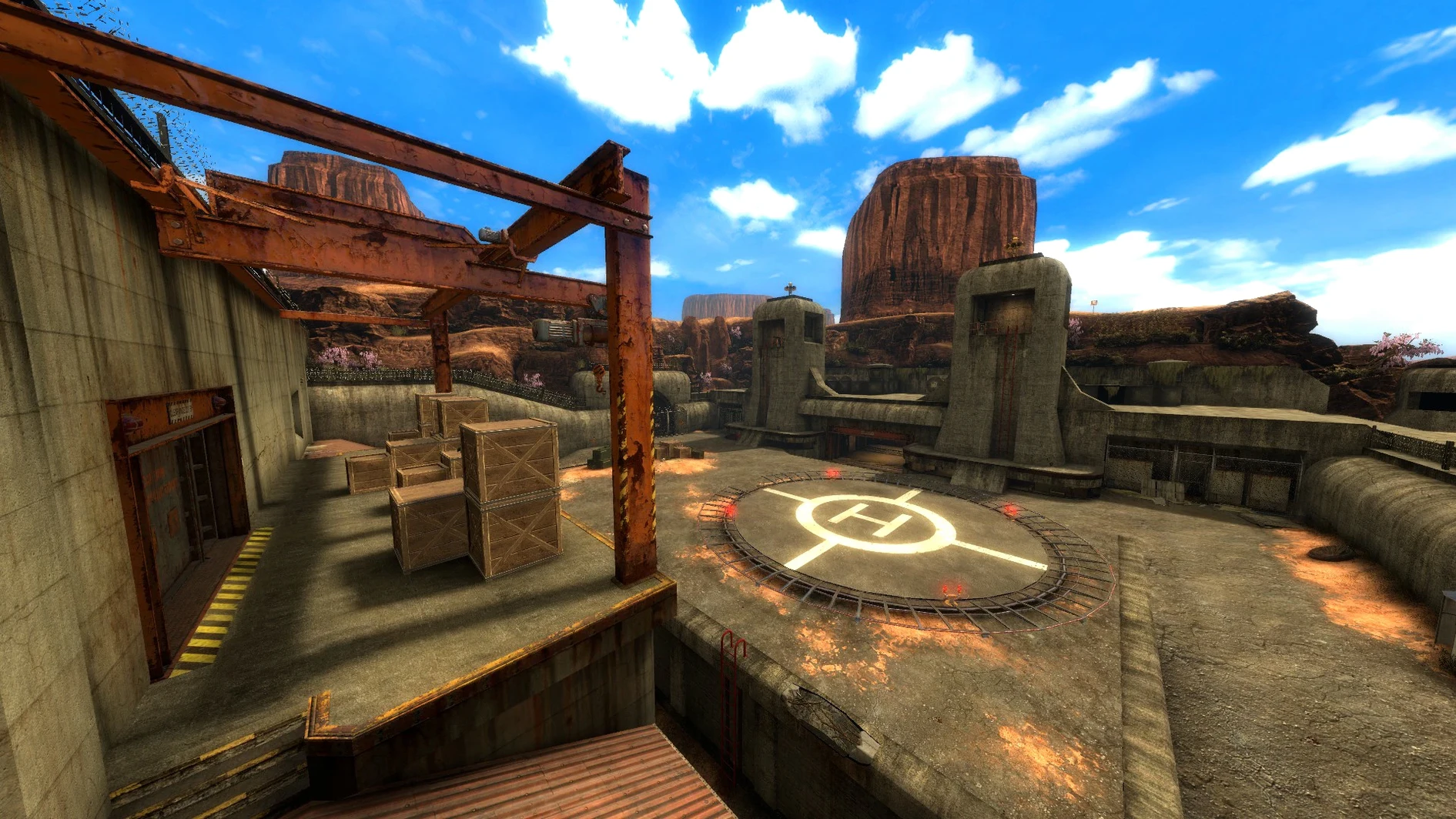
Nineteen chapters. That is the length of Black Mesa, a fan-made reimagining of Half-Life that has grown from a community project into a full campaign. You play Gordon Freeman, a theoretical physicist at the Black Mesa research facility, and the story follows the same beats as the original — until the Xen levels, which are new and expanded.
Shipping with Apple Silicon Macs as its target platform, version 1.5 merges visual and play enhancements collected across fifteen years of creation. Alongside the single-player campaign, there are multiplayer maps: Bounce, Gasworks, Stalkyard, Undertow, and Crossfire. Achievements are included, and the interface has been updated to match the current build.
Who should revisit Black Mesa
If you played Half-Life in the late nineties and want to revisit it with modern visuals, this is a respectful retelling. If you never played the original, it works as a standalone shooter with a strong story. The voice acting is in Russian and English, so you can switch languages if you prefer.
Best Mac users for this shooter
This version suits several kinds of Mac users, but a few groups benefit more than others. If you own an Apple Silicon Mac and want to play a shooter that respects your time — no microtransactions, no online requirement for the campaign — this is a solid choice. The single-player chapters can be played at your own pace, and the save system works like the original Half-Life, so you can stop mid-chapter and return later.
Multiplayer map players will find the included maps familiar if they remember the Half-Life deathmatch days. The maps listed — Bounce, Gasworks, Stalkyard, Undertow, Crossfire — are classic layouts that work well for short sessions. If you teach or run a game club, the cooperative feel of these maps can be a good fit for students who already know basic first-person shooter controls.
For Mac users who have been away from PC gaming for a while, Black Mesa offers a single-player experience that does not demand fast reflexes throughout. The early chapters are slower, focused on exploration and puzzle solving, which gives you time to adjust to the controls.
Voice language to set before starting
Before you start the campaign, a few adjustments can make the experience cleaner. The game lets you switch voice language between Russian and English. If you want the original Half-Life voice experience, set it to English. If you prefer the Russian dub, that option is available as well. The choice affects cutscenes and character dialogue, so pick before you begin chapter one.
Multiplayer maps have their own settings. If you plan to play on maps like Bounce or Gasworks, check the server browser or lobby settings first — some maps favor certain weapons or movement styles. The game does not explain this clearly, so a quick look at the map list can save time later.
One last note: the save folder is inside the app package at Black Mesa.app/Contents/SharedSupport/prefix/drive_c/KS Games/Black Mesa/bms/save. If you want to back up your progress or transfer it to another Mac, copy that folder. It is not something you need to adjust at the start, but knowing where it lives can prevent frustration later.
- Version 1.5 merges graphical and gameplay refinements from 15 years of development.
- New and expanded Xen levels extend the campaign beyond the original Half-Life.
- Visual improvements and an updated UI are part of this release.
- Architecture: Apple Silicon
- Interface languages: Russian, English
Questions I keep getting
What is Black Mesa?
Black Mesa is a fan-made reimagining of Half-Life, built by Crowbar Collective. It includes a single-player campaign with 19 chapters and several multiplayer maps.
Does Black Mesa run on Mac?
Yes, the current version runs on Apple Silicon Macs. The install involves mounting a disk image and dragging the app into your Applications folder.
What languages are available?
The game supports Russian and English as voice languages.
How to install
- Mount the downloaded disk image by double-clicking it.
- Drag the Black Mesa app into the Applications folder alias.
- Open the app from Launchpad once the copy finishes.
- If a launch error appears, run the Fix file from the mounted image to resolve it.
Similar games



Sign in or join the club to leave a comment.
Nobody has commented yet.