- Version
- 1.0 [Wineskin]
- Studio or maker
- Chilla's Art
- Languages
- English, Japanese
- Activation
- Not required
- Chip type
- Apple Silicon
- Tried out on
- macOS Tahoe, Mac mini 2024 M4
- First released
- 17.02.2020
- Voice languages
- Japanese
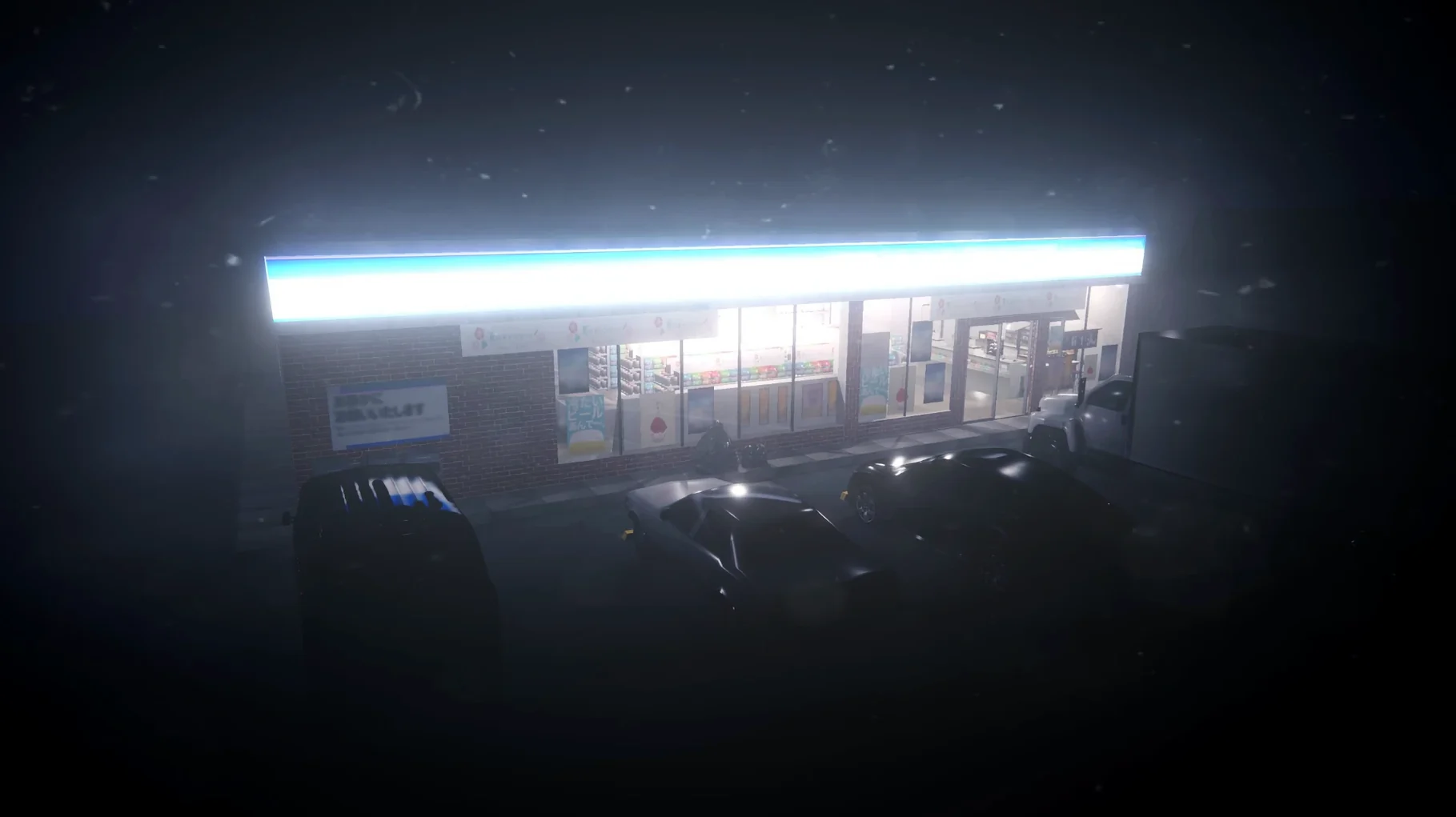
The game calls it "restocking." You walk the aisles, pick up empty cardboard trays from the shelves, carry them to the back room, and replace them with full ones from the stockpile. Each trip takes about forty seconds. The store is quiet. The fluorescent lights buzz. A customer walks in, buys a drink, leaves. You go back to restocking.
Scanning items
When a customer brings something to the register, you pick up the barcode scanner and swipe it across the item. The register beeps. You take their money, give change, hand over the receipt. The animation is deliberate, almost too slow. While you do this, the store is behind you, and you can't see the aisles.
Checking the security monitors
There is a small bank of CCTV screens above the counter. Every few minutes you glance up at them. One screen shows the front door. One shows the drink fridge. One shows aisle three. Most of the time they show nothing. But the game wants you to look.
Open settings from the title screen before your first shift
Before you start your first shift, open the settings menu from the title screen. The game does not ask you to configure anything on launch, so it is easy to miss. Two changes make the experience more comfortable.
First, check the language setting. The game defaults to English for the interface, but the voice language is Japanese. If you prefer subtitled dialogue, that is already set. If you want English voice, you will not find it here — the Japanese audio is the only option, and it fits the atmosphere well.
Second, look at the display settings. The game runs in a fixed window by default. You can switch to full screen, but on some Apple Silicon Macs the windowed mode keeps the game stable if you need to switch to another app quickly. I leave it in windowed mode during my first playthrough, then switch to full screen once I know how the game behaves.
There is no volume slider inside the game. Adjust your system volume before launching. The ambient sounds — the hum of the fridge, the distant traffic — are part of the tension, so you want them audible but not overwhelming.
Two first-session glitches that aren't bugs
A few things trip up players during the first session. None of them are bugs, but they look like them at first.
The game does not start after copying
The install guide tells you to mount the disk image and drag the app into Applications. If you do that and the game shows an error on launch, go back to the disk image and run the Fix file. It patches a system file that the game needs on macOS Tahoe. Without it, the game will not open at all. Run it once, then launch the app again.
Cannot quit the game normally
The game does not always respond to the standard Quit command from the menu bar. If you click the red X or try to close it through the dock and nothing happens, use Option+F4 or Command+Option+Esc. Either shortcut forces the window to close. You will not lose progress — the game autosaves after key events, though I would not rely on it during a long session without manual saves.
The register gets stuck
Sometimes the barcode scanning animation plays but the game does not move on. This usually happens when you scan an item while the customer is still handing over money. Wait until the cash register animation finishes completely before picking up the scanner. The game runs on a timed sequence, and rushing the interaction confuses it.
The second ending does not trigger
The game has two endings. Most players get the first one without trying. To see the second, you need to pay attention to the security monitors. If you ignore them throughout the shift, the story locks onto one path. Glance at the screens regularly, and check them when the music changes or a customer acts oddly. The game does not tell you when you have seen enough — it trusts you to notice.
Version 1.0 only changed the Wineskin compatibility layer
The current build, version 1.0 using Wineskin, is the same release that originally came out in February 2020. There are no new gameplay mechanics, no extra endings, and no graphical updates. What changed is the compatibility layer. The older versions needed Intel architecture and often required manual Wineskin configuration to run on modern Macs. This build is compiled for ARM, so it launches directly on Apple Silicon machines without extra steps. The Fix file mentioned in the install guide is the only manual intervention you need.
For someone downloading Chilla's Art The Convenience Store from a Mac torrent site, the practical difference is that it works out of the box on a current MacBook Air or Mac mini. No Rosetta emulation, no wrapper tweaking. You mount, copy, run the fix, and play. That matters because the game is short — about an hour and a half for one playthrough — and you want to spend that time in the store, not in a terminal.
- macOS (version not specified)
- Apple Silicon
Questions I keep getting
Does the game run on Apple Silicon Macs?
Yes, the build uses ARM architecture and was tested on macOS Tahoe on a Mac mini 2024 M4.
What languages does the interface support?
English and Japanese.
When was The Convenience Store released?
February 17, 2020.
How to install
- Mount the downloaded disk image and drag the app into the Applications folder alias. This places it where macOS expects to find it.
- After copying finishes, launch the app from Launchpad. The game should start normally.
- If the game shows an error at startup, run the Fix file from the disk image. It resolves the most common launch issue.
- If quitting does not work, use Option+F4 or Command+Option+Esc. These force-close the game safely.
Similar games





Sign in or join the club to leave a comment.
Nobody has commented yet.