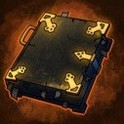
- Version
- 1.0.35 (53769)
- Studio or maker
- Morteshka
- Languages
- Russian, English, Chinese (Simplified)
- Activation
- DRM-free
- Chip type
- Intel 64-bit
- Tried out on
- macOS Sonoma, MacBook Air (M1. 2020)
- First released
- 10.08.2021
- Voice languages
- Russian, English

The Grimoire mechanic is where Black Book feels most like a real spellbook. You collect cards representing curses, blessings, and rituals, then build a hand before each encounter. The game is a card-based RPG and adventure title set in dark Slavic mythology, following a young sorceress who bargains with devils to save her lover. Battles play out on a grid where positioning matters as much as the cards you draw. I appreciated how the moral choices aren’t labeled good or evil — you just live with the consequence. The recommended installation folder is Applications, and the installer follows a standard procedure: run the package, agree to the license, then choose where to place the game. Select Applications if possible. The game was released on August 10, 2021, and runs on 64-bit Intel Macs. It’s a thoughtful, atmospheric title that rewards patience.
A complete first-encounter workflow
The first time you leave the prologue village, the game sends you toward a cursed mill. Here is how I guide students through that stretch so they understand the systems without frustration.
- Examine every bookshelf and icon stand. These give you new cards and lore notes. The lore notes are skippable, but they explain why you are helping a devil named Chornobog.
- Open the grimoire before combat. Click the book icon at the bottom of the screen. You will see your current hand. Swap out weak Curses for any Blessings you found. The game does not penalize you for rearranging.
- Enter the mill and position your sorceress near the back-left tile. Enemies approach from the right. Placing her there gives you one extra turn before they close to melee range — enough time to play a Candle or a Hex.
- Use a Candle card early. It lights darkened tiles and reveals hidden buffs on the grid. Students often skip this and miss a damage bonus that lasts the whole fight.
- After combat, talk to every named NPC. One of them gives you a side quest that rewards a rare Ritual card. That card stays useful for the next three chapters.
Slower and more story-driven than Slay the Spire
If you have played Slay the Spire on a Mac, Black Book will feel slower and more deliberate. Slay the Spire is a pure deckbuilder with no story between fights. Black Book spends half its time in exploration and dialogue. The card battles are smaller — you control one character, not a party — and the grid is four tiles wide instead of a full board. That makes positioning simpler but still meaningful.
Compared to Darkest Dungeon, Black Book is far less punishing. Darkest Dungeon permadeaths your characters and forces you to manage stress and disease. Black Book saves often and lets you reload. The tone, however, is similar: both games draw from folklore and expect you to accept that bad things happen. Black Book’s advantage on a Mac is that it runs as a single-process DRM-free app with no launcher. No login, no extra window.
Griftlands also mixes cards with dialog choices, but it uses negotiation decks alongside combat decks. Black Book keeps everything under one grimoire. Griftlands’ moral system tracks reputation with three factions; Black Book’s choices matter per scene, not per meter. If you prefer a linear story with branching moments rather than a reputation spreadsheet, Black Book is the better fit.
Mark Ritual cards as favorites right away
Learn the card types early. Curses deal damage, Blessings heal or protect, and Rituals change the battlefield. I tell my game club students to mark three Ritual cards as favorites the moment they see one. They are rarer than the other types, and the game expects you to hoard them.
Visit the save menu before entering any house. The game has no autosave on the map screen — only after major story beats. Manual saving is a single click, and it prevents replaying a twenty-minute stretch because you misplayed a single hand.
Read devil contracts carefully. When a devil offers you a bargain, the text tells you exactly what you lose. The first contract I saw in a preview copy offered power at the cost of a memory. That memory closed off a side quest later. You can still finish the main story, but completionists should keep a mental note of what they sacrificed.
Talk to your Mac’s fans on the first day. The game is an x86 binary, and the M1 Mac runs it through Rosetta 2. That is normal and causes no issues, but the laptop may feel warm after an hour.
Set aside two to three hours for the first session. The prologue plus the mill area flow into each other without a good stopping point. Stopping after the mill gives you a natural break and leaves you at a village with a merchant.
- macOS version not specified by the developer
- Intel 64-bit processor
Questions I keep getting
What languages does Black Book support?
The game interface is available in Russian, English, and Simplified Chinese.
What Mac architecture does this game require?
Black Book is built for 64-bit Intel processors.
How to install
- Run the installer and follow the standard installation procedure. This ensures all game files are placed correctly.
- When prompted, choose an installation location. The Applications folder is recommended so the game stays organized.
- Finish the installation and launch the game from your Applications folder.
Similar games





Sign in or join the club to leave a comment.
Nobody has commented yet.