
- Version
- 1.19.3
- Studio or maker
- Paradox Development Studio
- Languages
- Russian, English, German, Spanish, Polish, Portuguese, French, Japanese
- Activation
- Not required
- Chip type
- Intel 64-bit
- Tried out on
- macOS Tahoe, Mac mini 2024 M4
- First released
- 6.06.2016
- Voice languages
- Music only
Hearts of Iron IV is for the patient planner who likes to see a grand strategy unfold. You take charge of any nation during World War II, and your choices shape the conflict. Here is what you actually do, minute to minute:
- Set up production lines for rifles, tanks, planes, and ships, then balance civilian and military factories.
- Research technologies that improve your industry, infantry, armor, and air power.
- Draw front lines and assign generals, then watch your divisions advance or hold the line.
- Manage politics and diplomacy: pick national focuses, sign treaties, and decide when to go to war.
- Allocate resources like oil and steel, and trade with other nations to keep your war machine running.
- React to events and decisions that pop up as the war progresses, each with its own consequences.
It is a game of juggling many plates, and the satisfaction comes from seeing your plans survive contact with the enemy. Version 1.19.3 runs on Intel Macs, and the launcher lets you switch the language among English, German, French, and others.
Queue production across multiple factories at once
After a few sessions, you start noticing the thoughtful touches that save time. The game lets you queue production orders across multiple factories at once, so you can set up a line of infantry equipment, artillery, and support vehicles without revisiting the production screen every few months. The battle planner tool allows you to draw an offensive line and assign it to a general, who then carries out the plan automatically. You can also create fallback lines and defensive lines in the same way, which helps when you need to reorganize a collapsing front quickly.
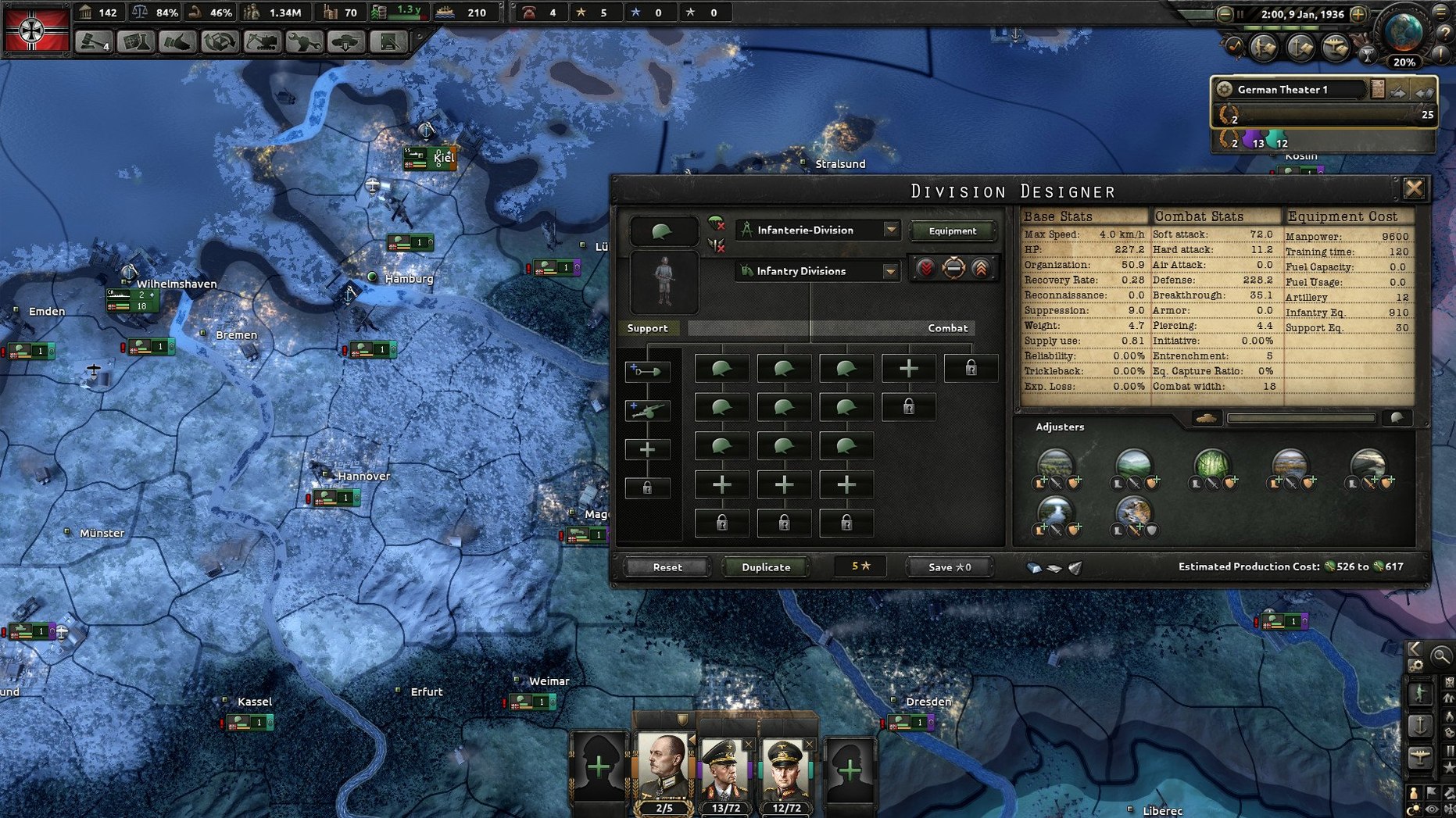
The division designer is another feature worth exploring early. You can customize templates for infantry, armor, and motorized units, adjusting their width, organization, and combat stats. Saving a template means you can apply it to new divisions instantly. The game also remembers your preferred map zoom level and reinforces your last-used army group selections when you reopen the military tab.
Check the logistics screen for red bars on equipment
Most new players hit the same wall: running out of equipment for their divisions. The fix is to check the logistics screen regularly. It shows a red bar next to any unit that lacks rifles, artillery, or tanks. You can then shift factory output to fill the gap. Another frequent issue is low war support. If your nation is not ready for war, the population will not tolerate high conscription or aggressive focus trees. Check the stability and war support numbers in the top bar. If they are low, prioritize national focuses that improve them, or pass relevant decisions from the politics tab.
Naval invasions can also fail silently. Make sure you have enough transports and naval supremacy in the sea zone you plan to cross. The naval map mode highlights your naval supremacy percentage. Lastly, when you cannot trade for a resource, it is usually because you lack convoys or the enemy is raiding your shipping lines. Build more convoy escorts and set your fleets to convoy escort missions in the Atlantic and Pacific.
Set language and turn on map icons before starting
Before you start a campaign, open the launcher and set the language to your preference. The game supports English, German, Spanish, French, Polish, Portuguese, Russian, and Japanese. In the game’s settings menu, turn on “map icons always visible” if you want to see unit counts and supply status without hovering the cursor. Disable the “battle sounds” option if you find the constant gunfire and explosion noises distracting during long sessions. You can also adjust the game speed with the plus and minus keys on the keyboard, but many players prefer to bind the speed controls to mouse side buttons or function keys for faster access. The autosave frequency setting is worth setting to monthly if you make frequent strategic mistakes and want to rewind quickly.
- New secret path for Australia.
- Late-game content for Siam and Indonesia.
- Balance changes and bug fixes.
- macOS: not specified
- Architecture: Intel
Questions I keep getting
Can I change the game language?
Yes. Open the launcher (dowser) from the game package contents, and you can pick from Russian, English, German, Spanish, Polish, Portuguese, French, or Japanese.
What Mac does Hearts of Iron IV run on?
The tested system was macOS Tahoe on a Mac mini 2024 M4, and the game architecture is listed as Intel.
What is new in version 1.19.3?
It adds a secret path for Australia, late-game content for Siam and Indonesia, plus balance changes and bug fixes.
How to install
- Open the downloaded disk image.
- Drag the game into your Applications folder.
- Right-click the game and choose Show Package Contents.
- Go to Contents > Game.
- Run the dowser file to open the launcher.
- Pick your language in the launcher.
- Start the game through dowser.
Similar games






Sign in or join the club to leave a comment.
Nobody has commented yet.