- Version
- 1.0.5
- Studio or maker
- Playdead
- Languages
- Russian
- Activation
- Not required
- Chip type
- Intel 64-bit
- Tried out on
- macOS Tahoe, Mac mini 2024 M4
- First released
- 29.06.2016
- Voice languages
- Music only
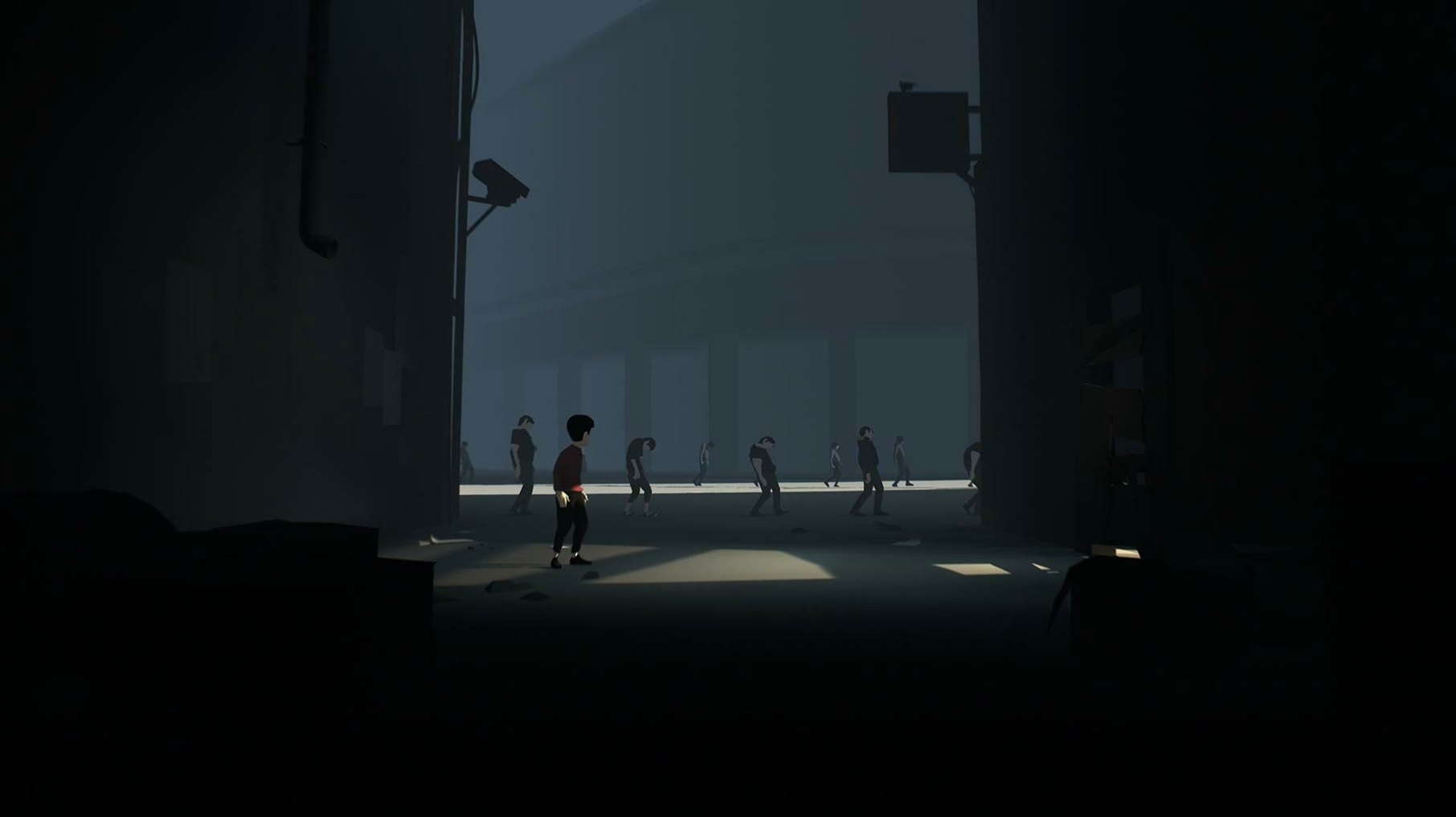
Students in the game club who enjoy a tense, atmospheric challenge often ask what you actually do inside a game like Inside. Here is a quick look at the three main tasks that fill your time.
Run and hide from threats
From the first screen, you control a nameless boy in a dark, post-apocalyptic world. Your main job is to keep moving forward while avoiding hazards, dogs, and other pursuers. There is no dialogue, so everything you need to survive comes from observing the environment.
Solve environmental puzzles
Between the chase sequences, you work through silent puzzles that block your path. You might pull a crate, flip a switch, or time your movements carefully to open a new route. Each puzzle builds naturally on what you just learned.
Push through intense action moments
Later sections mix puzzles with fast action, forcing you to react quickly while keeping one eye on the next solution. The game never pauses, so you stay in the moment from start to finish.
What tends to trip people up on a Mac and how to fix it
A few things tend to trip people up during their first playthrough on a Mac. Here is what I hear about most often, along with the fix that usually works.
Controls feel unresponsive or lag
Inside expects keyboard input to be read at a steady rate. If you notice the boy not turning as fast as you pressed the arrow key, check that no other app is running in the background. A browser with several open tabs can interfere. Closing those before launching the game clears up the issue for most people.
The game window is too small or too big
Because the build is x86 64-bit, the window size depends partly on how your Mac handles scaling for older architecture. If the game opens in a tiny box in the center of your screen, try going to your display settings and switching to a standard resolution before launching Inside. Once the game is running, you can usually adjust the display mode inside its options menu.
Puzzles that feel impossible at first
There is a particular puzzle involving a submerged container that stops many players for twenty minutes or more. The trick is to notice that the water level changes when you interact with certain objects in a specific order. If you are stuck, backtrack to the last screen and watch how the environment reacts to your movements. The game always gives you a visual clue before asking you to act.
A real session: mounting the disk image and starting to play
I sat down one evening after grading papers to see how a real session with Inside plays out. Here is how it went, step by step.
I mounted the disk image, dragged the application to the Applications folder, and waited for the copy to finish. Opening it from Launchpad, the screen went dark and the boy appeared, alone, in a forest. No menu, no instructions. That silence is the first lesson.
For the first fifteen minutes I ran right, jumped over a gap, and was chased by unseen dogs. There was no time to think. I just reacted. After finding a hiding spot behind a crate, I caught my breath and realized the game had taught me its core loop without a single word of text.
The next forty minutes were slower. I worked through a series of puzzles in an industrial area. One required pulling a heavy object onto a pressure plate while dodging a searchlight. I died three times before I figured out the timing. Each death sent me back to the last checkpoint, which is generous enough that I never felt frustrated.
Near the end of the session, the action picked up again. I waded through water, climbed a ladder, and triggered a sequence that changed the lighting entirely. I saved my progress by reaching a new area, then quit. The whole session lasted about an hour and covered roughly a quarter of the game.
Headphones and patience for your first playthrough
- Use headphones. The soundtrack and ambient sounds carry half the story. With headphones on, you hear approaching threats before you see them, which makes the puzzles easier to solve.
- Do not rush the puzzles. The game rewards patience. Standing still for a few seconds to watch the environment often reveals a moving platform or a hidden switch that you missed while running.
- Learn from each death. Dying is part of the design. Every time the boy gets caught, you get a clear look at what went wrong. Use that knowledge on the next attempt instead of repeating the same mistake.
- Keep the disk image handy. If you ever need to reinstall or move the game to another Mac, having the original disk image saves you from having to download again. I keep mine in a folder labeled "Game club archives."
- Play in one sitting if you can. Inside takes about three to four hours to finish. The atmosphere works best when you experience it without long breaks. If you have an evening free, that is the ideal time.
- Operating system: macOS (version not specified)
- Architecture: Intel (64-bit)
- Interface language: Russian
How to install
- Mount the downloaded disk image to make its contents available.
- Drag the application file into the Applications folder alias on the image. This copies the game to your Mac.
- Once copying finishes, launch Inside from Launchpad or your Applications folder.
Similar games






Sign in or join the club to leave a comment.
Nobody has commented yet.