- Version
- 2026.01.24-6E2D4FC36
- Studio or maker
- Hypixel Studios
- Languages
- Russian, English
- Activation
- Not required
- Chip type
- Apple Silicon
- Tried out on
- macOS Tahoe, Mac mini 2024 M4
- First released
- 13.01.2026
- Voice languages
- Music only
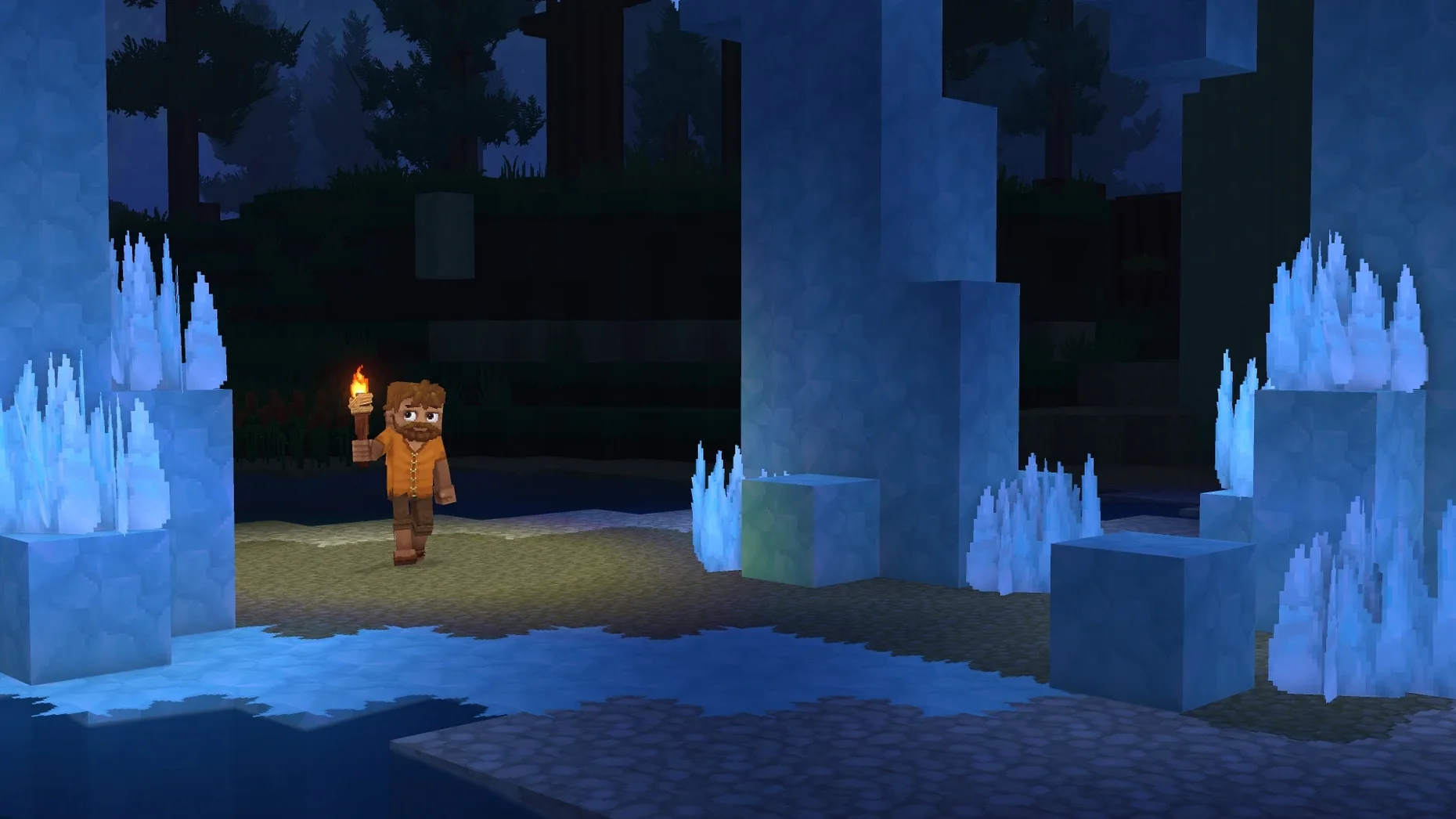
You've just landed in a new biome, pickaxe in hand, and the landscape ahead is generated fresh — no two playthroughs look the same. That's the opening scene in Hytale, the adventure and creation game from Hypixel Studios. This early access build, version 2026.01.24-6E2D4FC36, brings together sandbox building, RPG questing, and multiplayer across all modes.
Running Hytale on a Mac
The current build is made for Apple Silicon Macs running macOS Tahoe. The Russian release notes list it as tested on a Mac mini 2024 M4, which gives a good baseline for performance. Expect smooth camera movement, combat, crafting, and building — the core systems were fixed in this update. You'll also get Exploration Mode with generated biomes, plus Creative Mode for building freely. Multiplayer works for all modes, and creator tools let you make custom minigames or run community servers.
Keyboard and mouse controls with Russian or English interface
Hytale plays like a typical first-person adventure game on Mac: mouse and keyboard for movement, combat, and building. Since it's early access, some features are unfinished and updates arrive regularly. Interface language is Russian or English, so you can switch if needed. For a classroom or club setting, it's a good example of a game that mixes creativity with structured quests — just keep in mind the age rating isn't specified, so check before recommending it to younger students.
Adjust language and comfort settings before exploring
Before you start exploring, there are a few adjustments that make the opening hours more comfortable. In the game's settings menu, look for these right away:
- Language — The build ships with Russian and English. If you prefer English, confirm it's selected before starting a new world; switching mid-game can reset some UI text.
- Camera sensitivity — The default can feel fast when you're lining up blocks during building. Lower it slightly if you're coming from slower-paced games.
- Audio levels — Music and ambient sounds are separate sliders. I'd recommend keeping ambient high for immersion and music at a comfortable background level.
- Key bindings — Movement, combat, and building keys can be remapped. If you plan to use the game club's Macs, set a consistent layout so students don't have to relearn controls between sessions.
These settings are saved per profile, so changes carry across Exploration Mode and Creative Mode.
Runs natively on M-series Macs with macOS Tahoe
The build is compiled for ARM architecture, meaning it runs natively on M-series chips without any translation layer. The Russian source confirms testing on a Mac mini 2024 M4 under macOS Tahoe. Requirements state macOS Tahoe or later, which means no Intel Mac support for this version.
Installation follows the standard disk-image pattern: mount the .dmg, drag the app to Applications, then launch from Launchpad. If the app shows an error at first launch, the disk image includes a file named Fix that resolves common launch issues. The game must live in the Applications folder — running from an external drive requires administrator privileges and isn't recommended for everyday use.
Multiplayer and modding are both active in this build. If you're setting up a community server, expect the same system requirements as the client side: Apple Silicon and macOS Tahoe. Creator tools for custom content and minigames are included, so server hosts can build their own rules without additional downloads.
Twelve students explore procedurally generated worlds on four Macs
Here's how Hytale fits into a typical Tuesday at our school's after-class game club. Twelve students gather around four Macs, each running the same early access build. One group dives into Exploration Mode, teaming up to clear a procedurally generated dungeon. Another group stays in Creative Mode, building a replica of the school gymnasium block by block.
The built-in modding support means a student who finishes her dungeon run can open the creator tools and design a simple minigame — a three-room puzzle with custom rules. Because multiplayer works across all modes, she can invite the other group to test her puzzle without leaving the application.
For teachers setting up a similar environment, the key advantage is that Hytale covers both structured play (RPG quests, combat) and freeform creativity (building, modding) in one download. The Russian and English language options also help if your club includes students still building their English vocabulary — they can play in their preferred language while the interface stays consistent.
- Early Access release with Exploration Mode, Creative Mode, modding support, and multiplayer.
- Core systems fixed: camera, movement, combat, crafting, building, audio, and rendering.
- macOS Tahoe
- Apple Silicon (ARM)
- Tested on Mac mini 2024 M4
Questions I keep getting
Does Hytale run on Intel Macs?
No, the current build requires Apple Silicon (ARM architecture). It was tested on a Mac mini 2024 M4 running macOS Tahoe.
Can I play Hytale multiplayer on Mac?
Yes, multiplayer support is included for all modes, including community servers and custom minigames.
How to install
- Open the downloaded disk image — you'll see the app and a Fix file inside.
- Drag the app to your Applications folder; this keeps it in the right place for macOS to run it properly.
- After copying finishes, launch the game from Launchpad.
- If the game shows an error at startup, run the file named Fix from the disk image once.
- Always run the app from the Applications folder — running from an external drive requires administrator privileges and may cause issues.
Similar games



Sign in or join the club to leave a comment.
Nobody has commented yet.