- Version
- 14034 [Wineskin]
- Studio or maker
- Parabole
- Languages
- Russian, English, German, Spanish, Chinese (Simplified), French
- Activation
- Not required
- Chip type
- Apple Silicon
- Tried out on
- macOS Tahoe, Mac mini 2024 M4
- First released
- 17.03.2017
- Voice languages
- English, French
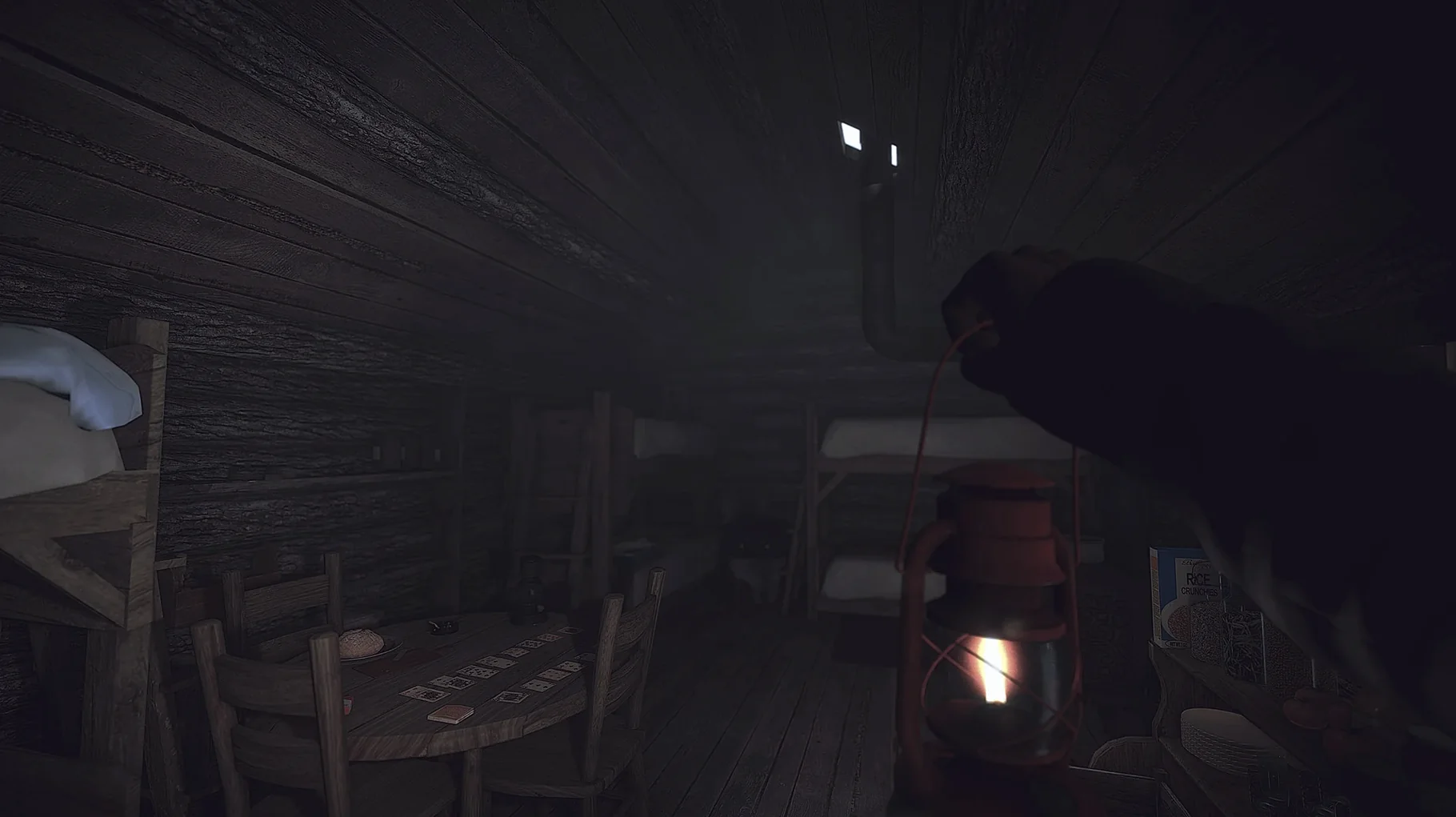
Kona, a 2017 narrative survival adventure, places you in a 1970s rural Quebec beset by a strange blizzard. The Mac build (version 14034) is labeled as Russian, but English, German, Spanish, Simplified Chinese, and French are selectable in the settings.
On Apple Silicon, expect a steady experience at moderate settings. The game's strength is its atmosphere—investigating a frozen lakeside community while managing warmth and resources. Controls are straightforward: mouse for looking and clicking, WASD for movement, and typical FPS keys for interaction. Performance is generally smooth, though the snowy particle effects can tax older M1 chips during heavy storms. The mystery unfolds through environmental clues, not combat, so patience pays off.
Listen for clues with headphones in the first hour
Plan your first session with a focus on the environment rather than speed. The narrator delivers clues through voice-over, so headphones help catch details like which cabin belonged to which villager. Spend the first hour walking through Atamipek Lake slowly — every building, shed, and vehicle can hold a note or a photograph that adds to the story.
Keep an eye on the temperature gauge near the bottom of the screen. When it dips, look for wood stoves or lit fireplaces inside buildings. Standing near them for a few seconds restores warmth. Outside, staying close to walls and trees cuts wind exposure. If the screen starts to frost at the edges, find shelter soon.
The game does not pause the cold while you read documents. If you open a journal entry while standing in a blizzard, the cold continues to drop. Step inside before reading anything longer than a sentence.
Save often and use multiple slots. Kona has no autosave reminder, so losing an hour of progress to a surprise wolf encounter is easy. I keep three rotating saves: one at the start of each chapter, one before heading outside, and one before entering a new area.
Native Apple Silicon speeds up menu screens and camera panning
Version 14034 runs natively on Apple Silicon. That means no Rosetta translation overhead, so the game starts faster and the menu screens feel responsive. Earlier Intel-only builds could stutter when the camera panned across the frozen lake; this version handles that pan smoothly.
The build is listed as Russian multilingual, but the language selector in the main menu works as expected. English and French voice tracks are both present. If you start the game in Russian by accident, head to Settings and switch to English — the narrator's voice switches to the correct language immediately.
No activation is required. The app opens directly after copying to Applications. If the first launch fails, run the Fix file from the disk image once. After that, the game launches normally every time.
Set your preferred language in Options before starting a new game
Before starting a new game, open the Options menu and adjust a few things for comfort:
- Set the language to your preference. The menu shows a list of supported languages — pick yours before the story begins, since changing mid-chapter resets the narrator's voice track.
- Lower the mouse sensitivity by one or two notches. The default can feel twitchy when examining objects up close. A slower cursor makes reading notes and inspecting furniture easier.
- If you play on a laptop without a mouse, enable the on-screen interaction hints. They show which key to press when the pointer hovers over a pickup or a door.
- Consider turning down the particle effects if the snowy scenes flicker. The difference in visual quality is small, but the effect on readability during heavy snow is noticeable.
These few changes make the first hours more comfortable. The mystery is worth seeing clearly.
- macOS 11.0 or later
- Apple Silicon (M1 or newer)
How to install
- Open the downloaded disk image.
- Drag the app to the Applications folder alias. This keeps it organized and accessible.
- After copying finishes, launch the app from Launchpad. It should appear there.
- If the game shows an error on launch, run the file named Fix from the disk image. This addresses common first-run issues.
Similar games





Sign in or join the club to leave a comment.
Nobody has commented yet.