- Version
- 2.1.02
- Studio or maker
- ClockStone
- Languages
- Russian, English, German, Danish, Spanish, Italian, Chinese (Simplified), Korean, Portuguese, French, Japanese
- Activation
- DRM-free
- Chip type
- Apple Silicon, Intel 64-bit
- Tried out on
- macOS Tahoe, Mac mini 2024 M4
- First released
- 12.10.2022
- Voice languages
- Music only
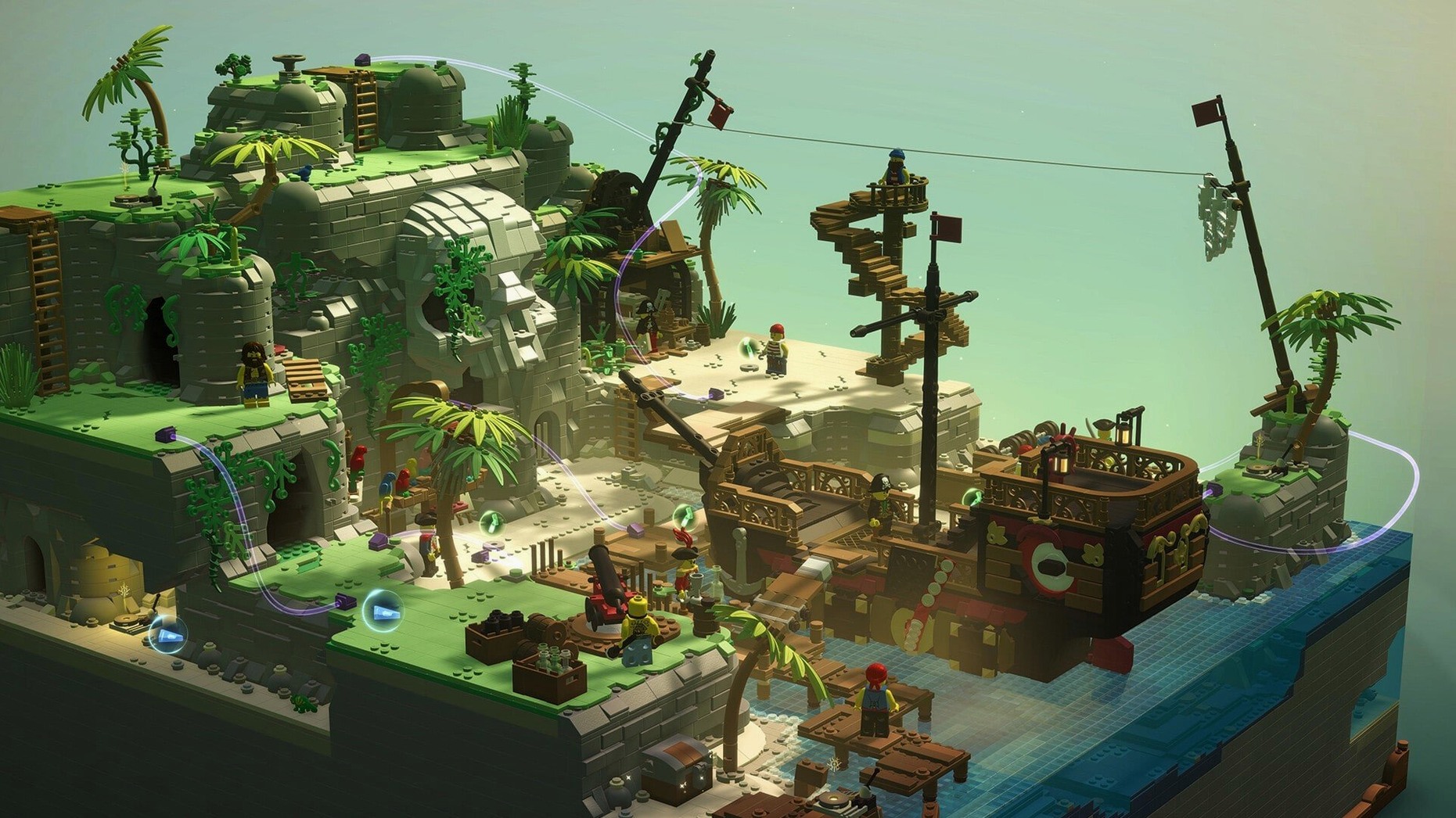
Five diorama worlds — a jungle, a desert, a city, a medieval castle, and tropical Caribbean islands — each hold a series of building puzzles. You construct bridges, cranes, and other contraptions from LEGO bricks, then watch the physics decide if your design holds.
A puzzle-adventure that rewards creative construction
This is a puzzle-adventure with a story connecting its locations. You help characters by completing construction tasks, and the game rewards creative solutions rather than one right answer.
Designed for tinkerers who want to experiment in sandbox mode
If you enjoy tinkering and testing ideas, this fits. The sandbox mode lets you revisit and improve any finished build, so there’s room for experimentation. The game supports a wide range of languages, including English, German, and Russian.
Runs natively on Intel and Apple Silicon with modest specs
Given the requirements — macOS 10.13, a 3 GHz processor, 4 GB RAM, and a DirectX 11 compatible graphics chip — this is not a demanding title. On Intel Macs it runs natively; on Apple Silicon M1 and later machines it uses Rosetta, which handles the translation without fuss for a game of this scope. The one gigabyte of storage it asks for is modest. The version here is 2.1.02, the same build that works across both ARM and x86 64-bit architectures.
A quick archive drag-and-drop then pick your language
You unpack the archive first — a quick drag-and-drop. Then you run the standard installation procedure, choosing the Applications folder when prompted at the end, which keeps everything tidy. Once installed, you launch it and pick your language from the list (eleven to choose from, including Danish and Japanese).
The game places you in the grandfather’s amusement park, a hub that feels slightly neglected. A small robot helper guides you to the first portal: a jungle diorama. Each puzzle site is a self-contained scene. You see the structure you need to build, a stable bridge or a working pulley, and you drag bricks into place brick by brick. When you finish, the game runs a quick physics check. If your bridge wobbles but holds, the game accepts it. That is the point — there is rarely only one solution.
After you finish a construction site, the sandbox mode unlocks for that build, letting you swap in new brick colors or add decorative pieces. Meanwhile, collectible items you find while exploring the diorama worlds let you buy accessories for your minifigure or new color sets for the sandbox. I found myself revisiting earlier sites more often than I expected, trying slightly absurd designs to see if the physics would hold.
Fix launch issues on Apple Silicon by checking Rosetta is active
The main one people hit: the game does not launch or runs poorly on Apple Silicon Macs. The fix is making sure Rosetta is active, which it is by default on macOS. If you have turned it off system-wide, re-enable it for this application through the game’s properties in Finder. On Intel Macs, the game usually just works.
Another snag: the game asks for DirectX 11, which is built into macOS through compatibility layers. If you get a graphics-related error on an older Mac (say, a mid-2010 model), check that your macOS is fully updated to at least version 10.13. That usually resolves it.
A smaller one: installation ends by asking where to put the game. If you choose a folder you cannot write to (like a system-protected directory), the installer will fail. Stick with the recommended Applications folder, or your user directory. Unpacking the archive fresh and starting the installer again takes only a minute.
Character creation with multiple minifigure parts adds a personal touch. The game runs on macOS 10.13 and later, on both Intel and Apple Silicon Macs.
- macOS 10.13 or later
- 4 GB RAM
- 1 GB available storage
- 3 GHz processor
- DirectX 11 compatible graphics
Questions I keep getting
Can I play LEGO Bricktales on an Apple Silicon Mac?
Yes, the game supports both Intel and Apple Silicon architectures. On M1 and later Macs, use Rosetta to run it.
Does LEGO Bricktales have a sandbox mode?
Yes, after completing a construction site, you can improve your builds in sandbox mode.
What languages does the game support?
The game includes Russian, English, German, Danish, Spanish, Italian, Simplified Chinese, Korean, Portuguese, French, and Japanese.
How to install
- Unpack the archive you downloaded.
- Run the standard installation procedure.
- When prompted, choose the destination folder for the game.
- Use the Applications folder if possible — it keeps things tidy and avoids permission issues.
- On Apple Silicon Macs (M1 and later), enable Rosetta before launching.
Similar games




Sign in or join the club to leave a comment.
Nobody has commented yet.