
- Version
- 5.6.13
- Studio or maker
- Ironhide Game Studio
- Languages
- Russian, English, German, Spanish, Chinese (Traditional), Korean, Portuguese, French, Japanese
- Activation
- DRM-free
- Chip type
- Intel 64-bit
- Tried out on
- macOS Ventura, MacBook Air (M1. 2020)
- First released
- 6.01.2014
- Voice languages
- English
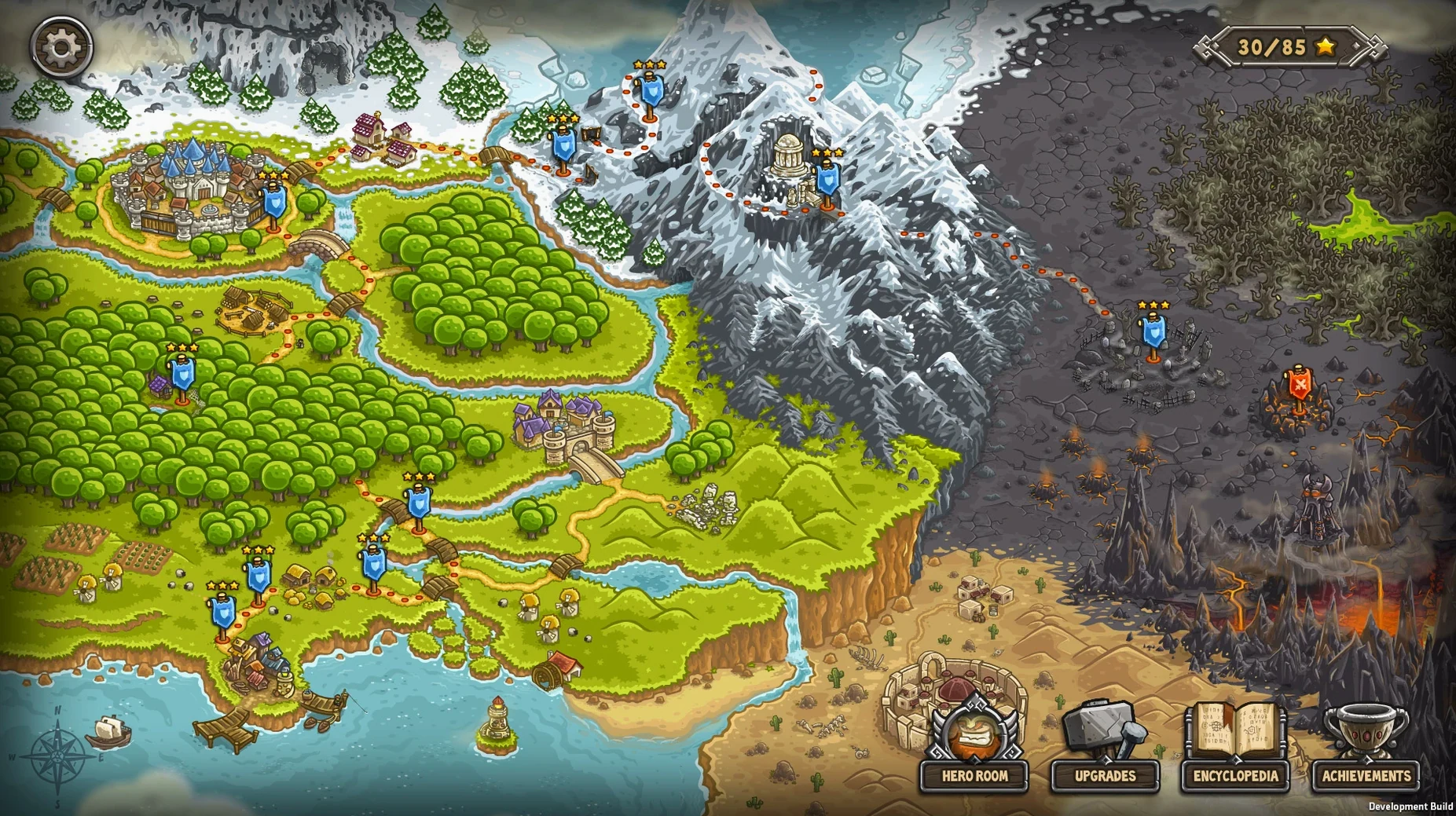
Over 70 achievements and 61 enemies with unique abilities give Kingdom Rush Frontiers a lot of ground to cover. It is a tower defense game where you defend a kingdom from orcs, trolls, evil sorcerers, and other threats across forests, mountains, and deserts. Eight special tower upgrades and additional game modes add variety beyond the main campaign.
Suits players who enjoy planning defensive lines
This one suits players who enjoy planning defensive lines and upgrading towers. The game is distributed without DRM and runs on macOS 10.8 or later. It is listed as Intel architecture but worked on a 2020 MacBook Air with Apple M1 under macOS Ventura during testing. Interface languages include English, German, French, Spanish, and several others.
A simple drag-and-drop disk image install
The download is a disk image. Mount it, drag the app to the Applications folder shortcut, and launch it from Launchpad after copying finishes. No extra steps required.
Getting started: your first few days with Kingdom Rush Frontiers
Begin with the campaign on normal difficulty. Spend your starting gold on a mix of arrow towers and barracks, then let a few waves pass before you commit to upgrades. The in-game encyclopedia, accessible from the pause menu, explains each tower and enemy ability. I recommend reading it during loading or between battles. Try each of the eight special tower upgrades at least once, even if your first instinct is to skip them.
After you finish the first forest map, go back and replay it on a harder difficulty. The extra game modes unlock differently than you might expect. They appear after certain campaign milestones, so check the mode selection screen after every third or fourth victory. This stops you from missing content that opens earlier than the main story suggests.
Practical tips for early play
- Pause the game often, especially during boss battles. The pause button works in every mode. Use it to decide your next tower placement or ability.
- Try each of the 13 heroes in a separate playthrough. They change your strategy more than the tower upgrades do. A hero that works on forest maps may struggle in desert fights.
- Keep an eye on the enemy encyclopedia as you encounter new foes. Each of the 61 enemy types has a unique ability. Knowing what a troll or evil sorcerer does before they arrive helps you choose the right tower upgrade.
- Earn achievements for extra gold. Over 70 achievements exist, and many are straightforward, like finishing a map without losing a life or using only one tower type. The gold from achievements funds tower upgrades earlier in the campaign.
Replayable forest maps with different setups each time
Strategy game players who enjoy replaying maps with different setups will find the most value. The combination of tower abilities, hero choices, and difficulty modes means the same forest map can play differently every time. The game does not nag you to buy upgrades or skip timers.
Mac users with older hardware benefit here. The requirement is macOS 10.8 on Intel architecture, which covers many machines from 2012 onward. On the tested M1 MacBook Air running macOS Ventura, the game ran without issues. That means owners of older iMacs or MacBook Pros from the early 2010s can play Kingdom Rush Frontiers without worrying about compatibility. Users who prefer to keep their game library portable will like the simple disk image installation. The entire game fits on a USB stick if you ever need to move it between computers.
Players who speak languages other than English get a proper interface. The game includes Russian, German, Spanish, Traditional Chinese, Korean, Portuguese, French, Japanese, and of course English. Voice language is English only, but the interface translation is complete enough to navigate every menu and description.
- macOS 10.8
- Intel architecture
Questions I keep getting
What languages does Kingdom Rush Frontiers support?
The game supports Russian, English, German, Spanish, Traditional Chinese, Korean, Portuguese, French, and Japanese.
Does Kingdom Rush Frontiers run on Apple Silicon Macs?
It is listed as Intel architecture, but it worked on a 2020 MacBook Air with Apple M1 during testing under macOS Ventura.
How to install
- Mount the downloaded disk image.
- Drag the app into the Applications folder shortcut.
- Launch the app from Launchpad after copying finishes.
Similar games






Sign in or join the club to leave a comment.
Nobody has commented yet.