- Version
- 1.0.12
- Studio or maker
- Koffeecup
- Languages
- Russian, English, German, Spanish, Italian, Polish, Portuguese, French
- Activation
- Not required
- Chip type
- Apple Silicon, Intel 64-bit
- Tried out on
- macOS Tahoe, Mac mini 2024 M4
- First released
- 27.10.2025
- Voice languages
- Music only
Hoomanz! 1.0.12 runs on any Mac with macOS 14.0 or later and an Apple Silicon M1 chip or newer. It also supports 64-bit Intel Macs, so a wide range of machines can join the fun.
What is Hoomanz!
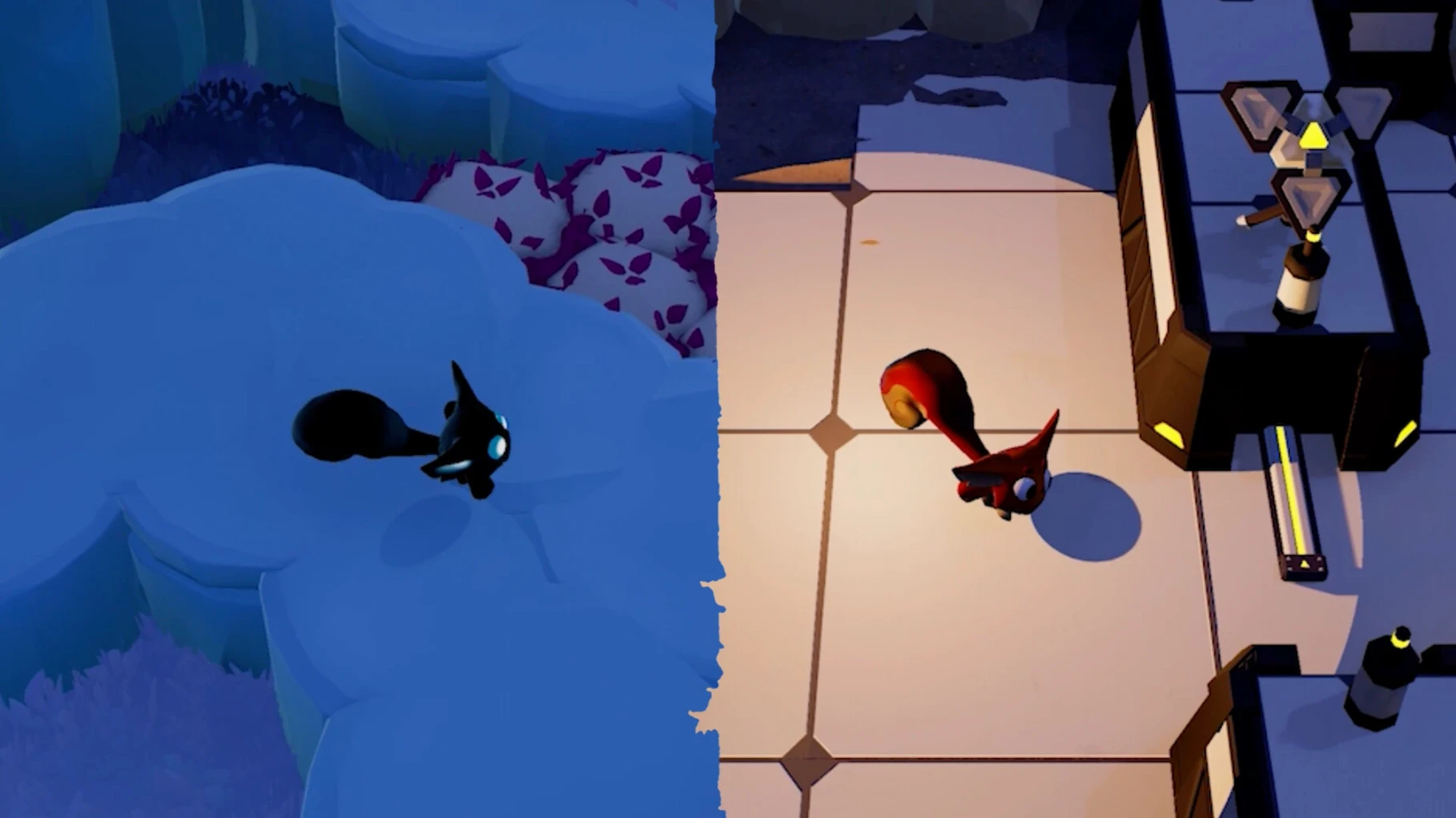
Stealth adventure — you play as Shoo, a small alien whose job is to scare humans off a planet using environmental objects and tools.
Shape-shifting mechanic — Shoo changes form depending on the light, which adds a clever layer to hiding and approaching.
Family-friendly — designed for players of all ages, with lighthearted scares and no violent content.
Hoomanz! runs best on Macs meeting the requirements
Common questions before installing
People often ask whether a game built in Unreal Engine 5 will run comfortably on a Mac that is not brand new. For Hoomanz!, the answer depends mostly on your hardware matching the requirements: macOS 14.0 or later and an Apple Silicon M1 chip or newer, or a 64-bit Intel Mac. The developer designed the game to scale, so an M1 MacBook Air from 2020 should handle the core stealth and shape-shifting mechanics without trouble. Intel Macs may need lower graphics settings, but the game remains playable.
Another frequent question is about language support. Hoomanz! ships with Russian, English, German, Spanish, Italian, Polish, Portuguese, and French. You choose your language from the settings menu before starting a new game. There is no voice acting — the game relies on music for atmosphere, so subtitles and menu text cover the rest.
Installing Hoomanz! is a simple drag and drop process
Hoomanz! installs like most Mac games: you open the downloaded disk image, drag the app into the Applications folder alias, and after the copy finishes, launch it from Launchpad. It does not require additional software like Rosetta or compatibility layers. On Apple Silicon Macs, the game runs natively without emulation.
Because the game uses non-combat gameplay and family-friendly themes, it sits well alongside creative tools or educational apps on the same machine. You can switch between Hoomanz! and something like an image editor or a note-taking app without restarting, though closing other programs during play gives the Unreal Engine 5 renderer more room to work. The game respects macOS full-screen mode and lets you use the dock for quick app switching.
Version 1.0.12 makes Shoo's form changes more consistent
Version 1.0.12, released in late October 2025, is the current build. The patch notes from the developer are brief, but the game now feels more consistent when Shoo changes form based on nearby light sources. Early reports from players suggest the puzzle sections ramp up difficulty a bit more smoothly than in earlier builds, and the dash move responds more reliably when you need to cross open ground quickly. No new languages or major features were added — this version focuses on polish and stability for the Mac release on both architectures.
Intel Macs may need lower settings for the same experience.
- macOS 14.0 or later
- Apple Silicon M1 or newer, or 64-bit Intel processor
- Both architectures supported
Questions I keep getting
Does Hoomanz! run on Intel Macs?
Yes, the game supports 64-bit x86 architecture, so it will run on Intel Macs that meet the macOS 14.0 requirement.
What are the minimum system requirements?
You need macOS 14.0 or later and an Apple Silicon M1 chip or newer. Intel Macs are supported as well.
What languages does Hoomanz! support?
The game interface is available in Russian, English, German, Spanish, Italian, Polish, Portuguese, and French.
How to install
- Open the downloaded disk image to mount it.
- Drag the app into the Applications folder alias inside the image. This keeps the game in your standard app location.
- Once the copy finishes, launch the game from Launchpad. It will be ready to play.
Similar games






Sign in or join the club to leave a comment.
Nobody has commented yet.