- Version
- 1.0.8.1357 [Wineskin]
- Studio or maker
- Brigada Games
- Languages
- Russian, English, German, Spanish, Chinese (Simplified), Korean, Polish, Portuguese, Turkish, Ukrainian, French, Japanese
- Activation
- Not required
- Chip type
- Apple Silicon
- Tried out on
- macOS Tahoe, Mac mini 2024 M4
- First released
- 12.01.2026
- Voice languages
- Russian, English
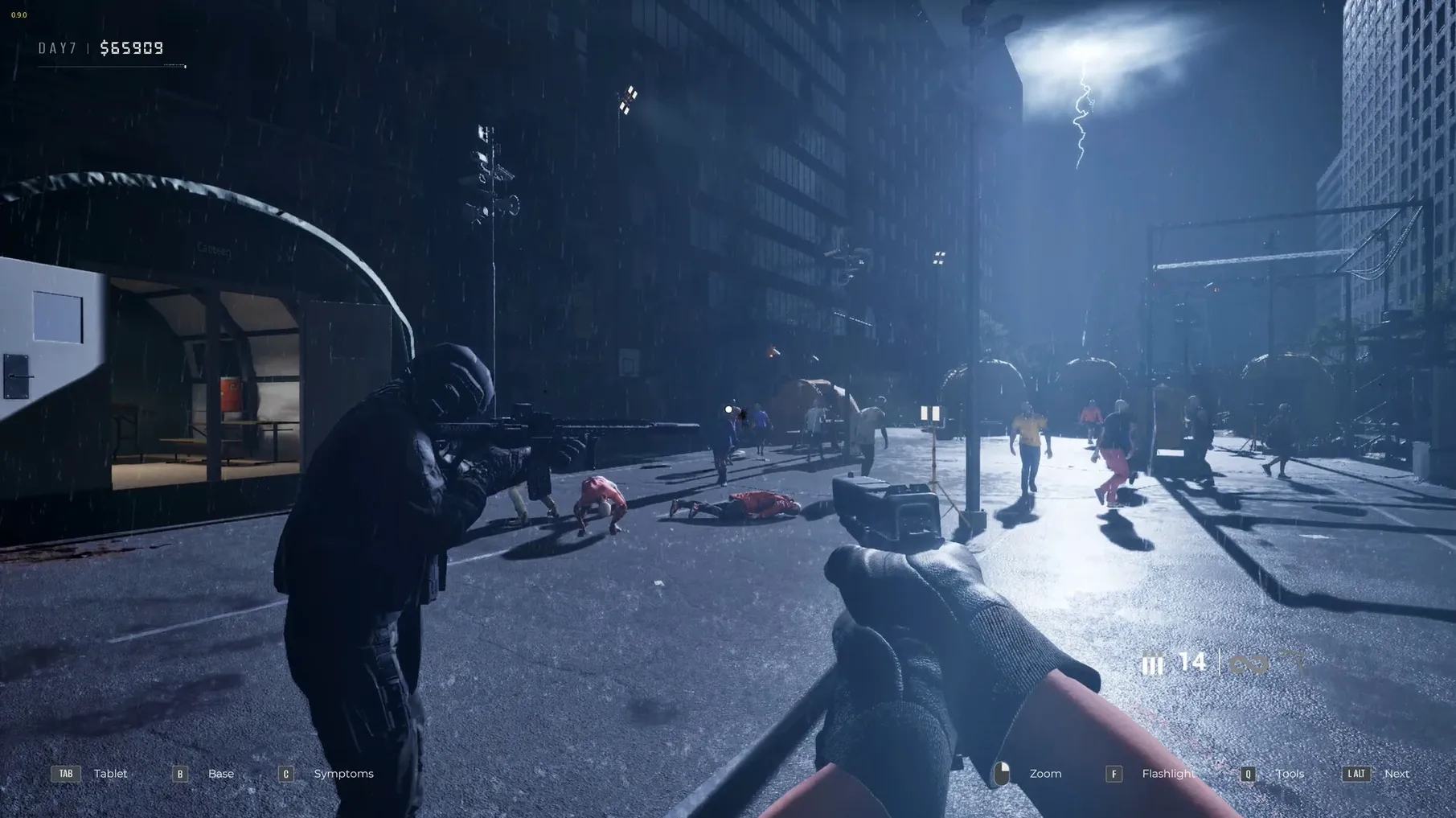
Quarantine Zone: The Last Check asks you to run a checkpoint during a zombie outbreak. The problem it solves is simple: you decide who gets through and who gets sent for examination, knowing that sending someone with unknown symptoms is fatal. This is not a game about fast reflexes; it is about weighing information under pressure.
Who will enjoy it — Players who like moral dilemmas, resource management, and the tension of making decisions with incomplete data. The simulation includes armed drones for alarm events, advanced screening tools, and camp defense as chaos builds. It rewards patience and careful reading of symptoms.
Who might not — Anyone looking for action-heavy gameplay or clear right answers. The game deliberately leaves you with bad options. If you prefer clear success metrics or fast-paced combat, this may feel slow and frustrating.
Voice and interface — Voice in Russian and English; interface in twelve languages including German, Spanish, French, and Japanese. The build is 1.0.8.1357 [Wineskin], a PC game wrapped for Mac.
Known quirks — Saved games are inside the app bundle. A rainbow visual bug can be fixed by lowering global lighting. If the game crashes on the second day, switch the launch argument from -dx12 to -dx11 in Configure.
Pick your interface language before your first shift
Before you start your first shift, open the game settings. The language menu is the first thing you will want to find — twelve languages are available, so pick yours early. Voice languages are separate from interface languages; Russian and English are the only two voice options, and they stay with the character regardless of your text language choice.
If you see a rainbow tint on the screen, the global lighting setting is the one to lower. This is a known visual quirk, not a hardware problem, and it clears quickly once you reduce the value. I keep it near the middle of the slider and have not seen the effect return.
For the launch argument: the default uses -dx12. If the game stops responding on the second day, open the app package contents, go to Contents, launch Configure, and change the argument to -dx11. This is the most common fix reported for this build, so I recommend setting it before you finish your first session if you notice any hesitation.
Only Apple Silicon Macs can launch this build
The build is labeled 1.0.8.1357 [Wineskin] and runs on Apple Silicon only. The test system was macOS Tahoe on a Mac mini 2024 M4. If your Mac uses an Intel processor, this version will not launch — the architecture requirement is ARM.
The game comes as a disk image. You open it, drag the app to the Applications folder alias, and launch from Launchpad. If the app shows an error on first launch, a file named Fix is included inside the disk image. Run it, then try again. No activation is required, and you do not need an internet connection to play.
Saved games are stored inside the app bundle. The path is SharedSupport/prefix/drive_c/users/Sikarugir/AppData/Local/QZSim/Saved/SaveGames. If you need to back up or transfer your progress, that is where you look.
Yes, you can switch languages without restarting
Can I change the language after I start playing? Yes. The setting is inside the game menu, not in the launcher or wrapper. You can switch between the twelve interface languages at any time without restarting.
Will it work on my Intel Mac? No. The build is for ARM architecture, which means Apple Silicon only — M1, M2, M3, or M4 chips. Intel Macs are not supported in this version.
What happens if I send the wrong person for examination? Sending anyone with unknown symptoms is fatal for them. The game does not tell you whether you made the right choice until after the result. This is the core tension of the simulation, not a bug.
Is there a way to recover lost progress? Saved games are inside the app bundle, so if you delete the app, the saves go with it. Make a copy of the SaveGames folder if you want to keep your progress between reinstalls.
The game's sluggishness stems from its design: Quarantine Zone: The Last Check is a simulation of a checkpoint, not an action-focused title. Decision speed matters, but the pacing comes from managing resources and reading symptoms, not from combat.
- macOS Tahoe
- Apple Silicon
- Tested on Mac mini 2024 M4
Questions I keep getting
Can I save my progress in Quarantine Zone?
Yes, saved games are stored inside the app bundle under SharedSupport/prefix/drive_c/users/Sikarugir/AppData/Local/QZSim/Saved/SaveGames.
What should I do if the game crashes on the second day?
Open the app package contents, go to Contents, launch Configure, and change the Windows app argument from -dx12 to -dx11.
What languages are available for voice and text?
Voice is in Russian and English. Interface languages include Russian, English, German, Spanish, Simplified Chinese, Korean, Polish, Portuguese, Turkish, Ukrainian, French, and Japanese.
How to install
- Open the downloaded disk image.
- Drag the app to the Applications folder alias.
- After copying finishes, launch the app from Launchpad.
- If an error appears at launch, run the Fix file from the disk image.
- If the game crashes on the second day, open the app package contents, open Contents, launch Configure, and change the Windows app argument from -dx12 to -dx11.
Similar games





Sign in or join the club to leave a comment.
Nobody has commented yet.