- Version
- 1.1.150818 [Wineskin]
- Studio or maker
- Ubisoft Montpellier
- Languages
- Russian, English
- Activation
- Not required
- Chip type
- Apple Silicon, Intel 64-bit
- Tried out on
- macOS Tahoe, Mac mini 2024 M4
- First released
- 25.06.2014
- Voice languages
- Russian, English
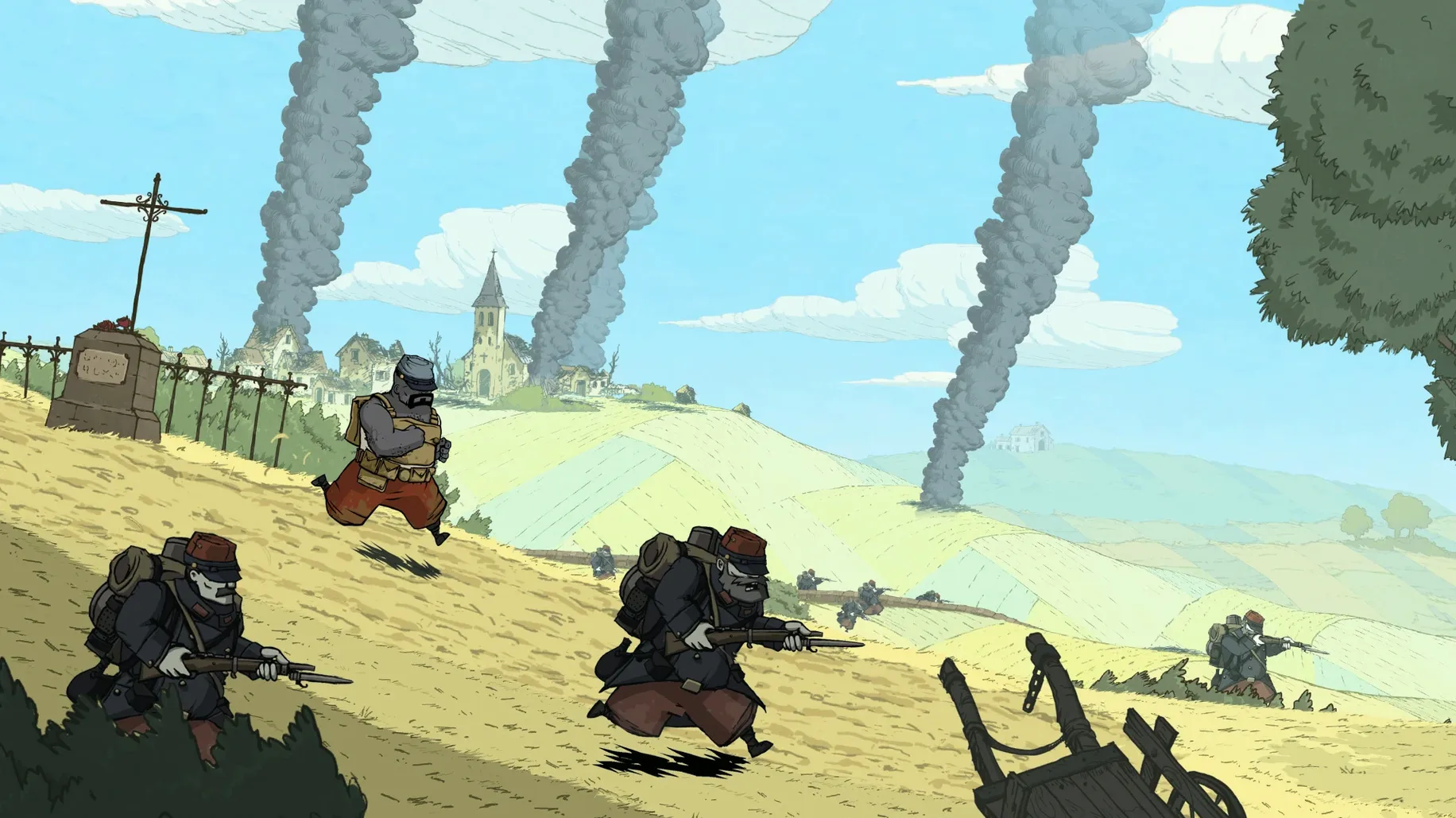
Valiant Hearts: The Great War is a 2D puzzle adventure set during World War I, centered on a soldier’s journey home to his beloved. Before you download, the key question is whether it runs on your Mac. This build, version 1.1.150818, supports both ARM (Apple Silicon) and Intel x86 64-bit architectures, so it works on modern Macs including the M4 Mac mini tested on macOS Tahoe. No specific macOS version is listed, but the Wineskin wrapper means it should run on most recent releases.
The story follows a soldier through trench settings and enemy infiltration, exploring themes of love, sacrifice, and tragedy. It is a puzzle adventure rather than a shooter, so the pace is thoughtful. Voice languages include Russian and English; the interface also supports both. Ubisoft lists it as part of the Valiant Hearts series, and the original release date was June 2014.
If you are looking for a narrative-driven game that handles war with care, this is a solid choice. The ARM support means it runs on Apple Silicon without emulation overhead, and the Wineskin version ensures broad compatibility. Just be aware the Russian build includes both language options, so you can play in English without any trouble.
People often ask a couple of practical questions before they go ahead and install a game like this, so here are a few answers based on the build's specifications.
Works on both Intel Macs and Apple Silicon
The build supports both ARM (Apple Silicon) and x86 64-bit architectures. That covers the vast majority of Macs made in the last ten years, from Intel-based models up through the M1, M2, M3, and M4 generations. There is no separate Intel-only version to track down.
What about the language barrier in a Russian build?
The Russian build is actually a dual-language version. You can set the interface and voice to English without installing anything extra. Both English and Russian are listed as interface and voice languages. You will not need to read any Cyrillic menus or figure out a workaround. The game itself handles the language choice at startup or in its settings, so it is a straightforward selection.
Does this version require any online activation or accounts?
The build is marked as not requiring activation. That means no account creation, no login prompts, no checking in with a server before you can play. It runs entirely offline once it is on your machine. This is good for classroom use or for anyone who prefers not to tie a single-player game to an online service.
What should I do if the game does not start on the first try?
A small number of Wineskin builds need a one-time fix. If you see an error at launch, run the Fix file included in the mounted image. That applies a patch to the wrapper and usually resolves any startup issues. After that, the game should launch normally from your Applications folder.
Full game with all chapters from the 2014 release
This is the full version 1.1.150818 of Valiant Hearts: The Great War, originally released by Ubisoft Montpellier in June 2014. It includes all the chapters set in Reims, Monfaucon, and the battlefields of the Marne and Somme. No demo limitations, no content cut short.
Disk space not listed but expect a few gigabytes
No specific disk size is listed in the build details, but puzzle adventure games of this era with hand-drawn 2D art typically occupy a few gigabytes. You will have a clearer idea after you mount the image and check the folder size before dragging it to Applications.
- macOS: Not specified (tested on macOS Tahoe)
- Architecture: ARM and Intel x86 64-bit
- Other: None listed
Questions I keep getting
Does Valiant Hearts work on Apple Silicon Macs?
Yes, the build supports both ARM and x86 64-bit architectures, so it runs on M1, M2, M3, and M4 Macs.
What languages are available in this version?
The game offers Russian and English for both voice and interface.
Is this the official Mac version?
This is a Wineskin wrapper version (1.1.150818) that lets the Windows game run on macOS. It is not a native Mac port from Ubisoft.
How to install
- Mount the downloaded disk image and drag the app into the Applications folder shortcut.
- After the copy finishes, launch the game from Launchpad.
- If the game shows an error at startup, run the Fix file from the mounted image.
Similar games




Sign in or join the club to leave a comment.
Nobody has commented yet.