
- Version
- 1.1.7
- Studio or maker
- Void Shaft Games
- Languages
- Russian, English, German, Spanish, Chinese (Simplified), Portuguese, French, Japanese
- Activation
- Not required
- Chip type
- Apple Silicon, Intel 64-bit
- Tried out on
- macOS Tahoe, Mac mini 2024 M4
- First released
- 17.08.2026
- Voice languages
- Music only
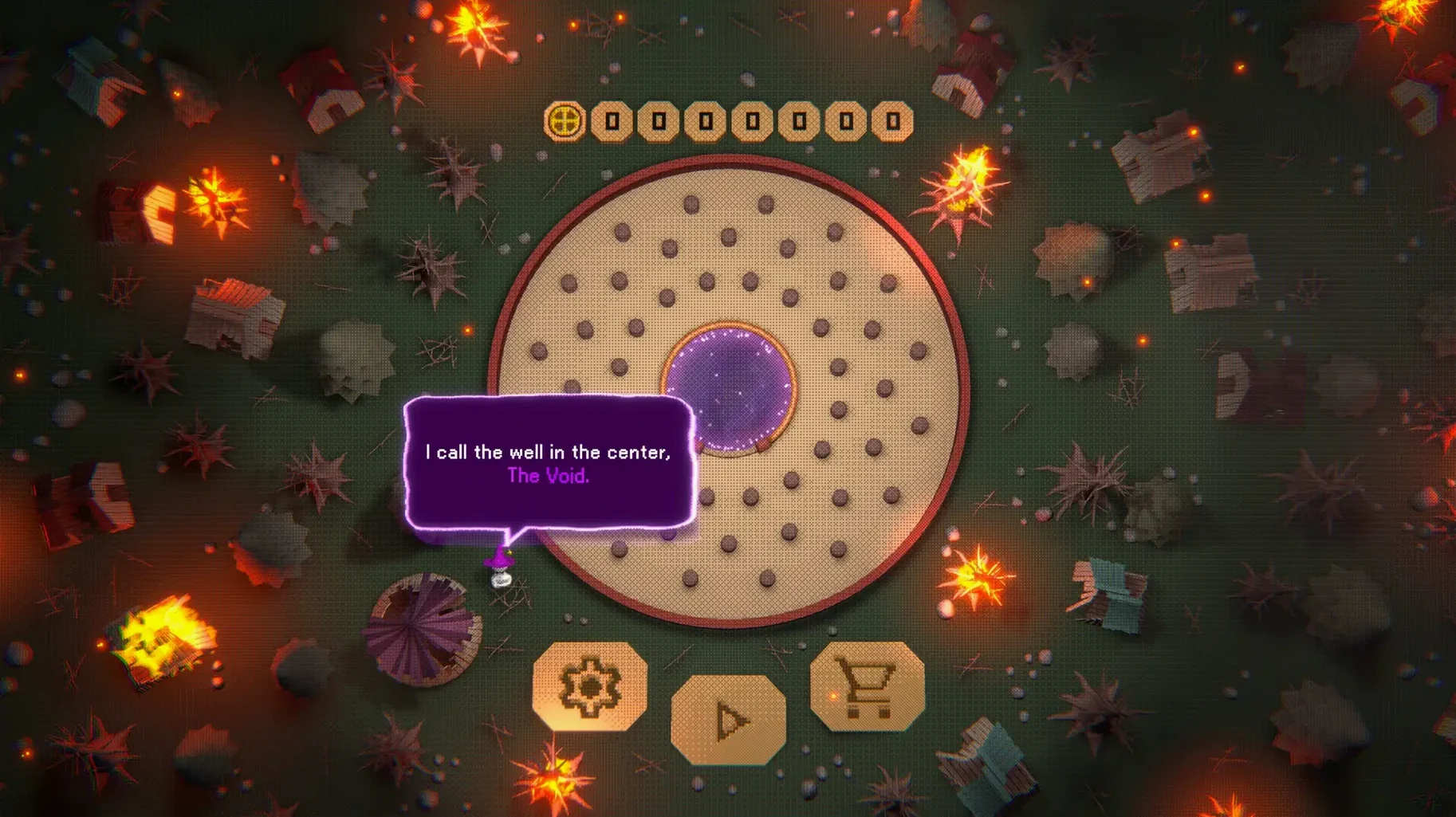
Anyone who enjoys watching numbers climb while a village slowly comes back to life will feel at home with Void Pachinko. It sits comfortably next to the other idle-friendly apps a Mac user might keep open during a work break.
Score points and rebuild a village
Drop balls through a pachinko board, place pegs for higher combos, and watch your score grow. After each round, invest earnings in new balls, special pegs, workers, and upgrades. The village gradually returns as you progress.
Fine-tune your early game
Version 1.1.7 adds two plus pins at 6 and 8 gold coins and two tomato pins at 60 and 75 gold coins. These changes smooth out the beginning, so you spend less time waiting for a first solid run.
Check your ball counts easily
The Wizard's Hut now shows how many balls you owned in the last round and the current count after buying or selling. Deball's starting values and upgrades have also been adjusted, making the game a bit more transparent from the start.
Let the tutorial teach you how to rotate and change the field layout
After launching Void Pachinko for the first time, let the tutorial guide you through the basics. It explains how to rotate the inner ring and change the field layout, which are the two main ways to influence where balls go. Spend your first few rounds experimenting with these controls rather than chasing high scores. The early gold coins come slowly, so the new plus pins at 6 and 8 gold coins are worth aiming for as a first small goal.
Open the skill tree early and read through the available upgrades. Some affect ball behavior directly, while others improve workers or unlock new peg types. You do not need to commit to a path right away, but knowing what is ahead helps you choose which upgrade to buy first. The Wizard's Hut now shows your ball count clearly, so check it often to understand how buying and selling changes your options between rounds.
How it behaves on a Mac
Void Pachinko runs on both Apple Silicon and Intel-based Macs, covering the full range of x86 and ARM systems. It was tested on macOS Tahoe, which means it should work on current versions without extra configuration. The disk image install is straightforward: open it, drag the app to Applications, and launch from Launchpad. No activation step is required, so you can start playing right after the copy finishes.
The game does not use voice audio, only soundtrack music. This keeps it unobtrusive on a classroom or shared machine where you might want to play without disturbing others. The interface supports seven languages, so students or colleagues who prefer German, French, Spanish, or other included languages can switch easily.
Run it in the background while you use other apps
Because Void Pachinko is an incremental game, it fits naturally into a multitasking workflow. You can leave it running in the background while using a browser, a text editor, or a spreadsheet. The round-based structure means you can check in, spend earnings, and return to other work without losing progress. On a school Mac, this makes it a reasonable choice for a game club session where students rotate between activities.
The game's small install footprint and lack of DRM also mean it can sit comfortably alongside other macOS software without conflicts. If you use a launcher like Launchpad, the app appears there after the initial drag-and-drop install. For teachers managing multiple machines, the simple install process and absence of always-online requirements make Void Pachinko a low-fuss addition to the classroom game library.
- Architecture: Intel and Apple Silicon
Questions I keep getting
What languages does Void Pachinko support?
The game supports Russian, English, German, Spanish, Simplified Chinese, Portuguese, French, and Japanese.
How to install
1. Open the downloaded disk image. 2. Drag the app to the Applications folder shortcut. 3. After copying finishes, launch the app from Launchpad.Similar games






Sign in or join the club to leave a comment.
Nobody has commented yet.