
- Version
- 456 [wineskin]
- Studio or maker
- Team17 Digital Ltd
- Languages
- Russian, English
- Activation
- Not required
- Chip type
- Apple Silicon
- Tried out on
- macOS Tahoe, Mac mini 2024 M4
- First released
- 19.10.2011
- Voice languages
- English
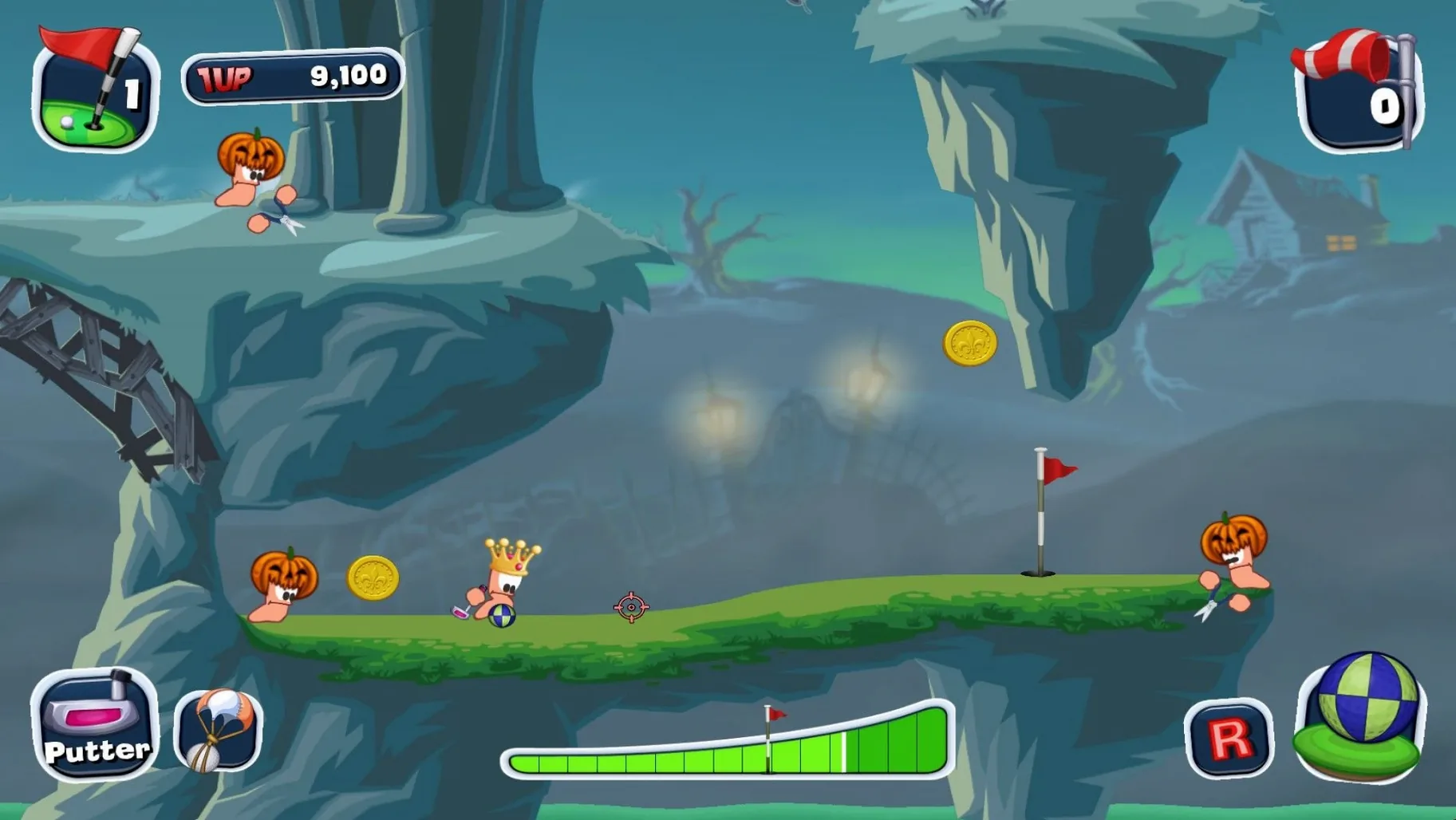
This one is for the teacher who runs the after-class game club and needs something that works on an M-series Mac without fuss. Worms Crazy Golf combines the familiar Worms action with puzzle-style golf courses, and the ARM-native build runs cleanly on a Mac mini M4 with macOS Tahoe. You get single-player career mode across three 18-hole courses, 15 challenges, and local hot-seat multiplayer for up to four players. The humor stays true to the series, with comic violence and cartoon graphics that suit a classroom setting.
Apple Silicon only and saved games in the app bundle
- The build is for Apple Silicon only, no Rosetta overhead.
- Saved games live in the app bundle at
Worms Crazy Golf.app/Contents/SharedSupport/prefix/drive_c/users/…/My Games/Worms Crazy Golf. - Interface in Russian and English; voice language is English.
- If the game fails on first launch, the disk image includes a Fix file to run once.
How the courses feel
The three career courses — Britain, Pirate Cavern, and Graveyard — each have their own visual theme and layout puzzles. Challenge mode adds 15 tighter scenarios. The ball physics and worm-powered shots keep it light, but the course design demands real aim and power control. It is not a sim; it is a puzzle game with a putter.
First days: what catches people out
A few things come up repeatedly in the game club, and they are easy to sidestep once you know them. The game does not tell you that aiming is partly about the worm's stance — if the ground slopes, the shot angle changes more than you expect. New players often line up a perfect straight shot only to watch the ball roll wide. Show them to check the lie indicator before pulling back.
The pace of play can surprise a group used to modern sports games. Each turn involves lining up, choosing power, factoring in obstacles and slope, then watching the replay. A four-player round of nine holes can take forty minutes. Plan for that when you organize a club session. It works well as a relaxed activity where the conversation matters as much as the putting.
The courses unlock one by one in career mode. Some players expect all eighteen holes of every course to be available from the start. They are not. Britain opens first, then Pirate Cavern, then Graveyard. If a student finishes Britain and wants more variety, point them to challenge mode — those fifteen puzzles mix elements from all three themes and keep the game fresh.
Customization is fun but not obvious. Players earn in-game currency by completing holes and challenges. The shop menu lets you change the worm's name, hat, club, phrases, and ball. The students in my club spend nearly as much time choosing a silly hat as they do lining up a putt. That is fine. Let them.
Four students gather around an iMac for local multiplayer
Friday afternoon. Four students gather around the iMac, each picking a worm color and a name in the local multiplayer menu. The game does not explain the turn order or the shot meter — a quick demo on hole one sorts that out. First player aims with the mouse, clicks and holds to set power, releases. The ball bounces off a mushroom, rolls up a ramp, and stops two feet from the cup. General approval.
Second player tries a power shot that sends the ball into the water. The worm's cartoon scream gets a laugh. The penalty stroke puts them back at the tee. Third player takes a careful approach, uses a bank shot off a wall, and sinks it in three. The game keeps score quietly — no leaderboard flash, just the number on screen.
By the fourth hole, the group has settled into a rhythm: aim, talk, watch the bounce, groan or cheer. The pace is slow enough to let players chat about their day. The worm humor — goofy phrases, the way the worm stares when you take too long — keeps the mood light.
After six holes, someone asks to switch to challenge mode. I load the menu, pick a puzzle about clearing a gap with a single shot. The group takes turns trying, fails, tries again. The leaderboard shows previous club records, which adds a quiet competitive layer. No one is in a hurry to leave.
Small snags and quick fixes
- Game does not launch after copying to Applications. Mount the disk image again and run the Fix file once. This writes the necessary Wine support files. After that, launch from Launchpad as normal.
- Multiplayer menu seems empty. Make sure each player presses a button on their input device before the game recognizes them. The game expects a key press or click per player during the setup screen.
- Game language shows Russian. Open the launcher menu before starting the game. It is a small window with a dropdown for language. Switch to English there. The change sticks for the session.
- Saved game location not found. The folder is inside the app bundle. If you want to back up progress, navigate to
Worms Crazy Golf.app/Contents/SharedSupport/prefix/drive_c/users/Sikarugir/Documents/My Games/Worms Crazy Golf. Copy the whole folder. - Ball physics feels off on a hole. Check whether the worm is standing on a sloped surface. The game does not overlay a grid, but you can see the worm's feet tilt. Adjust aim accordingly.
- macOS version not specified
- Architecture: Apple Silicon
- Other: none
Questions I keep getting
Does Worms Crazy Golf run on Intel Macs?
The current build is for Apple Silicon only. It will not run on Intel Macs.
Can I play with friends on one Mac?
Yes, the game supports local hot-seat multiplayer for up to four players.
Where are the saved games located?
Saved games are stored in the app bundle underWorms Crazy Golf.app/Contents/SharedSupport/prefix/drive_c/users/…/My Games/Worms Crazy Golf.How to install
- Mount the downloaded disk image and drag the app to the Applications folder shortcut.
- After copying finishes, open the app from Launchpad.
- If the game shows an error on launch, run the Fix file from the disk image.
Similar games






Sign in or join the club to leave a comment.
Nobody has commented yet.