
- Version
- 2025.4
- Studio or maker
- Thomson Reuters
- Languages
- English
- Activation
- k'ed by CORE
- Runs on macOS
- macOS 10.14 or later
- Chip type
- Apple Silicon, Intel 64-bit
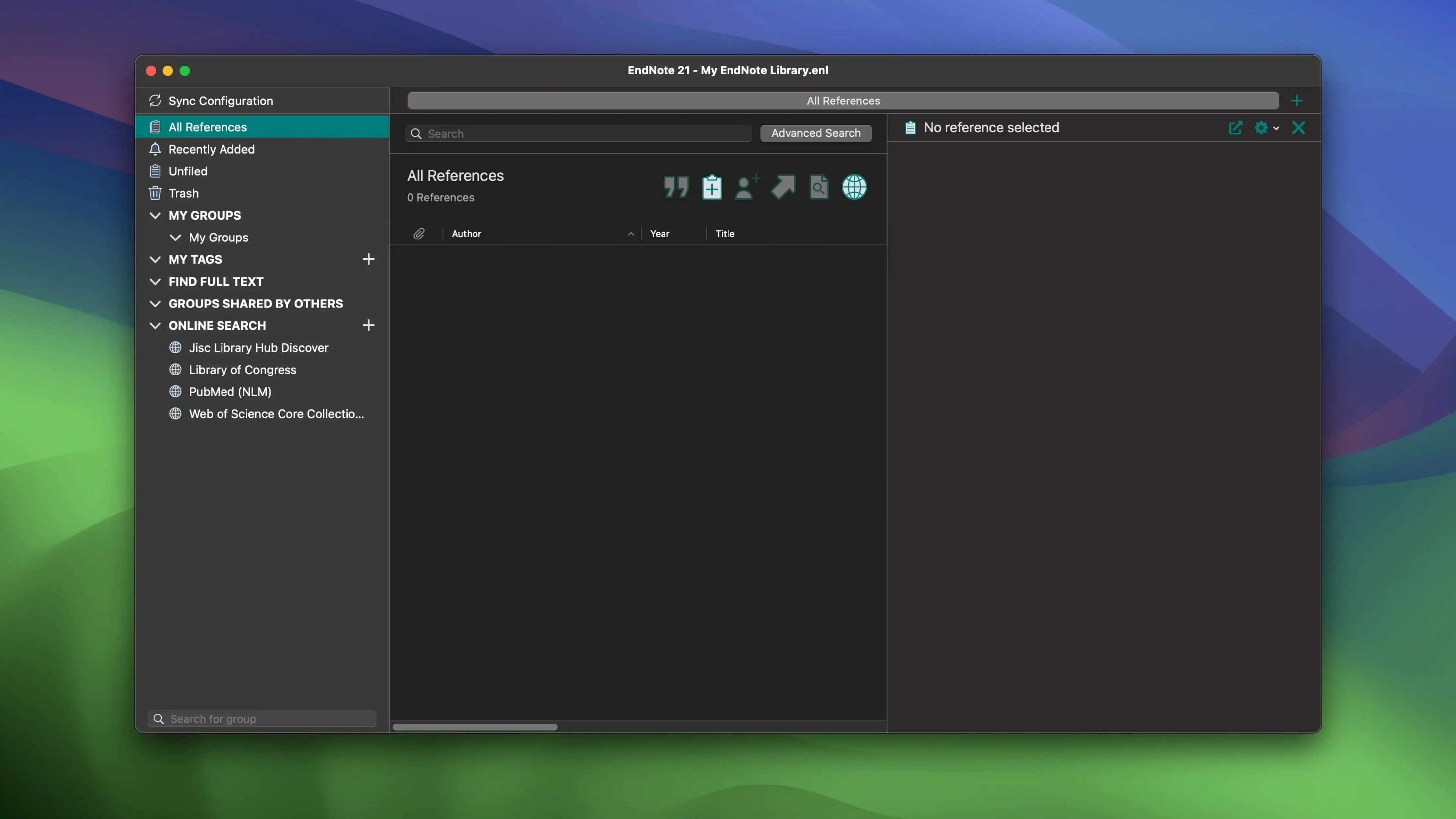
EndNote can hold thousands of references, but its real strength is how it turns those references into a finished bibliography. You collect sources while you read, then EndNote formats them into the citation style your journal or dissertation requires. No more alphabetizing by hand or checking whether every comma is in the right place.
The current version, 2025.3, connects directly to Microsoft Word and Google Docs. As you write, the Cite While You Write feature inserts citations in the text and builds the reference list at the end. If your advisor asks for a different style, you switch it in a click and the whole document updates. That alone saves hours before a deadline.
Your library syncs across devices, and you can restore previous versions of individual references. Made a mistake while editing a note? The older version is still there. EndNote also restores your entire library from the cloud, which is a comfort when a laptop dies mid-semester. For researchers working in Chinese, version 2025.3 includes Simplified Chinese localization, which makes the interface more approachable for a wider group of users.
EndNote suits anyone writing a scientific paper, thesis, or dissertation where accuracy matters. It keeps your sources organized in one place, so you can focus on the argument instead of the formatting.
A marine biology PhD reads 20 papers a week
Julia is in the third year of her PhD in marine biology at the University of Kiel. She reads around twenty papers a week, keeps notes on experimental methods, and needs to cite sources in a specific journal format for her first publication. Before EndNote, she copied references from PubMed into a spreadsheet, then formatted them by hand. One misplaced comma meant redoing the entire bibliography. With EndNote, she imports references directly from the library catalog or a PDF. She writes her manuscript in Word, and Cite While You Write places the in-text citations as she types. When the journal changes its citation guidelines, Julia selects the new style and the entire reference list updates in seconds. She also uses the color-coded tags to separate papers by topic — blue for ocean acidification, green for plankton ecology — so she can quickly find relevant sources when writing a discussion section.
Set your preferred citation style before importing references
Before you import hundreds of references, adjust a few preferences to save work later.
- Set your preferred citation style in the Output Style menu. If you know the journal or style guide, select it now. EndNote includes thousands of styles, and you can edit or download more. Setting it early prevents formatting surprises.
- Choose how EndNote handles duplicates in the Preferences > Duplicates tab. Decide whether it checks by author, year, and title, or by a stricter match. This keeps your library clean from the start.
- Enable automatic PDF naming under Preferences > PDF Handling. EndNote can rename imported PDFs using a pattern like Author Year Title. This makes files recognizable in Finder, not just inside the library.
- Connect your EndNote Web account if you plan to sync. Go to Preferences > Sync and log in. A synced library means you can access references from another computer or the web interface, and your cloud backup is active.
Not cleaning imported references causes problems later
I see the same missteps every year in our after-class game club, but also from colleagues starting with reference managers.
- Not cleaning imported references immediately. A bibliographic record from a database often has extra punctuation, missing page numbers, or the wrong journal abbreviation. If you fix it right after import, you will not have to check every citation before submission.
- Creating duplicate entries. Importing the same paper from two databases without checking duplicates leads to repeated citations in the bibliography. Set the duplicate detection as mentioned above, and run Find Duplicates from the References menu periodically.
- Ignoring the full-text PDF attachment. You can drag a PDF onto a reference and EndNote will try to extract the metadata. Beginners sometimes store the PDF folder separately and lose the link. Keep PDFs inside the library or at least in a consistent folder structure.
- Forgetting to sync before switching computers. If you edit a reference on your laptop and later open the library on your desktop without syncing, you may have two versions. Sync after every session, or set automatic sync in preferences.
These habits take a few minutes to form and prevent the kind of formatting chaos that appears the night before a deadline.
- macOS 10.14 or later
- Intel or Apple Silicon
Questions I keep getting
Does EndNote work with Google Docs?
Yes, EndNote includes Cite While You Write for Google Docs, so you can insert citations and build bibliographies directly in your documents.
How to install
- Mount the downloaded disk image by double-clicking it. This makes the installer available to your Mac.
- Run the standard installation procedure. Follow the on-screen instructions to place EndNote in your Applications folder.
Similar apps




Sign in or join the club to leave a comment.
Nobody has commented yet.