
- Version
- 8.1.1 [MAS]
- Studio or maker
- Information Architects GmbH
- Languages
- Russian, English, German, Spanish, Italian, Chinese (Traditional), Chinese (Simplified), Korean, Portuguese, French, Japanese
- Activation
- K'ed by TNT team
- Runs on macOS
- macOS 10.15 or later
- Chip type
- Apple Silicon, Intel 64-bit
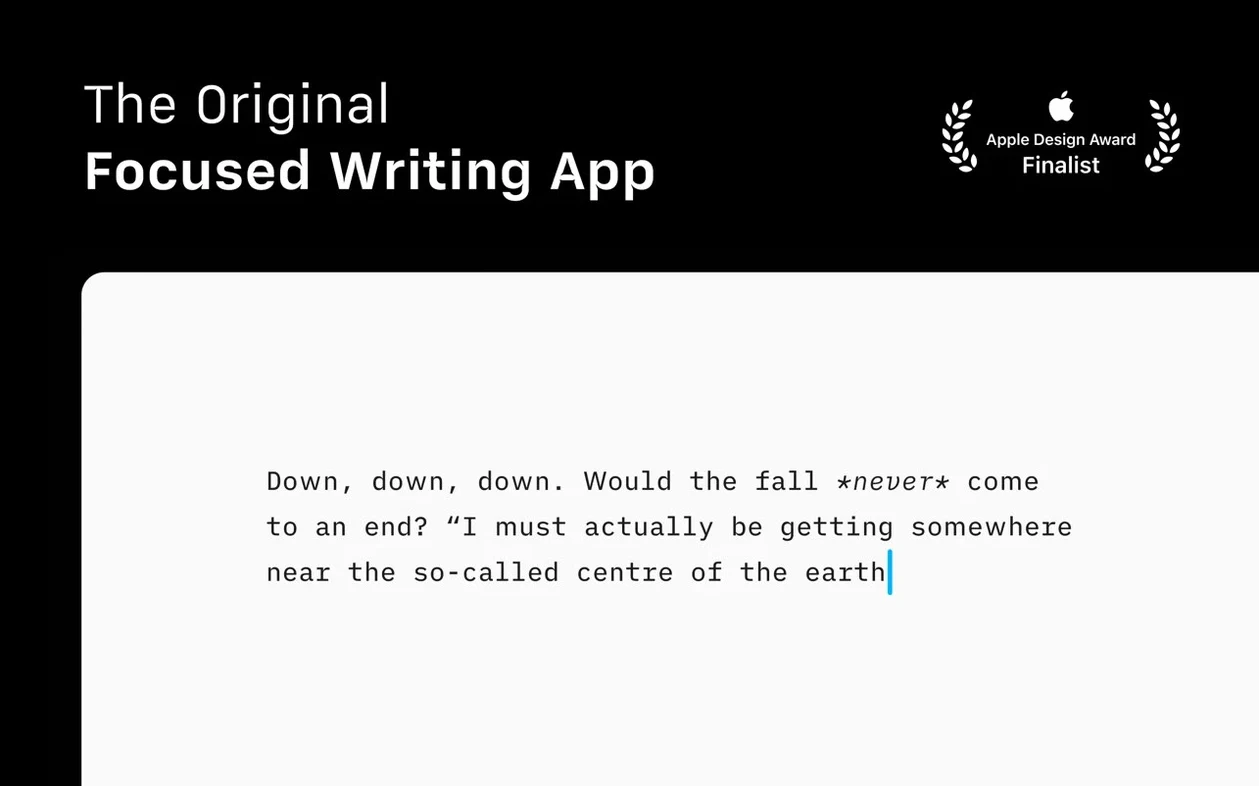
Version 8.0.9 of iA Writer is a Markdown writing app that quietly converts your text to HTML as you type, so you can see links, images, and tables formatted in the preview pane without ever touching code. Sitting conveniently alongside your current tools, this app lets you browse and organize files from various cloud platforms in a single pane, and it posts directly to WordPress and Medium when you're prepared to publish.
The focus mode dims everything except the current sentence or paragraph, which helps during long writing sessions. You can also turn on the syntax feature to highlight extra adjectives, weak verbs, and repeated nouns — useful for tightening drafts. Light and dark appearance modes follow your Mac's settings, and it supports Reduced Motion and Voice Control for accessibility.
Exports go to PDF with customizable templates, so you can produce clean documents for printing or sharing. The refreshed interface for macOS 26 and later adds Document Outline navigation with Quick Search, making it easier to jump between sections. It operates on both Intel and Apple Silicon Macs, and the latest release resolves several minor issues.
If you already keep notes in Markdown or publish online, iA Writer slots in without demanding a new workflow. It's a focused tool that does one thing well.
Drag files from Finder or polish drafts from other editors
iA Writer lives comfortably alongside the apps you already reach for. You can drag a Markdown file from Finder straight into the window, or save a draft from your text editor and open it here for final polishing. The preview pane renders links, images, and tables automatically, so you can check how your content will look before exporting to HTML, PDF, or DOCX — useful if you're moving work into Pages, a word processor, or a blog editor afterward.
On macOS, VoiceOver and Voice Control work with iA Writer, which lets you dictate or navigate without touching the keyboard. The Reduced Motion setting cuts down on interface movement, and the Dark Interface mode matches your system's dark theme if you have it enabled. You can publish directly to WordPress and Medium, which means you don't need a separate browser tab to copy and paste content. Documents from different cloud services appear in one Library view, so you aren't switching folders to find your work.
Turn on syntax highlighting to catch weak verbs and repeated nouns
When you first open iA Writer, it's worth turning on the syntax feature from the menu. During revisions, it draws attention to unnecessary descriptors, imprecise verbs, and duplicate terms in your writing, providing you with a rapid visual indicator. You can toggle this off once you're ready to read the draft without highlights.
While you're working on a sentence or paragraph, focus mode darkens all other content on screen. You can set it to dim the rest of the page or only the current line — whichever feels less distracting. If you share your screen or write in public places, switching to the compact Library layout hides dates and text excerpts, so your document list shows only titles.
For longer projects, the Document Outline with Quick Search becomes useful early. It lists your headings so you can jump between sections without scrolling. The Command Palette gives you access to formatting actions, export options, and authorship settings without memorizing shortcuts.
Color-coded markers show who wrote which sections in shared files
Authorship indicators show color-coded markers in menus when multiple people work on a file. You see who wrote which sections without leaving the editor. The Library's compact mode is handy when you have many documents and want a cleaner overview.
Exporting to PDF uses customizable templates, which means you can set your preferred font, margins, and page size once and reuse them. The HTML export is clean enough to paste directly into a CMS. If you write for iA writer free download or iA writer torrent pages, the plain Markdown output keeps formatting intact when you move files between devices.
It needs macOS 10.15 or a newer version, and it works on Intel and Apple Silicon Macs with Version 8.0.9. For a distraction-free writing experience, it handles the essentials without adding clutter.
- Fixes a few small bugs.
- Adds a refreshed interface for macOS 26 and later.
- Adds Document Outline navigation with Quick Search.
- macOS 10.15 or later
- Works on both Intel and Apple Silicon Macs
Questions I keep getting
Can iA Writer publish directly to WordPress and Medium?
Yes, iA Writer supports publishing to WordPress and Medium, so you can write in Markdown and push the finished text to either platform without copying and pasting.
How to install
- Mount the disk image and run Open Gatekeeper friendly. This prepares the app for installation.
- Press Enter in the Terminal window to bypass Gatekeeper. This allows the app to run on your Mac.
- Drag the app to the Applications folder. This places it where you can launch it easily.
- Start the app when installation is complete. You're ready to write.
Similar apps





Sign in or join the club to leave a comment.
Nobody has commented yet.