
- Version
- 26.04.01337-2026-07-11
- Studio or maker
- XMind Ltd
- Languages
- Russian, English, German, Indonesian, Spanish, Italian, Chinese (Traditional), Chinese (Simplified), Korean, Portuguese, Thai, French, Japanese
- Activation
- K'ed by QiuChenly Crack Team
- Runs on macOS
- macOS 11 or later
- Chip type
- Apple Silicon, Intel 64-bit
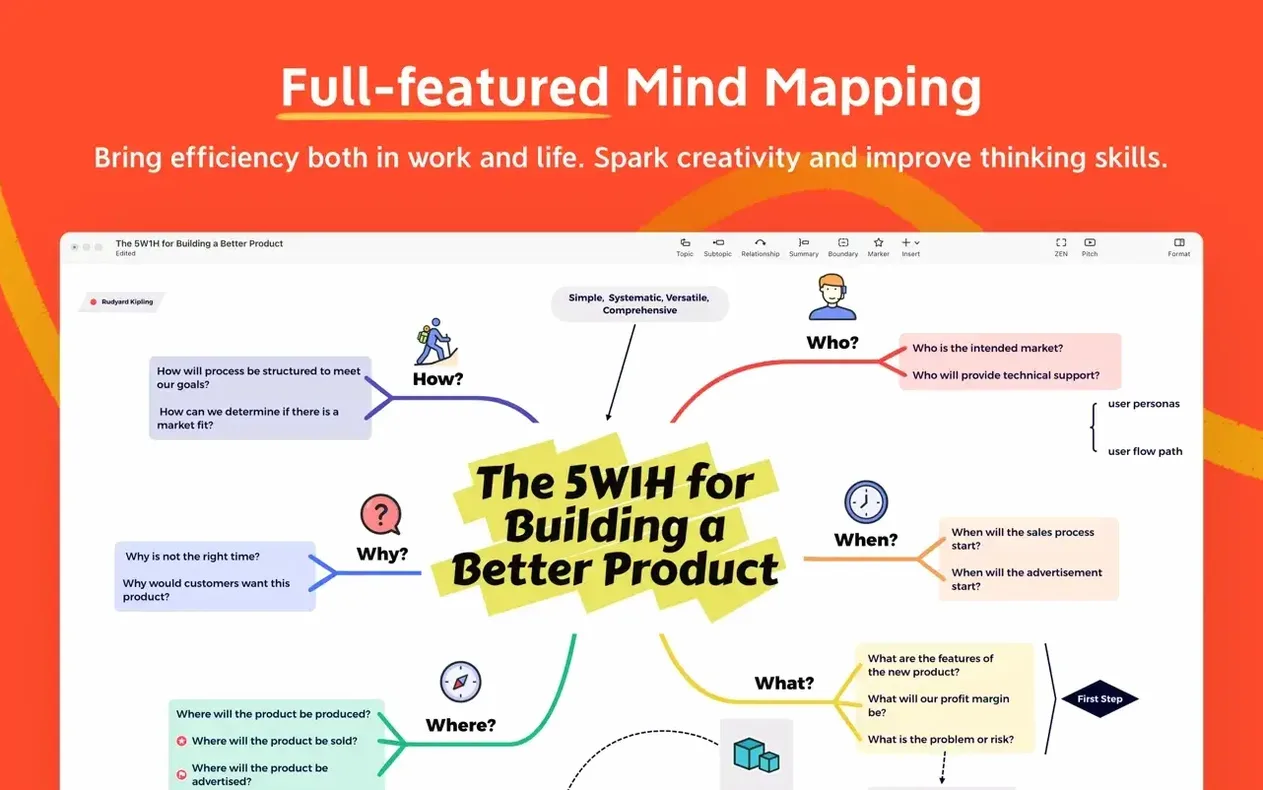
Over 10 diagram structures are built into XMind Pro, from classic mind maps to Ishikawa and logic charts. The current version 26.04.01337 keeps the same core toolset while running natively on both Intel and Apple Silicon Macs.
Mapping ideas
Start with a central topic, then branch out. You can switch between mind map, tree diagram, or table view without losing your structure.
Running meetings
Share a map during a session and let collaborators add notes or move branches. The app syncs changes across macOS, Windows, iOS, and Android.
Opens existing FreeMind files without conversion steps
Will my existing FreeMind files open in XMind Pro?
Yes. The app is explicitly compatible with FreeMind format, so those older maps should load without conversion steps. I would open a backup copy first, as with any migration between similar tools.
Does it run on my M-series Mac?
The software supports Apple Silicon and Intel 64-bit architectures. If you are on macOS 11 or later, it will launch. No emulation layer or Rosetta trick needed on ARM machines.
Can I use it offline or is it always online?
You can create and edit maps entirely offline. The collaboration features require a network connection, but single-user work does not.
What languages are available in the interface?
Thirteen languages are included: Russian, English, German, Indonesian, Spanish, Italian, Traditional Chinese, Simplified Chinese, Korean, Portuguese, Thai, French, and Japanese. The installer picks one during setup, and you can switch later in preferences.
First session: explore diagram types and branch creation
After you drag XMind Pro into Applications and launch it from Launchpad, spend the first session exploring the diagram types. Start with a simple mind map to get a feel for branch creation and rearrangement. The toolbar layout is straightforward: one click adds a child topic, another adds a sibling.
Try converting your first map to a different structure, such as a logic chart or tree diagram, using the view switch. This does not delete your original layout; it just renders the same content in a new arrangement. That is a quick way to see which diagram type fits your thinking style.
If you plan to use the app for meetings, invite one colleague to a shared map early on. The sync works across macOS, Windows, iOS, and Android, so test with someone on a different platform. Make sure both parties save after each change.
Setting up a project map
For task management, add a central topic named after your project. Branch out into phases or work areas, then attach deadlines and progress markers to each subtopic. The map stays readable even as you add several layers of branches, which is useful for tracking a term-long school project or a personal goal.
Language and keyboard layout
If you work in more than one language, check the preferences panel early. The interface supports the thirteen listed languages, and switching does not affect your map content. Some users find it helpful to set the UI to their native language while entering map text in another.
Runs natively on macOS 11 or later for ARM and x86
Based on the stated requirements, XMind Pro runs on macOS 11 or later and supports both ARM and x86 64-bit processors. The app is compiled as a native binary for each architecture, so you do not need compatibility layers. The disk image installs a single app file that you drag into Applications, no background services or daemons.
If you search for xmind pro download or xmind torrent, you may find community copies with the same version number. The current build 26.04.01337-2026-07-11 is consistent across those sources. When you open a downloaded disk image, verify that the file size matches expectations before dragging it to Applications. The activation method is handled by the K'ed release.
For classroom or team use, the collaboration feature is worth testing early. Maps sync through the developer's servers, so each participant needs an internet connection during shared editing. The app remembers recent maps in a sidebar, which makes it easy to return to yesterday's brainstorming session without digging through folders.
Add deadlines, priorities, and progress markers directly on the map. Use it as a visual to-do list for projects or daily planning.
- macOS 11 or later
- Apple Silicon or Intel processor
Questions I keep getting
Does XMind Pro run on Apple Silicon?
Yes, the current version supports both Apple Silicon and Intel-based Macs, with macOS 11 or later.
Can I use XMind Pro on multiple devices?
XMind is available on macOS, Windows, Linux, iOS, and Android, and supports collaboration across platforms.
How to install
- Open the downloaded disk image.
- Drag the app into your Applications folder.
- Once copying is done, open XMind from Launchpad.
Similar apps






Sign in or join the club to leave a comment.
Nobody has commented yet.