- Version
- 2.0.7
- Studio or maker
- Roland Cloud
- Languages
- English
- Activation
- k'ed by Team V.R
- Runs on macOS
- macOS 11 or later
- Chip type
- Apple Silicon, Intel 64-bit
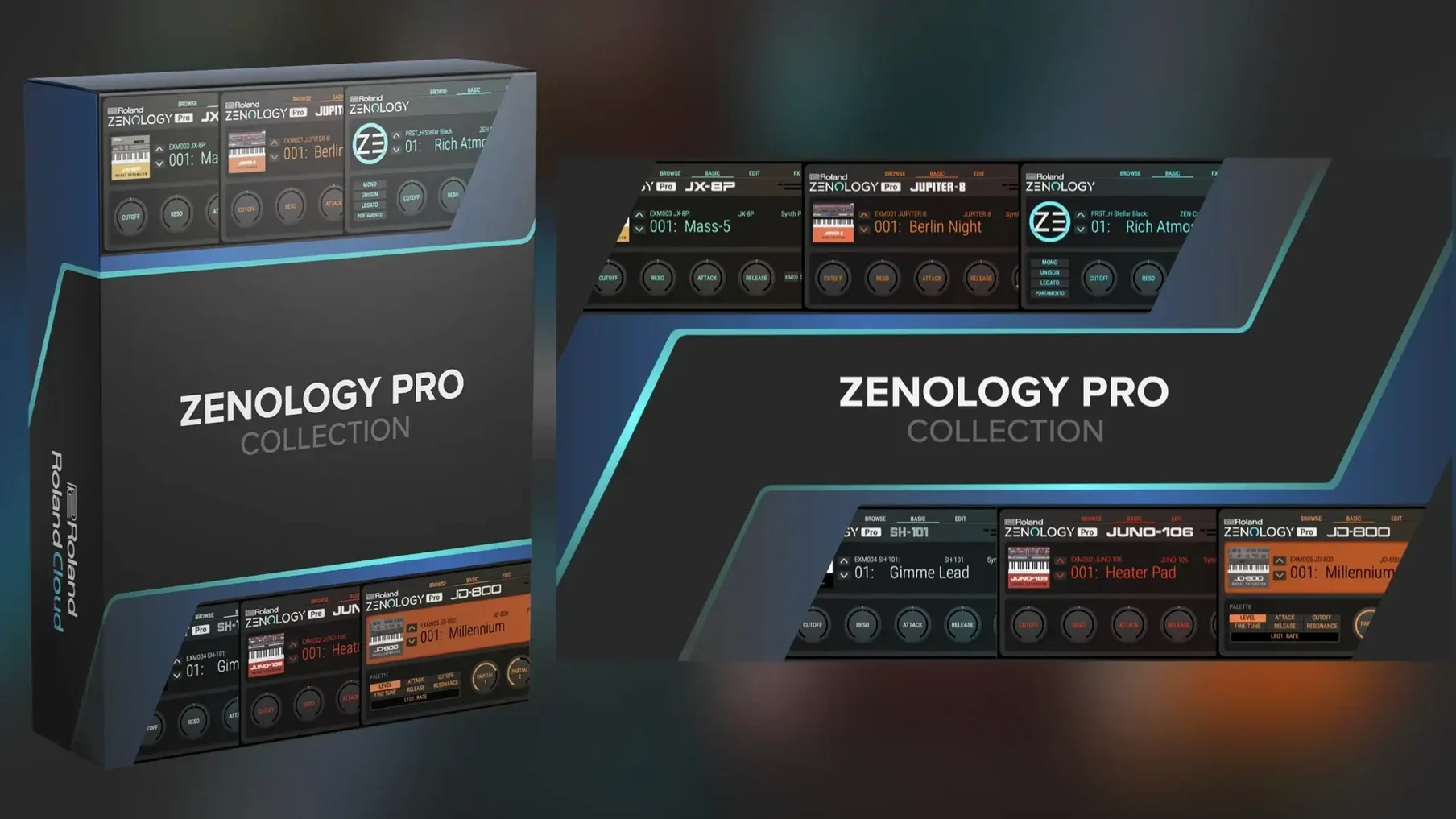
Roland ZENOLOGY Pro 2.0.7 updates the plug-in version of the ZEN-Core synthesis system used by hardware like JUPITER-X and FANTOM. The interface stays resizable, the tone browser remains central, and it still ships with more than 4,000 tones and 200 drum kits drawn from 1,840 PCM waveforms. Ten filter types, including JUPITER models, shape the sound.
Placing on a track or routing to a bus for layered sounds
- Placing on an instrument track for direct play or MIDI sequence input. The browser handles sound selection, favorites, and custom banks without leaving the track.
- Routing to a bus or aux for layered pads or basses from the same instance. The expandable architecture can reach more than 10,000 total variations, so a single plug-in covers a wide textural range.
- Editing sounds that transfer to compatible ZEN-Core hardware. If the studio uses both software and Roland hardware, the shared sound set simplifies moving ideas between platforms.
Runs on macOS 11 and later, Intel and Apple Silicon
- It runs on macOS 11 and later, Intel and Apple Silicon. The installer is a standard disk image mount and run procedure.
- Interface language is English only.
- The library is large out of the box.
How ZENOLOGY Pro compares with similar Mac synthesizers
If you work with software synthesizers on a Mac, you have options. ZENOLOGY Pro sits in a particular spot: it is the plug-in version of Roland's hardware synthesis engine, not a separate emulation of a single vintage synth.
vs. KORG Collection 4. The KORG bundle gives you individual emulations of specific hardware — the MS-20, the Polysix, the ARP 2600. Each behaves like the original, with limited polyphony and focused character. ZENOLOGY Pro does not try to recreate one classic; it bundles many synthesis types (virtual analog, PCM, Supersaw) into a single plug-in. If you want one instrument that covers leads, pads, drums, and basses without switching windows, ZENOLOGY Pro is more practical. If you want the specific quirks of a vintage synth, KORG Collection gives you that.
vs. Arturia Pigments. Pigments offers wavetable, granular, and analog-style engines in a modern interface. Its sound design possibilities are broad, especially for evolving textures. ZENOLOGY Pro leans more on PCM waveforms and modeled analog filters — the 1,840 waveforms include many acoustic and electronic samples. Pigments is stronger for experimental sound design; ZENOLOGY Pro is stronger for bread-and-butter tones and compatibility with Roland hardware.
vs. UVI Falcon. Falcon is a deep modular environment. You can build your own instruments from oscillators, effects, and modulators. It is powerful but demands time to learn. ZENOLOGY Pro gives you a fixed architecture — oscillator, filter, amp, two LFOs, EQ — with preset expansion. You do not build synthesis engines from scratch. If you want an instrument that works immediately and still allows editing, ZENOLOGY Pro is the simpler choice.
Native on Apple Silicon with no special steps needed
The system requirements are clear: macOS 11 or later, Intel or Apple Silicon, 64-bit only. The installer is a disk image that you mount and run through the standard procedure. No special steps for Apple Silicon; the plug-in runs natively on both architectures.
The interface is resizable, which helps if you work on a laptop screen or a large external display. The tone browser remains the main way to find sounds. It shows categories, lets you mark favorites, and build custom banks. The library of 4,000 tones and 200 drum kits loads from disk; a fast internal SSD helps, but the plug-in does not require unusual storage speed.
Because it supports up to four parts per tone, one instance can handle layered sounds or splits. Each part has its own oscillator, filter, amplifier, two LFOs, and EQ. The 11 LFO shapes give variation beyond the usual sine and square. The 90-plus effects include delay, reverb, chorus, and distortion — enough to finish a sound inside the plug-in without routing to external effects.
The expandable architecture means you can add Sound Packs and Wave Expansions from Roland Cloud. The base library is already large; the expansions extend it toward the 10,000 variation mark. If you work with Roland hardware, sounds you edit here can move to compatible devices and back.
Switch browser layout from categories to a simpler sort
When you open ZENOLOGY Pro for the first time, a few adjustments make the experience smoother.
Browser layout. The tone browser can show sounds by category, type, or character. If the default view feels crowded, switch to a simpler sort — for example, by category only. Mark a few favorites as you browse; the favorites filter saves time later.
Multitimbral mode. By default, a new instance loads a single part. If you plan to layer sounds or split the keyboard, enable the parts you need. Each part can have its own MIDI channel, so you can drive them from separate tracks in your DAW.
Effect routing. The effects section has a configurable chain. If you prefer a clean signal and add effects in your DAW, turn off the plug-in's reverb and delay. If you want a processed sound from the start, set the reverb to a hall preset and adjust the mix.
Output level. Some factory tones are loud. Pull the master volume down to -6 dB or lower while you browse. That prevents clipping when you switch between a quiet pad and a bright lead.
Works with any DAW supporting Audio Units or VST3
Will it work with my DAW? ZENOLOGY Pro is a standard plug-in. It works with any DAW that supports Audio Units or VST3 on macOS. Logic Pro, Ableton Live, Cubase, Studio One, and Reaper are all fine. Your DAW's plug-in manager should find it after installation.
Do I need a Roland Cloud account to use it? The plug-in itself does not require an active account to run. The expansion content — Sound Packs and Wave Expansions — is available through Roland Cloud. If you only use the built-in 4,000 tones and 200 drum kits, no account is needed.
Can I use it without a MIDI keyboard? Yes. You can draw notes in your DAW's piano roll, or use the virtual keyboard if your DAW has one. For real-time playing, a MIDI keyboard is more natural, but it is not required.
Does it drain resources on an older Intel Mac? The plug-in runs on Intel Macs. The number of voices depends on the complexity of the sound and how many parts you use. For simple tones, you can get many voices. For layered parts with effects, the CPU load increases. Start with one part and add more as needed.
Can I transfer sounds from my JUPITER-X or FANTOM? Yes. ZENOLOGY Pro can edit and share sounds with compatible ZEN-Core hardware. You can move a sound from the hardware into the plug-in, edit it, and send it back. This works over USB or through exported files.
Plug-in not found after installation? Check your DAW's scan paths
Plug-in not found by DAW after installation. This usually happens because the plug-in was installed to a location your DAW does not scan. Check your DAW's plug-in manager settings and add the standard installation paths. On macOS, Audio Units go to /Library/Audio/Plug-Ins/Components and VST3 goes to /Library/Audio/Plug-Ins/VST3. If the plug-in is there, rescan your DAW.
No sound when playing. Verify that the MIDI channel of your keyboard matches the part you are trying to play. Each part has its own channel setting. Also confirm that the plug-in's volume is not turned down and that the output is routed to a track or master bus.
Interface scaling looks wrong on a Retina display. The interface is resizable. Drag the window edge to make it larger. If text appears too small, increase the size until it is comfortable. The plug-in remembers the window size between sessions.
Sounds from expansions do not appear. Make sure the expansions are installed in the correct content folder. The plug-in looks for them in a specific location. If you moved them manually, they may not be found. Reinstall them through the standard method and they should appear in the browser.
High CPU usage with complex patches. Reduce the number of parts per instance. Use one instance for a lead and another for a pad instead of running four parts in one. Turn off effects you are not using. If the patch uses PCM waveforms, try a simpler waveform or turn off unison.
- macOS 11 or later
- Apple Silicon or Intel processor
How to install
- Mount the downloaded disk image.
- Run the standard installation procedure.
Similar apps



Sign in or join the club to leave a comment.
Nobody has commented yet.