

- Version
- 1.2.0
- Studio or maker
- Serato
- Languages
- English
- Activation
- k'ed by Team V.R
- Runs on macOS
- macOS 10.15 or later
- Chip type
- Apple Silicon, Intel 64-bit
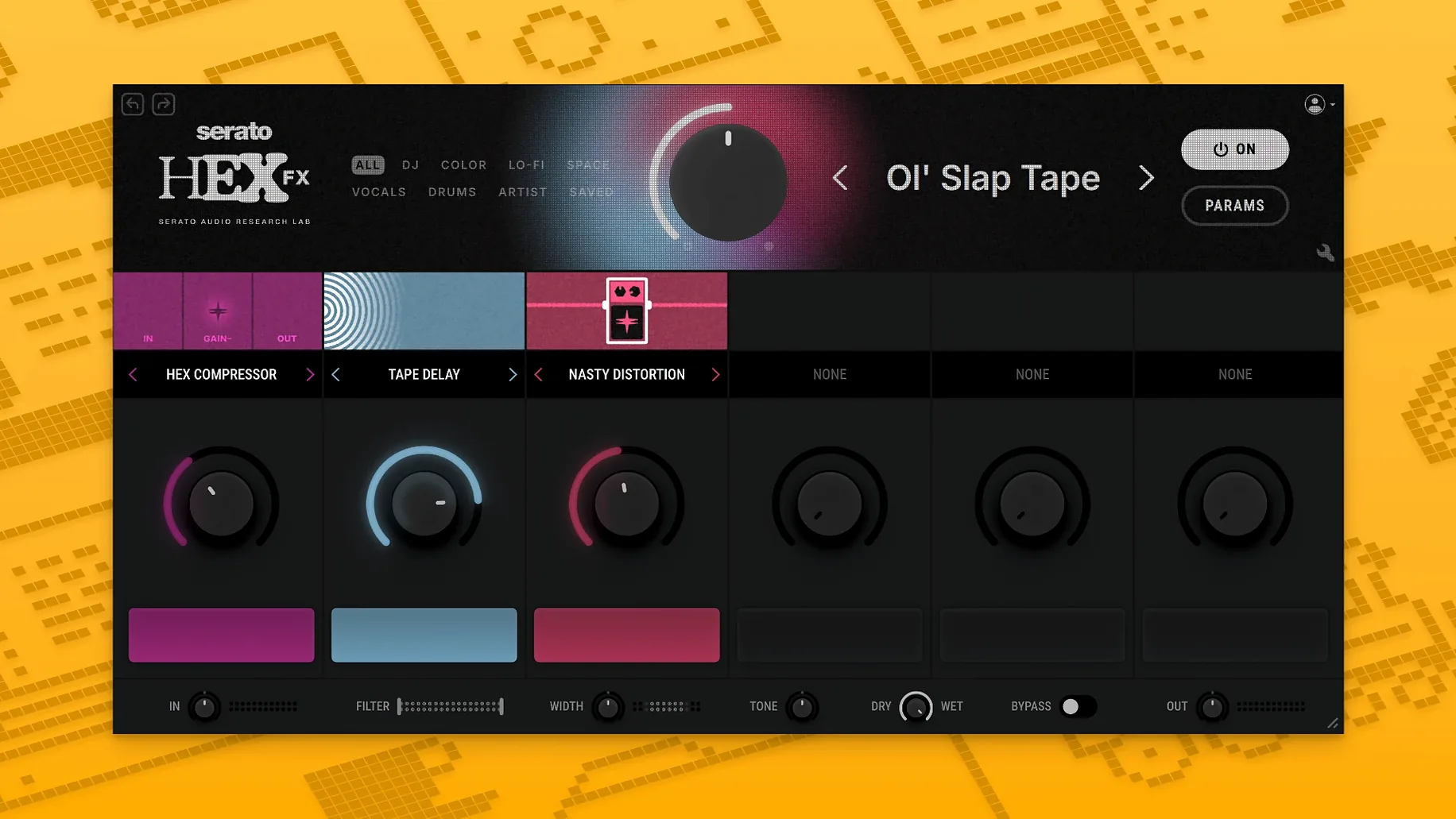
Serato Hex FX 1.2.0 runs on Macs with macOS 10.15 or later, supporting both Intel and Apple Silicon processors natively. It works as a VST, AU, or AAX plugin in compatible DAWs such as Ableton Live, Logic Pro, FL Studio, Serato Studio, Pro Tools, and Maschine.
Place Hex FX on tracks, buses, or the master channel
Place Hex FX on individual tracks, buses, or the master channel to add movement and texture. The plugin chains up to six effects in any order, letting you combine filters, delays, reverbs, and modulation with its 50 built-in FX modules. Performance FX like Halftime and Rollout give you quick scene changes or breakdowns during a live set or arrangement.
Presets and workflow
Over 200 presets from producers including Guy Lawrence, Lord Finesse, DECAP, and Amber Navran give you starting points for drums, synths, vocals, or full mixes. You can tweak each effect’s parameters and save your own chains. The English interface keeps controls clear, and version 1.2.0 adds AAX support along with general bug fixes.
Settings you might want to adjust first
When you load Serato Hex FX for the first time, the presets are a good starting point, but a few quick settings saves time later. The EQ section includes a parametric low-shelf, a mid-bell, and a high-shelf band. Start with the high-shelf filter to tame or boost the top end — it makes a noticeable difference on hats or cymbals without affecting the rest of the chain. The mid-bell band is useful for carving out space in a busy mix. If you are using the plugin on a live track, the Halftime Performance FX can be mapped to a MIDI controller or automation lane for instant tempo changes. Reorder the effect chain early: put a filter before a reverb, and the reverb catches a filtered signal; reverse it, and the filter shapes the tail.
What this plugin does on your Mac
Hex FX is a 64-bit plugin that installs through a disk image. The installer includes separate format options — choose VST, AU, or AAX depending on your DAW. On Apple Silicon Macs, the plugin runs natively without emulation, and on Intel Macs it works in 64‑bit hosts. You will see the plugin listed under its name in your DAW’s effect menu after you point the DAW to the correct plugin folder. The interface is in English only, and the plugin loads its 200+ presets from within the plugin window. AAX users can use it directly inside Pro Tools without a wrapper. If your session uses low buffer sizes, the plugin handles the same chain of effects without stuttering, though heavy chains with six effects may increase the load on your system’s resources.
Start with two or three effects, not six
New users often add too many effects to one chain. The plugin allows up to six modules, but a full chain of six is not always the best choice. Start with two or three effects and listen before adding more. Another mistake is forgetting to adjust the EQ after chaining effects — the plugin’s parametric bands let you correct frequencies that get muddy after a delay or reverb. Beginners also neglect the Performance FX. Halftime and Rollout are useful for breakdowns or transitions, yet many people skip them entirely because they are not listed in the main effect modules. You can insert them anywhere in the chain. A third common error is not saving custom presets after tweaking. The plugin lets you save your own chains, so once you dial in a setting that works, store it for later use. Finally, some users run the plugin on a master bus with a high-gain effect early in the chain, which can clip the output. Keep an eye on the output level, especially if you use a distortion or saturation module first.
- AAX support added for Pro Tools compatibility.
- Bug fixes included.
- Installer now includes an AAX format option.
- macOS 10.15 or later
- Apple Silicon or Intel processor
- Compatible DAW (VST, AU, or AAX host)
Questions I keep getting
Which DAWs support Serato Hex FX?
It is officially supported in Serato Studio, Ableton Live, FL Studio, Logic Pro, and Maschine. It can also be used inside Pro Tools via the AAX format.
What plugin formats are included?
The installer includes VST, AU, and AAX formats, so it works with most modern Mac DAWs.
Does it run on Apple Silicon Macs?
Yes, Serato Hex FX 1.2.0 supports both Intel and Apple Silicon architectures natively.
How to install
- Open the downloaded disk image and run the standard installation process.
- If the plugin crashes with an error, run the listed Terminal commands exactly as provided.
Similar apps
Sign in or join the club to leave a comment.
Nobody has commented yet.