
- Version
- 1.0.6
- Studio or maker
- Slate Digital
- Languages
- English
- Activation
- k'ed by GUISEPPE
- Runs on macOS
- macOS 11 or later
- Chip type
- Apple Silicon
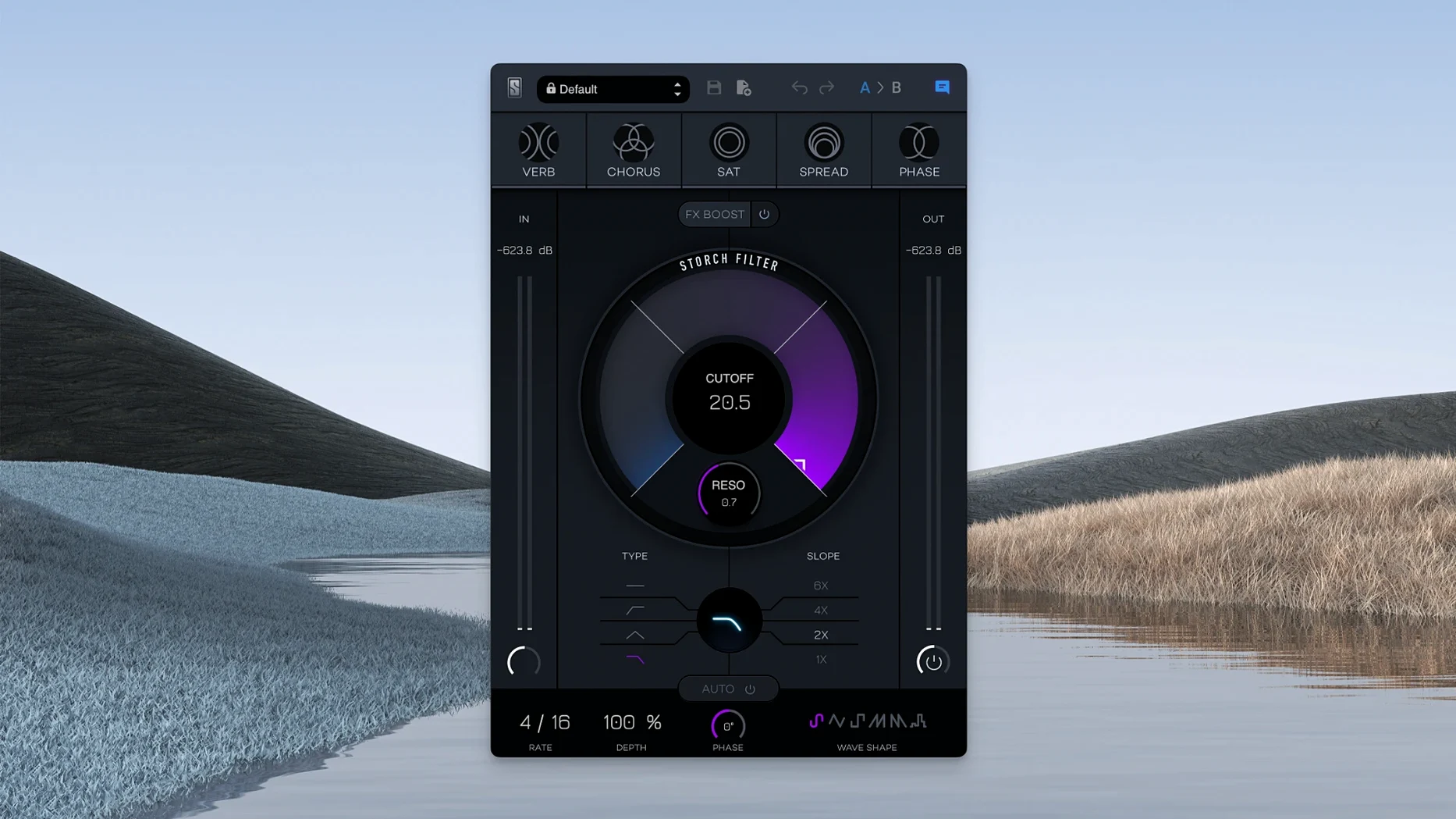
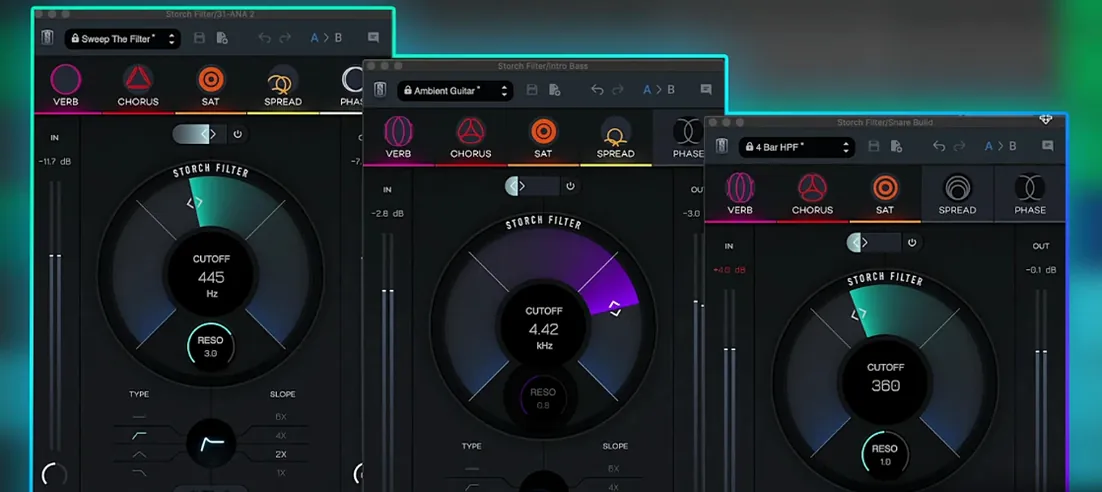
The cutoff knob is the center of it all. Turn it and you hear the filter sweep, but Slate Digital Storch Filter is not just a filter. It combines that sweep with five built-in effects — distortion, bit-crusher, ring modulator, auto-pan and a noise generator — each with its own level control. You can adjust low pass or high pass, add a resonance bump, and let the gate open or close based on the input signal. The interface is uncluttered: one row of knobs, a clean waveform display, and a preset browser loaded with sounds from Scott Storch.
Cutoff, resonance, drive, and modulation shape the mix
- Cutoff and resonance shape the tone, from a subtle high-end roll-off to a sharp, vocal-like wah.
- Drive pushes the filter into saturation, adding harmonics that cut through a dense arrangement.
- Rate and depth sync the modulation to your session tempo or run free, creating rhythm from a static chord.
- Mix blends the wet and dry signals so you can keep the original sound underneath.
Native performance on M1 and M2 Macs without Rosetta
The plugin runs natively on ARM architecture, so it uses the full performance of M1 and M2 Macs without Rosetta translation. It requires macOS 11 or later and installs through the standard procedure for Slate Digital plugins. The English-only interface keeps the focus on the knobs and presets, which is all you really need.
Start with Scott Storch's presets to learn the plugin's range
Open your DAW, load Storch Filter on an empty track, and start with the preset browser. Scott Storch's presets give you a feel for the plugin's range without guessing at knob positions. Listen to how the filter and effects interact on a simple piano chord or a sustained synth note.
Next, duplicate a drum loop and apply the filter. Turn the cutoff knob slowly while the loop plays, and bring the resonance up just enough to hear the peak. Try each of the five built-in effects individually by muting the others, so you learn what each one does to the filter sweep. The FX Boost slider lets you push the effect level further — start with it at noon and adjust from there.
Save a few of your own presets once you find combinations you like. This saves time when you revisit a mix later.
Workflow: adding motion to a static pad
Start with a held synth pad that sounds flat. Load Storch Filter as an insert effect.
- Set the filter type to low pass and bring the cutoff down to about one-third of the way up, so the pad sounds muffled.
- Turn on the autofilter and choose a triangle LFO wave shape. Set rate to 1/4 notes so the filter opens and closes in tempo.
- Add a small amount of the chorus effect from the built-in effects section. Keep the level low — you want texture, not wobble.
- Push the resonance until you hear a gentle peak at the filter's cutoff point. You can adjust this with the adjustable low pass filter's resonance control.
- Open the gate threshold so the effect only triggers when the pad is loud enough. This keeps silence clean.
- Use the mix knob to blend the processed signal about 60 percent wet. The pad now breathes without losing its original character.
Fast loading and native Apple Silicon support in macOS 11 or later
Storch Filter version 1.0.6 loads quickly under macOS 11 or later, compiled natively for Apple Silicon. You will see the familiar Slate Digital installer and authorization flow. The plugin appears in your DAW's effect list under the Slate Digital folder. The interface uses English labels and no localization options. Because it uses ARM architecture directly, there is no performance penalty from emulation. The plugin respects your DAW's sample rate and buffer settings, and the LFO syncs to host tempo automatically when you enable that option. No additional background services or extra windows are required beyond the plugin's own GUI.
- macOS 11 or later
- Apple Silicon (ARM) architecture
- English interface language
Questions I keep getting
Does Storch Filter work on Intel Macs?
The listed architecture is ARM (Apple Silicon). It may run on Intel Macs via Rosetta, but Slate Digital recommends it for Apple Silicon systems.
How to install
- Download the installer from the Slate Digital account portal.
- Run the installer and follow the on-screen prompts. The plugin will be placed in the standard component and VST3 folders.
- Open your DAW, scan for new plugins, and load Storch Filter on a track.
Similar apps
Sign in or join the club to leave a comment.
Nobody has commented yet.