
- Version
- 3.4.4
- Studio or maker
- Toontrack
- Languages
- English
- Activation
- k'ed by Team V.R
- Runs on macOS
- macOS 10.13 or later
- Chip type
- Apple Silicon, Intel 64-bit
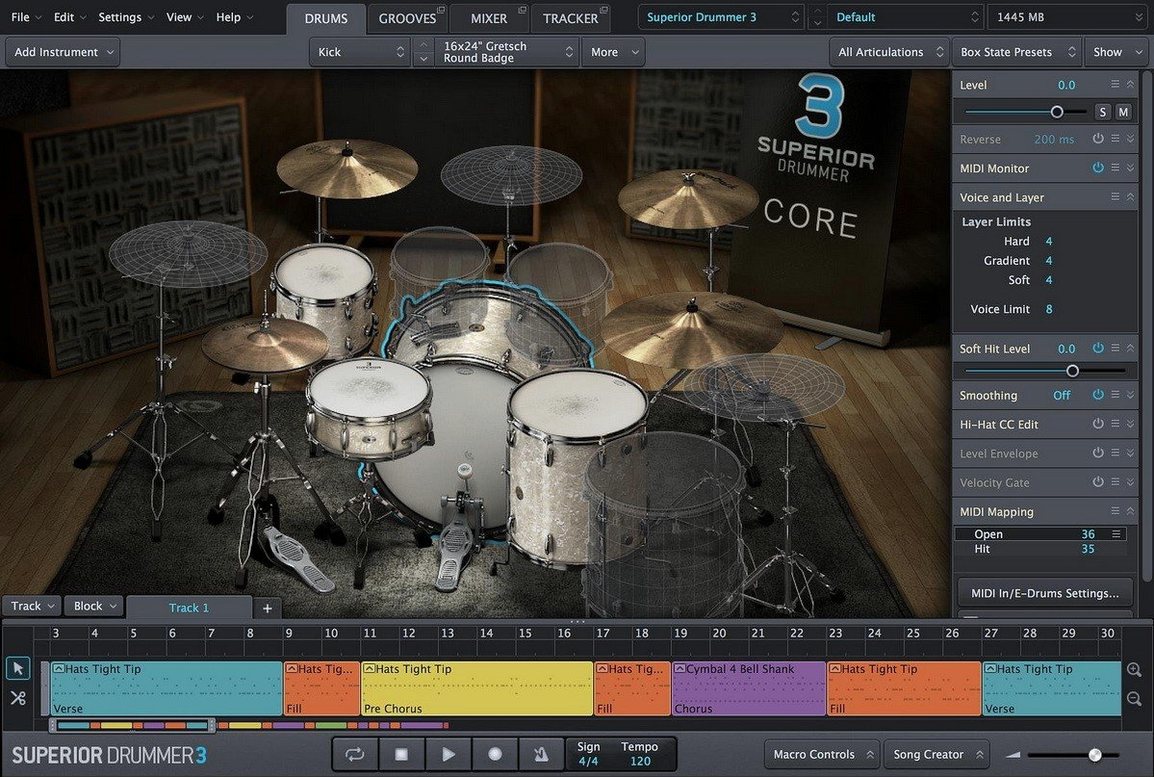
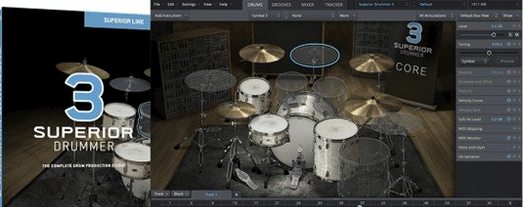
A composer or producer sits down at the Mac, opens a DAW, and loads a drum plugin that sounds like a real room, not a sample folder. That is what Superior Drummer 3 is built for. It is a virtual drum studio that handles both acoustic and electronic drum production, all inside a 64-bit plugin.
What formats does Superior Drummer 3 use?
It runs as a 64-bit plugin inside any compatible host on macOS 10.13 or later. The installer comes as a disk image, and the download includes the core library with 230 GB of drum samples spread across seven full kits. Both Intel and Apple Silicon Macs are supported.
How does the mixer and effects section work?
The built-in mixer gives you control over each drum channel, and you get 35 effects to shape the sound without leaving the plugin. You can also convert recorded drum audio into MIDI data, which is useful for editing or replacing live takes.
What makes the core library sound different?
The samples are taken from real kits in treated rooms, so the ambience and bleed feel natural. You can blend close mics, overheads, and room mics to get a dry studio sound or a big, live stage sound. The library is the same whether you install on an Intel Mac or an M-series machine.
BFD3 offers a smaller library and fewer mic positions
If you work with virtual drums on macOS, you have a few options. BFD3 from FXpansion offers a similar sampler-style approach with multiple mic positions and a mixer built in, but its library is smaller and the latest version has not been updated for Apple Silicon as consistently. You may need to run it in Rosetta or wait for a compatibility patch. Superior Drummer 3 runs natively on both architectures from the same installer.
Addictive Drums 2 by XLN Audio is another common choice. It focuses on being lightweight and quick to load, with fewer samples per kit. The trade-off is that the sound does not have the same depth when you push the room mics or layer multiple velocity zones. Superior Drummer 3 gives you more control over the ambience and bleed, which matters when you want a track to feel like a real performance rather than a programmed pattern.
EZdrummer, also from Toontrack, is the simpler sibling. It uses a cut-down interface with fixed mixer settings and fewer articulations per drum. If you need the 35 mixer effects, the audio-to-MIDI conversion, or the ability to route individual drum channels in your DAW, Superior Drummer 3 is the one that includes those features. EZdrummer is meant for quick sketches; this one is for finished tracks.
Plan 230 GB of free space on an SSD before installing
Because the core library sits at 230 GB, you want to plan your storage before installing. The disk image plus the extracted samples needs that full amount free on an internal or external drive. A fast SSD is recommended by the developer, and the installer will ask you to choose a library location during the setup.
The plugin itself is a 64-bit component, so your DAW must also be 64-bit to load it. On macOS 10.13 or later, it works in both Logic Pro and Cubase, as well as in Reaper, Pro Tools, and Studio One. On Apple Silicon Macs, the plugin runs in native ARM mode. On Intel Macs, it uses the x86 build. You do not need to pick a separate installer.
Memory usage depends on how many mic positions and velocity layers you load at once. The plugin gives you options to purge unused samples or load only the articulations you need. The first load of a kit may take longer while the samples are mapped into memory, but subsequent loads are faster if your host keeps the plugin instantiated.
Fix the plugin not appearing in your DAW after installation
One typical issue: the plugin does not appear in your DAW after installation. The installer puts the plugin files in the system VST3 or AU folder, but some hosts scan only specific locations. Check your DAW's plugin manager settings and run a rescan. If the plugin still does not show, restart your Mac and the DAW before reinstalling.
Another snag involves the core library path. If you move the sample library after installation, Superior Drummer 3 will not find the kits. Open the plugin's browser or settings panel and point it to the new location. The same applies if you install on an internal drive and later move to an external SSD for space reasons.
Audio-to-MIDI conversion works on a stereo drum track, but the accuracy depends on the source. A clean recording with clear transient separation gives better results than a dense, heavily compressed mix. If you feed it a track that is already limited, the conversion may miss quieter hits or double up on ghost notes. Try using a dry, unprocessed take when possible.
Some users report that the mixer effects load but do not respond to automation inside their DAW. This is because the effects are processed inside the plugin, not as separate channel inserts. Route individual drum outputs to separate DAW tracks if you need external processing or automation per drum.
Seven kits cover rock, metal, pop, and cinematic scores
Music producers who write rock, metal, pop, or cinematic scores will find the seven kits cover a broad tonal range. The built-in mixer and 35 effects mean you can dial in a finished drum sound without loading additional plugins. If you record live drummers and want to supplement or replace hits, the audio-to-MIDI conversion saves hours of manual editing.
Mix engineers who receive multitrack drum stems from clients can import those stems, convert them to MIDI inside the plugin, and then trigger Superior Drummer 3's samples for a cleaner replacement sound. The individual channel routing makes it possible to blend the original overheads with replaced kick and snare hits.
Sound designers working on percussive elements for film or game audio can use the kit pieces as a sound source library. The velocity layers and round-robin sampling keep repetitive hits from sounding like a loop, which matters for sustained, dynamic passages.
Set output routing to match your DAW's track layout first
When you open Superior Drummer 3 for the first time, go to the mixer and set the output routing to match your DAW's track layout. By default, the plugin outputs a stereo mix. If you want separate kick, snare, hi-hat, and tom tracks, enable multi-output mode in the plugin settings and assign each channel in your host.
Next, adjust the velocity map for your MIDI controller or drum pad. The default mapping follows General MIDI, but you can reassign notes to fit your playing style. This is particularly useful if you use an e-kit and want the hi-hat foot and tip articulations to respond naturally.
Finally, open the sample engine settings and set the purge mode to remove unused mic positions. The same applies to release samples, which add realism but consume extra resources. Turn them off during composition and enable them only for the final render if your system is under strain.
- Version 3.4.4 is now available.
- Version 3.4.0 or later is required for Superior Drummer 3 products released from Q2 2025 onward.
- macOS 10.13 or later
- Intel or Apple Silicon Mac
- 64-bit host support
How to install
- Open the downloaded disk image to mount it.
- Run the standard installer and follow the on-screen prompts.
Similar apps
Sign in or join the club to leave a comment.
Nobody has commented yet.