
- Version
- 1.1.1
- Studio or maker
- Slate Digital
- Languages
- English
- Activation
- k'ed by GUISEPPE
- Runs on macOS
- macOS 11 or later
- Chip type
- Apple Silicon
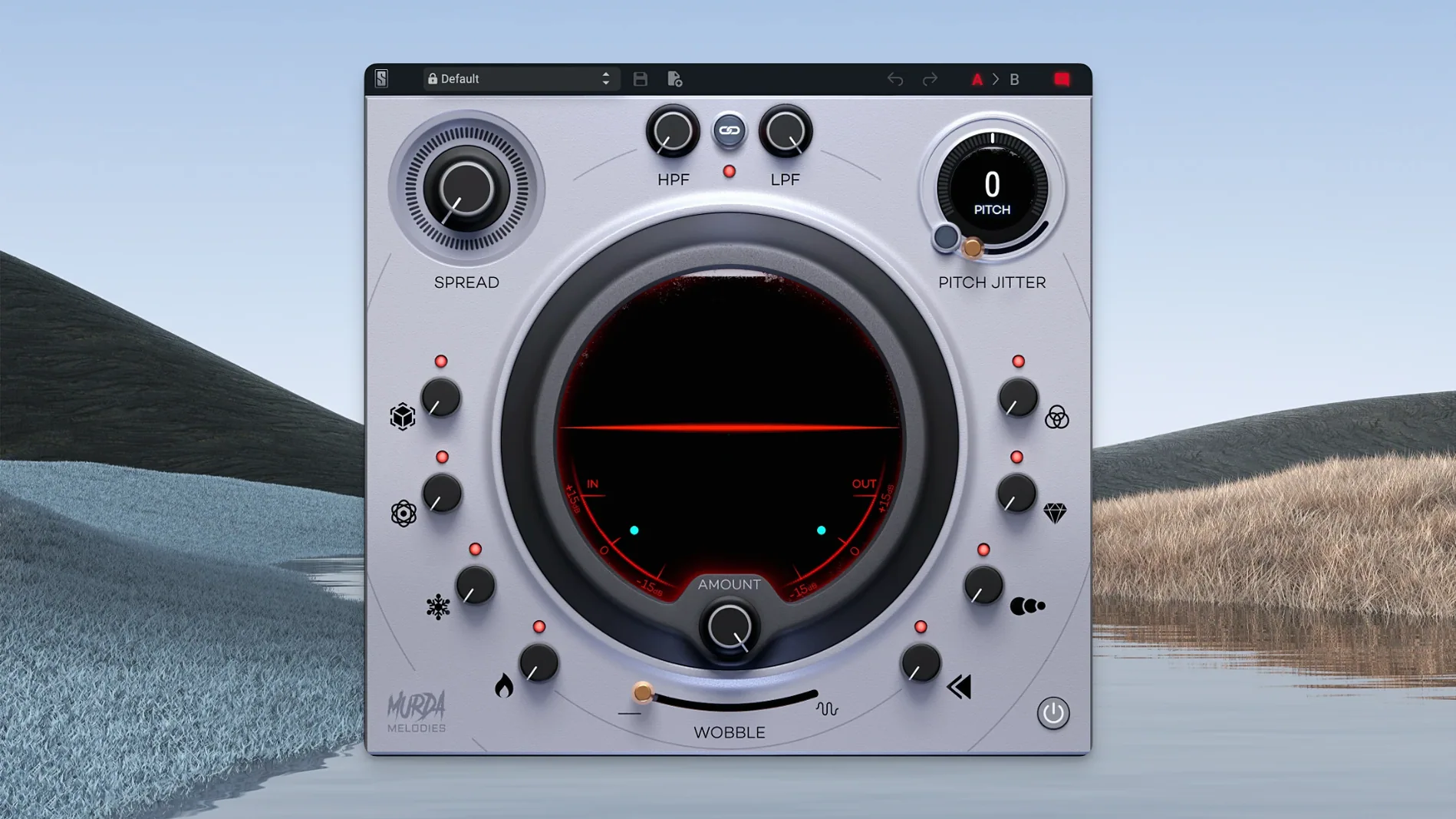
If you have used Slate Digital's other plugins, you know they focus on practical sound design. Murda Melodies 1.1.1 is a multi-effects plugin designed for reshaping melodies and textures, developed in collaboration with Murda Beatz. It fits into a range of hosts on macOS, from Logic Pro to Ableton Live, thanks to its AU, VST, VST3, and AAX format support.
What formats and hosts does it support?
Murda Melodies is available in AU, VST, VST3, and AAX formats. This covers most modern DAWs on macOS 11 or later, including Apple Silicon natively. The plugin runs on both Intel and Apple Silicon Macs without extra translation layers.
What effects are included?
The plugin covers modulation, reverb, synced delays, and reverse processing. It also includes analog-modeled low-pass and high-pass filters. A stereo widener works with both mono and stereo sources, making it useful for widening a single track before it hits the mix bus.
How many presets come with it?
More than 50 presets are included, created by Murda Beatz and Slate Digital. They provide a quick starting point for melodic processing, from subtle width to aggressive rhythmic effects.
Installs as a standard AU, VST, VST3, or AAX plugin
Murda Melodies behaves like any standard audio plugin once installed. Your DAW scans the usual plugin folders for AU, VST, VST3, or AAX files, and the plugin appears in the effect list. Because it supports all four formats, you can use it in hosts as varied as Pro Tools (AAX), Logic Pro (AU), Cubase or Ableton Live (VST3), and FL Studio (VST).
On macOS, the plugin respects system-level audio preferences. If you route a track through it, the plugin processes audio in real time or during offline bounce depending on your DAW's mode. The mono-to-stereo compatibility, added in version 1.0.8, means you can insert it on a mono track and still get a stereo output from the widener or the reverb. This is useful for adding space to a vocal or a snare without creating a separate stereo channel.
The plugin uses native Apple Silicon code, so it runs under the ARM architecture without emulation. In practice, that means it shows up in your DAW's plugin manager as a native plugin, not as one requiring Rosetta. No extra configuration is needed beyond the standard install.
What to expect during the install and setup
The installation follows the standard macOS plugin procedure. You download the installer, run it, and the files go into the expected plugin directories. Version 1.1.1 uses the corrected default installation path from the previous update, so the plugin should appear in your DAW's list without manual folder selection.
Once loaded, each of the eight effect controls has its own knob. You adjust them individually, and the interface responds immediately. The pitch shifter covers a 4-octave range, and the Pitch Jitter control adds nonlinear artifacts for glitch-style effects. The vinyl wobble is a separate knob that introduces pitch fluctuation similar to a warped record.
Because the plugin is a multi-effects unit, you can use several effects at once. The order of processing is fixed, but you can bypass individual sections by turning their knobs to minimum or using the bypass controls if your DAW supports plugin bypass per effect slot.
Questions to answer before installing
Will it work in Logic Pro on an M1 Mac?
Yes. The plugin supports AU format natively on Apple Silicon Macs running macOS 11 or later. Logic Pro scans the AU files directly, and the plugin will appear in the mixer's instrument and effect slots.
Requires a DAW—not a standalone app
No. Murda Melodies is a plugin, not a standalone application. It requires a compatible DAW or host that loads AU, VST, VST3, or AAX plugins.
What about presets from other Slate Digital plugins?
Presets are specific to Murda Melodies. The more than 50 presets included are designed for this plugin's effect set and cannot be loaded into other Slate Digital plugins. They cover genres like hip-hop, trap, and R&B, with settings that range from subtle texture to heavy melodic manipulation.
Works on dialogue and field recordings, not just music
Yes. While it is marketed toward beatmakers and mixing engineers, the effect set works on any audio material. Dialogues, field recordings, or synth pads can all be processed through the pitch shifter, delays, and filters for experimental results. The reverse processing is especially useful for building transitional effects.
- macOS 11 or later
- Apple Silicon or Intel processor
- Interface language: English
Questions I keep getting
Does Murda Melodies work on Apple Silicon Macs?
Yes, version 1.1.1 runs natively on Apple Silicon processors, and it supports macOS 11 and later.
How to install
- Run the standard installer for your system. The plugin files will be placed in the correct AU, VST, VST3, and AAX folders automatically.
Similar apps
Sign in or join the club to leave a comment.
Nobody has commented yet.