- Version
- 1.0.4
- Studio or maker
- Session Loops
- Languages
- English
- Activation
- K'ed by TEAM HCiSO
- Runs on macOS
- macOS 10.15 or later
- Chip type
- Apple Silicon, Intel 64-bit
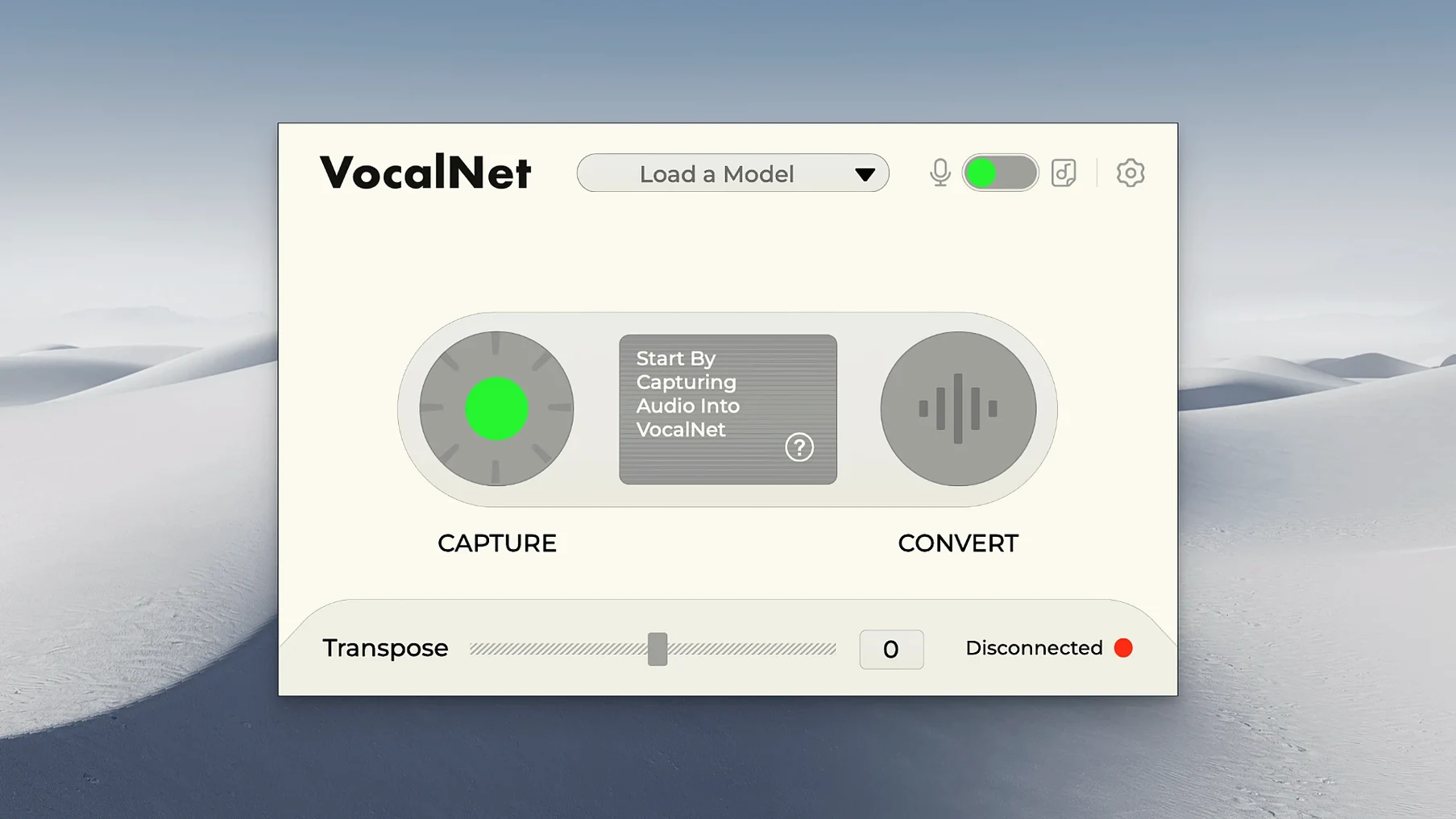
Version 1.0.4 of VocalNet is the current release of Session Loops’ AI voice transformation plugin. It is built for macOS 10.15 and later, runs on both Apple Silicon and Intel 64-bit machines, and processes audio in real time inside a compatible DAW. The interface is English only.
Load VocalNet as an insert on a vocal track
- Load VocalNet as an insert on a vocal track in your DAW.
- Upload one or more voice samples. The plugin analyzes the samples and builds a new timbre from them.
- Blend several samples or use the smooth transition control to move gradually between voice profiles and create hybrid sounds.
- Sing or speak through the track. VocalNet applies the new timbre in real time, giving the voice a different character or a completely different texture.
The goal is speed: try an idea, hear it immediately, and move on. It is not a pitch correction tool or a vocoder in the traditional sense. It is a timbre shaper that works with whatever voice you give it, so the results depend on the samples you feed it and how you blend them. Useful for adding subtle color or for more dramatic transformations when you want a vocal to sound like someone — or something — else.
Expecting instant results without reading the instructions
When I watch students in the game club pick up a new piece of software, they usually dive in without reading the instructions first. With VocalNet, that approach leads to a few repeat mistakes. The most common one is expecting instant results without providing good source material. The plugin needs voice samples to analyze, and if you give it a quiet, noisy recording or a file with heavy reverb already on it, the output will sound muddy. Clean, dry samples give the AI a clearer picture of the voice it should mimic.
Another mistake is loading too many samples at once. VocalNet can blend several voice profiles, but beginners often add five or six samples and then wonder why the result sounds like nothing in particular. Start with one or two samples that have a clear contrast. Move the blend control slowly between them so you hear what each sample contributes. It is easier to add complexity later than to untangle a mess of overlapping timbres.
Some users also forget that VocalNet affects the entire audio passing through it. If the plugin is on a track that contains both vocals and background instruments, the AI will try to transform everything at once. Keep the plugin on a dedicated vocal channel and process any other tracks separately.
Home singer-songwriters add contrast between verses and choruses
Music producers who work alone or in small setups benefit the most. If you are a singer-songwriter recording at home, you can use VocalNet to add contrast between verses and choruses without needing a second performer. A single take can sound like two different voices, which makes arrangements more interesting.
Sound designers working on podcasts, audio dramas, or game dialogue will find it useful for creating character voices. Instead of asking a voice actor to do multiple takes in different registers, you record one clean performance and use VocalNet to shift the timbre. It is especially helpful when you need a quick prototype of how a character might sound before committing to a full recording session.
Electronic music producers who build tracks from loops and samples can experiment with hybrid textures. Upload a sample of a whisper and a sample of a full chest voice, then slide between them. The result is a vocal sound that does not exist in the natural world, which fits right into experimental genres. Session Loops designed VocalNet for vocal experimentation, and people who treat it as a creative tool rather than a corrective one will get more satisfaction from it.
Requires macOS 10.15 or later, supports Apple Silicon and Intel
VocalNet requires macOS 10.15 or later. It supports both Apple Silicon and Intel 64-bit systems, so it works on modern Macs regardless of processor type. The installer includes VST3, AU, and AAX formats, which cover most DAWs used on the platform. The interface is in English.
Because VocalNet processes audio locally on your computer, you do not need an internet connection during use. The recordings never leave your machine. The plugin installs through a standard process: open the downloaded disk image and run the installer. The version available now is 1.0.4.
Test with a simple recorded sentence in a quiet room
- Test VocalNet with a simple sample first. Record yourself saying a single sentence in a quiet room, then load that as the source material. Sing the same sentence through the plugin and listen to how the timbre changes. This gives you a baseline for what the plugin can do with your own voice before you involve outside samples.
- Use the blend control sparingly at the start. Move it in small increments, not all the way from one sample to another. You will hear gradual shifts that are easier to judge than a sudden jump between two unrelated voices.
- Keep a notebook or a text file with the sample names and the blend settings you liked. VocalNet does not save presets in version 1.0.4, so writing down what worked saves time on the next session.
- Try the plugin on spoken word before you attempt singing. Speech has less pitch variation, so the timbre change is more obvious. Once you understand how the plugin responds to a speaking voice, you will have a better sense of how it behaves with melody.
- Close other CPU-heavy plugins when you first run VocalNet. Real-time audio processing places demands on the system, and a clean session lets you hear the plugin without dropouts or glitches caused by an overloaded machine.
- macOS 10.15 or later
- Apple Silicon or Intel 64-bit
Questions I keep getting
Is VocalNet a standalone program or a plugin?
It is a plugin designed to run inside a DAW for vocal processing. It is not a standalone application.
How to install
- Open the downloaded disk image.
- Run the standard installation process.
Similar apps





Sign in or join the club to leave a comment.
Nobody has commented yet.