- Version
- 1.2.00.00
- Studio or maker
- ThinkingStars
- Languages
- Russian, English, German, Spanish, Chinese (Traditional), Chinese (Simplified), Korean, Portuguese, French, Japanese
- Activation
- Not required
- Chip type
- Apple Silicon, Intel 64-bit
- Tried out on
- macOS Tahoe, Mac mini 2024 M4
- First released
- 17.03.2022
- Voice languages
- English, Chinese (Traditional), Chinese (Simplified), Japanese
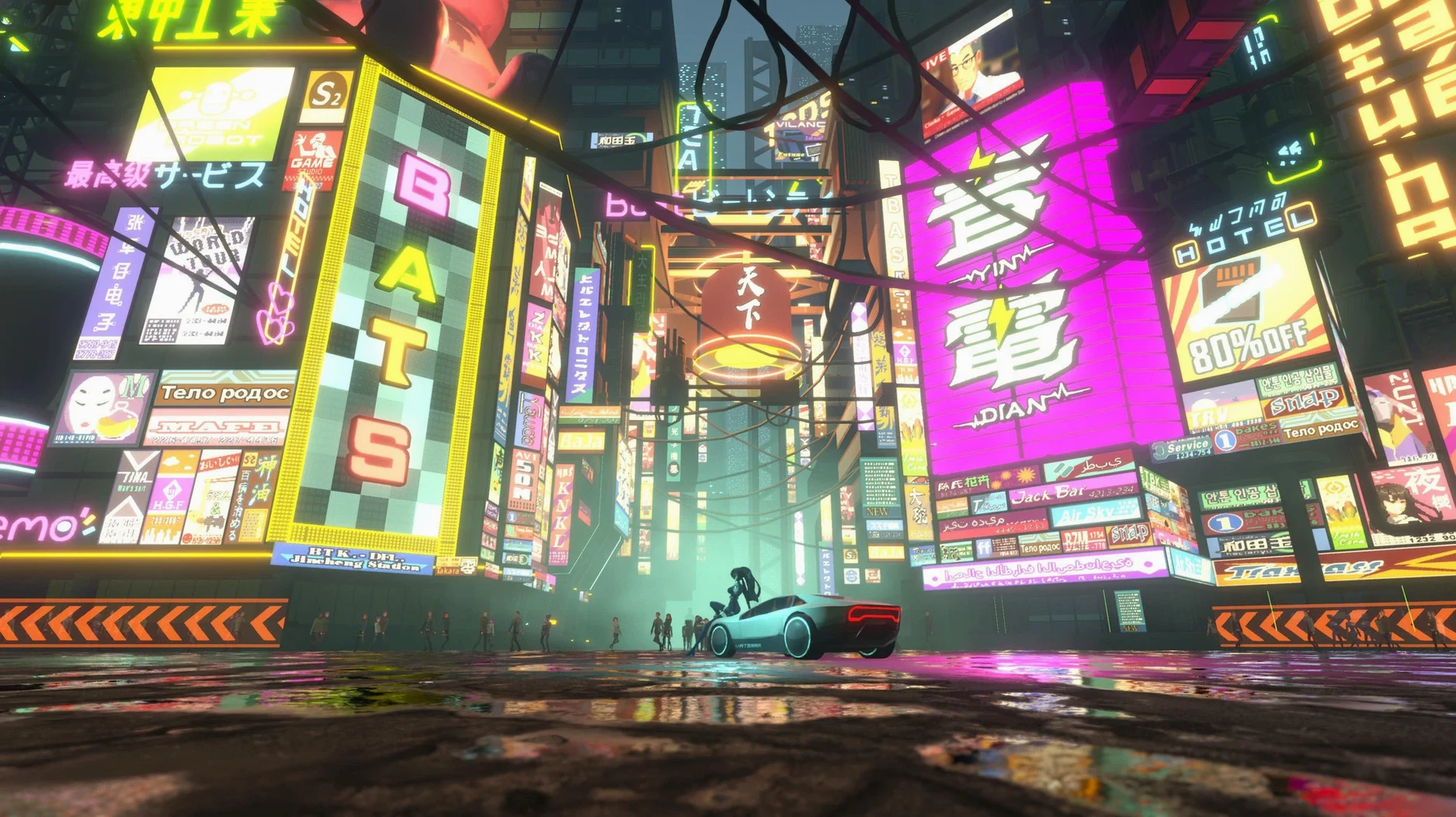
Think of ANNO: Mutationem as a game that rewards the same kind of patient exploration you’d use when uncovering a hidden feature in a spreadsheet. It’s an action-adventure with RPG elements set in a cyberpunk world, and the Mac version runs via Steam. Here’s what to expect on your machine.
A 2024 Mac mini M4 handled crafting and bounty hunting without stutter
You need macOS 11.0 Big Sur or later, at least an Apple M1 processor, 8 GB of RAM, and 11 GB of free storage. The game supports both ARM and 64-bit x86 architectures, so it works on Intel Macs too, though performance may vary.
How does it control on a Mac?
The game plays well with a controller, which is the easiest way to manage combat (swords, pistols, combos, grenades) and movement through neon-lit Noctis. Keyboard and mouse work too, but the controller feels more natural for the action sequences.
Requires macOS 11.0 Big Sur, M1 or later, and 11 GB of storage
I tested it on a 2024 Mac mini M4 running macOS Tahoe. The game includes crafting, item collection, and side jobs like bartending or bounty hunting, and none of these caused any stutter.
A cyberpunk pixel-art story you can pick up and put down easily
If you already enjoy cyberpunk settings and pixel-art visuals, ANNO: Mutationem fits naturally into your library. But it also suits Mac users who want a single-player story they can pick up and put down without losing momentum. The side activities — bartending, bounty hunting, chatting with a cyber-corgi — break up the main search for Ann’s brother, so you can play for twenty minutes or two hours.
RPG players who like crafting and equipment upgrades will appreciate the chip system for modifying weapons. You collect items as you explore Noctis, the cargo ship, and underground facilities, then use them to improve your gear. That loop keeps combat feeling fresh without demanding twitch reflexes. If you prefer exploration over combat, the game lets you wander and talk to characters at your own pace.
Game not opening after install? Check free space beyond the 11 GB requirement
A few things catch people off guard when they first launch the game on a Mac.
- Game doesn’t open after installation. The game needs to be on a volume with enough free space beyond the 11 GB requirement, because it writes save and cache files. If it stalls at the loading screen, check that your external drive or partition has at least 2 GB of free space beyond the game data.
- Controller buttons not responding. The game expects a standard gamepad layout. If your controller maps are off, open the Steam Controller Settings and try the “Gamepad with Joystick Trackpad” template. That usually fixes mismatched face buttons.
- Audio crackling or dropping out. This sometimes happens when the game runs on an Intel Mac with macOS 12 or newer. Go into the system Audio MIDI Setup and set the output format to 44100 Hz — it’s an older fix that still works for this engine.
- Progress lost after quitting. The game autosaves at certain checkpoints, but not continuously. If you quit during a side activity like bartending, you might lose that session’s progress. Save manually at a save point before closing the game.
A workflow: starting a new save and getting your bearings
Here is one way to begin, start to finish, without getting lost in the menus.
- Open the game from Launchpad after copying it to Applications. Choose “New Game” from the main menu.
- Watch the opening cutscene — it sets up Ann’s search for her brother. You cannot skip it, so treat it as setup time.
- Once control returns to you, move Ann forward into the first area. The game is linear for the first ten minutes, so follow the visual cues (glowing doors, arrows on the ground) to reach the first combat tutorial.
- Complete the tutorial fight. You get a sword and a pistol. Practice the basic combo: press light attack twice, then heavy attack. That will carry you through early enemies.
- After the tutorial, you arrive in Noctis. Before proceeding with the main story, visit the vendor to your left. Buy one health item and one ammo pack — they cost very little and save you from backtracking later.
- Open the inventory screen and equip the chip you find in your starting loot. It boosts a small stat, and you can swap it later for free.
- Walk toward the objective marker. On the way, talk to every character with a dialogue icon. Some give side quests or background lore, and one leads to the bartending job, which earns early credits.
- Save at the glowing terminal before leaving the first district. That manual save is your safety net.
- macOS 11.0 Big Sur or later
- Apple M1 processor or newer
- 8 GB RAM minimum
- 11 GB available storage
Questions I keep getting
Can I play ANNO: Mutationem on an Intel Mac?
Yes, the game supports 64-bit x86 architectures, so Intel Macs with the required specs should run it, though performance may not match Apple Silicon machines.
What languages does the game support?
The interface is available in Russian, English, German, Spanish, Traditional Chinese, Simplified Chinese, Korean, Portuguese, French, and Japanese.
How to install
- Mount the downloaded disk image.
- Drag the app into the Applications folder alias.
- After copying finishes, open the app from Launchpad.
Similar games

Sign in or join the club to leave a comment.
Nobody has commented yet.