- Version
- 1.3.8 fix
- Studio or maker
- Feral Interactive
- Languages
- Russian, English, German, Italian, Polish, French, Czech
- Activation
- Not required
- Chip type
- Apple Silicon, Intel 64-bit
- Tried out on
- macOS Sequoia, MacBook Air (M1. 2020)
- First released
- 25.06.2013
- Voice languages
- Russian, English, German, Polish, French
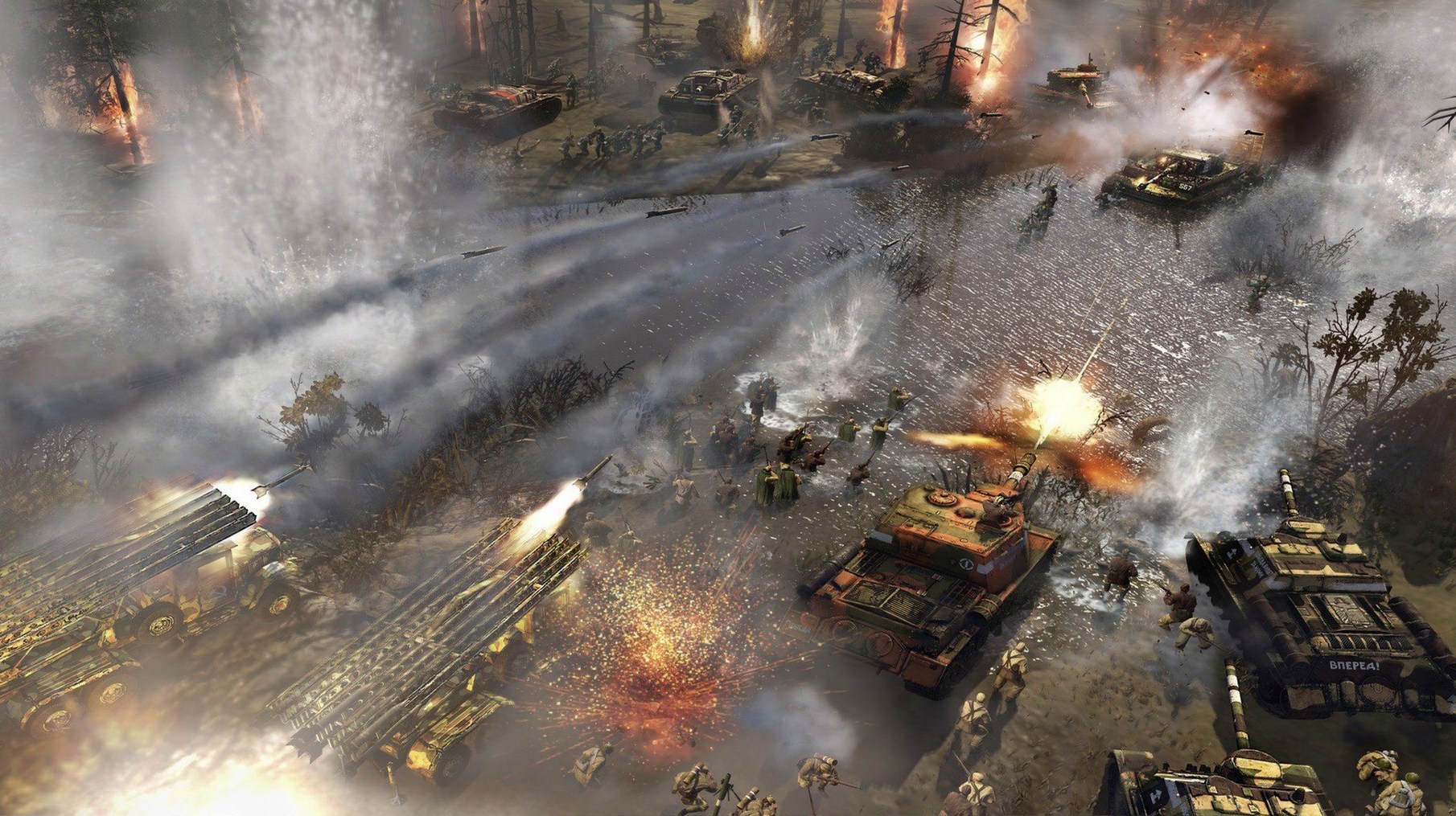
Company of Heroes 2 is a World War II real-time strategy game, brought to Mac by Feral Interactive.
Set up the campaign
The Ardennes Assault single-player campaign follows the U.S. Army through 18 battles. It fits well into a teacher's evening: you can pause, save, and pick it up again the next day.
Join a multiplayer match
Online battles support up to 8 players total. The Western Front Armies add the Oberkommando West and US Forces, giving you more tactical variety when friends come over.
v1.3 brings Apple's Metal graphics API to your Mac
The v1.3 update brings Apple’s Metal graphics API, so the game takes advantage of your Mac's GPU. With both Intel and Apple Silicon support, it sits neatly alongside your other Steam titles.
Fix the game-not-launching issue after a fresh install
The most frequent issue I see in the after-class game club is the game not launching after a fresh install. If Company of Heroes 2 sits on your dock and bounces once before disappearing, check that you have at least 8 GB of RAM free. The game needs that headroom, and macOS tends to hold onto memory for other apps. Close Mail, Safari tabs you are not using, and any office software before trying again.
Another snag: the multiplayer lobby shows no games or friends. This usually happens when your Mac’s firewall blocks the game’s network traffic. Open System Settings (or System Preferences on older macOS versions), go to Network, then Firewall, and make sure Company of Heroes 2 is allowed incoming connections. If you use a third-party firewall, add an exception for the app.
A third issue: the game runs but the mouse cursor feels sluggish or delayed. This is often tied to the graphics settings. Open the in-game options and lower the terrain detail or shadow quality one step. The Essence Engine 3.0 handles destructible terrain well, but high shadow detail can bog down response on older integrated GPUs. If you have only 1 GB of graphics memory, medium presets are a safe starting point.
If the game crashes during a loading screen, verify the downloaded files are complete. The installation requires 45 GB of free space. If your drive is close to full, the game may not unpack correctly.
Use three-finger swipe up to check walkthroughs mid-campaign
Company of Heroes 2 cooperates well with macOS Mission Control. If you need to check a walkthrough or a class note mid-campaign, a three-finger swipe up gets you to a new desktop space without quitting the game. The game pauses automatically when you switch away, so you do not lose your unit positions.
The game supports the standard macOS screenshot shortcut (Command-Shift-3) for capturing tactical moments. I use this to save replays of particularly good maneuvers to discuss with students later. The screenshots land on your desktop as PNG files, easy to drop into a presentation or a shared folder.
For voice chat during multiplayer matches, Discord and the game coexist without trouble on a Mac with 8 GB of RAM. If you experience stutter, close any browser windows first.
TrueSight makes units see only what their line of sight allows
The game includes the TrueSight system, which means units see only what their line of sight allows. A tank behind a building cannot shoot through it, and infantry in heavy snow cover are harder to spot. This rewards scouting and flanking, which is a good lesson for new players: sending one squad ahead to scout can save you from walking into an ambush.
The ColdTech weather system affects more than visuals. In blizzard conditions, infantry units that stay still too long take damage from the cold. You can order them into nearby buildings or keep them moving. I have seen students lose a full squad because they forgot about the weather while focusing on a tank duel.
Destructible terrain is not just cosmetic. Blowing a hole in a wall with a tank shell creates a new entry point for your infantry. In the Ardennes Assault campaign, I sometimes use this to bypass a machine gun nest that controls the main road. The AI does not always expect a flank from a freshly made gap.
Walk through one Ardennes Assault battle in a quiet afternoon
Let us walk through one Ardennes Assault battle, the kind of session you might fit into a quiet afternoon. Start by launching the game and loading your campaign save. You see the Ardennes map with 18 possible battles; pick one that is marked as available.
Before the battle begins, review your company. You have a few units that carried over from previous fights, and some may have veterancy bonuses. Decide which company to deploy based on the terrain preview. If the map shows open fields and light forest, a company with more anti-tank guns and machine guns is a sensible choice. If it shows dense urban areas, infantry with grenade abilities work better.
Once the battle loads, pause immediately by pressing Escape. This gives you a moment to study the map. Note capture points, victory point locations, and any chokepoints. Build your first squad of engineers and send them toward the nearest capture point. At the same time, start constructing a barracks or a weapon support center near your base.
As the battle unfolds, keep an eye on the weather indicator at the top of the screen. If a blizzard is incoming, move your infantry toward buildings or dug-in positions before it hits. Use your mortar teams to suppress enemy machine guns from behind cover, then advance your main force while the enemy is pinned.
When you have secured two of the three victory points, shift to a defensive posture. Set up machine gun teams covering the roads leading to those points. Keep one squad in reserve to plug any breakthrough. If the enemy captures a point, respond fast with a small counterattack rather than committing your whole army.
After the battle ends, the game returns you to the campaign map. Any surviving units gain experience. If you lost too many, you can choose a different company for the next fight. Save your progress before closing the game — the campaign remembers your choices, so next time you pick up exactly where you left off.
- Added support for Apple’s Metal graphics API.
- macOS 10.14 or later
- Intel or Apple Silicon
- 8 GB RAM
- 45 GB free space
- 1.8 GHz processor
- 1 GB graphics memory
Questions I keep getting
Does Company of Heroes 2 for Mac support multiplayer?
Yes, the Mac version includes online multiplayer for up to 8 players, and the Western Front Armies expansion adds two new factions.
How to install
- Mount the downloaded disk image to access the installer.
- Drag the app into the Applications folder alias to install it.
- Launch the game from Launchpad after copying finishes.
Similar games





Sign in or join the club to leave a comment.
Nobody has commented yet.