- Version
- 2.1.23 Native
- Studio or maker
- Wube Software LTD.
- Languages
- Russian, English, German, Hungarian, Spanish, Italian, Chinese (Traditional), Chinese (Simplified), Korean, Dutch, Norwegian, Polish, Portuguese, Romanian, Turkish, Ukrainian, Finnish, French, Czech, Swedish, Japanese
- Activation
- DRM-free
- Chip type
- Apple Silicon, Intel 64-bit
- Tried out on
- macOS Tahoe, Mac mini 2024 M4
- First released
- 14.08.2020
- Voice languages
- Music only
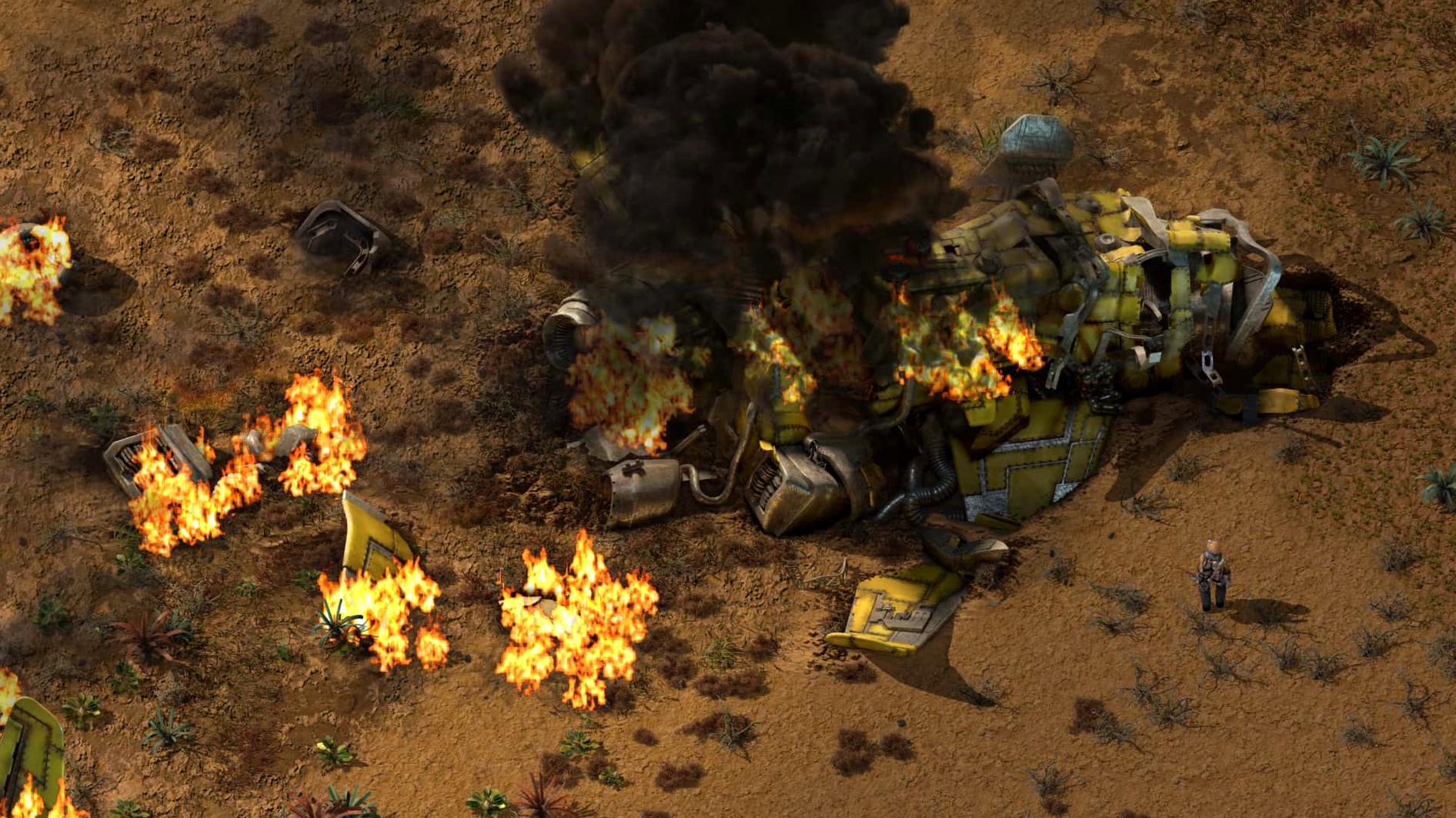
Twenty-one interface languages, one endless 2D world, and a logistics network that can swallow a weekend. Factorio 2.0.77 is a game about building automated factories that produce items of increasing complexity, starting with cutting trees and mining ore, then moving to inserters, transport belts, solar farms, oil processing, and robots.
Players who set their own goals, optimize systems, or enjoy multiplayer
- Players who like setting their own goals and optimizing a system until it hums.
- People who enjoy multiplayer cooperation, where you and friends divide up production lines.
- Modders and tinkerers — version 2.0.77 adds LuaEntityPrototype reads for quality-related values, and the built-in map editor gives you a sandbox to experiment in.
Not for those wanting a guided story or quick sessions
If you want a guided story or quick sessions, this is not that game. The factory grows, the enemies push back, and the hours disappear. There is no campaign narrator telling you what to do next.
For players who enjoy puzzle-like planning and watching a system come alive, Factorio is a steady companion. For those who prefer clear structure and endings, it may feel open-ended in a way that does not satisfy.
Factorio 2.0.77 is a 64-bit application that runs on both Apple Silicon and Intel Macs. Testing on macOS Tahoe occurred with a 2024 Mac mini featuring an M4 chip; therefore, compatibility is anticipated with both the latest Apple hardware and earlier Intel-based systems. There is no separate download for each architecture — the same disk image handles both.
2.0.77 update fixes bugs that interrupted long factory sessions
The 2.0.77 update, released on 2026-05-21, focuses on stability. Several bugs that could interrupt a long factory session have been fixed: cargo pod clipping, inserter deadlocks, and rocket silo deadlocks are all resolved. A crash that occurred when entities were killed without a source is gone, and another crash when creating a loader with stack size override has been patched. For mod authors and players who use mods, the update adds LuaEntityPrototype reads for quality-related values, plus new LuaEntityPrototype and LuaFluidPrototype reads including drops_full_belt_stacks and visualization_color. These additions mean that mods can now interact with the game's quality system and handle fluid properties more precisely.
Autosave interval and other settings to adjust before starting
Before you begin your first factory, open the game's settings and adjust a few things that affect how you interact with the world:
- Autosave interval. The default frequency is fine for most players, but if you are building in a busy multiplayer session or experimenting with complex train networks, consider shortening the interval. You will lose less progress if something goes wrong.
- Audio levels. The game has only background music, no voice acting. If you plan to play for several hours, lower the music volume so it does not become fatiguing. The ambient sounds of machines and belts are part of the charm, so keep those audible.
- Graphics quality. Factorio is a 2D game, not a 3D one, so it runs well on most Macs. If you notice sluggishness when zooming out over a large factory, reduce the sprite resolution or turn off some of the decorative details. The game's performance scales gracefully.
- Control bindings. The default keyboard layout is sensible, but you may want to remap the map editor toggle or the quickbar slots to keys that are more comfortable for your hand. Take a minute to look through the controls before you invest hours into muscle memory.
For players who use mods, the mod folder is at ~/Library/Application Support/factorio/mods. You can drag mod files there while the game is closed, then enable or disable them from the mods menu inside the game. The map editor is also worth opening early, even if you are not a modder — it lets you test small sections of a factory layout before building them in your main save.
DRM-free game copies between accounts without re-authenticating
Factorio is DRM-free, so you can copy the application to an external drive or share it between user accounts on the same Mac without re-authenticating. The disk image installs the game into your Applications folder, and Launchpad picks it up automatically. If you use multiple Macs, you can move the game folder around and it will run as long as the architecture matches.
The save files and mods are stored in the user Library, which means they stay separate for each macOS account. If you share your Mac with family members, each person's factory progress and mod list will be independent. Backing up saves is as simple as copying ~/Library/Application Support/factorio to a cloud drive or external disk.
Because Factorio is a 2D game, it does not push the graphics hardware the way a 3D title does. The game plays well alongside other applications — you can keep a web browser open with a wiki or a factory calculator without noticeable slowdown. The game also supports 21 languages, so if you switch your macOS system language, Factorio will match it if that language is available. For the full list, the game includes Russian, English, German, Hungarian, Spanish, Italian, Traditional and Simplified Chinese, Korean, Dutch, Norwegian, Polish, Portuguese, Romanian, Turkish, Ukrainian, Finnish, French, Czech, Swedish, and Japanese.
Factorio challenges you to build and optimize automated factories, and its official Mac installer includes the "factorio mac torrent" file for offline play.
- Fixed cargo pod clipping, inserter deadlocks, rocket silo deadlocks, and several crash cases.
- Added new Lua prototype reads for quality-related values and other entity and fluid properties.
- macOS version not specified
- Architecture: both Intel and Apple Silicon
Questions I keep getting
Does Factorio support mods on Mac?
Yes. Mods go in ~/Library/Application Support/factorio/mods, and the game loads them from there.
Can I play Factorio with friends?
The game supports multiplayer, so you can build factories together in the same world.
What languages does Factorio run in?
It supports 21 languages, including English, German, Spanish, French, Japanese, and both Chinese variants.
How to install
- Open the downloaded disk image so the game folder appears.
- Drag the game to the Applications folder shortcut — that keeps it in the usual Mac spot.
- When the copy finishes, launch the game from Launchpad.
- For mods, place them in ~/Library/Application Support/factorio/mods.
Similar games






Sign in or join the club to leave a comment.
Nobody has commented yet.